
The Events Calendar Community Events – Frontend Event Submission Plugin for WordPress
Verified from VirusTotal 100% Original Product and Virus Free. Free New Version Lifetime On Single Purchase. Unlimited Website Usage Price is in US dollars and included tax
Buy confidently with secure digital checkout, account-based downloads, and a cleaner WPPlugShop product experience.
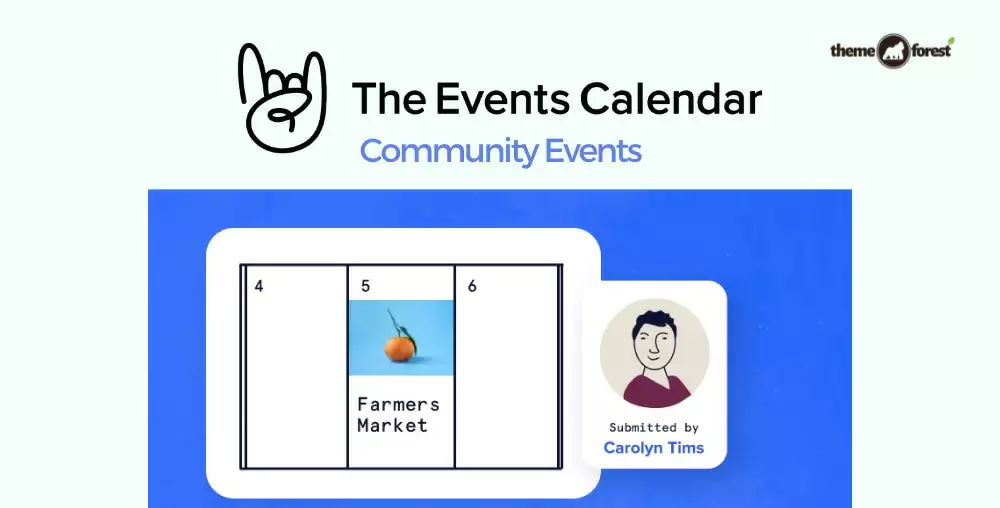
Preview The Events Calendar Community Events – Frontend Event Submission Plugin for WordPress
View the product artwork, switch gallery images, and open a larger preview before checkout.
Get secure digital access for real WordPress projects
This section summarizes the buying experience and what customers can expect after checkout.
Product overview, benefits, and digital access details
Review the key product details, practical use cases, and digital access information before checkout.
Product Overview
The Events Calendar Community Events is a premium extension for The Events Calendar that enables visitors, members, organizations, and event organizers to submit and manage events directly from the front end of your WordPress website. Instead of requiring WordPress admin access, users can create, edit, and manage their own events through an intuitive submission form.
Perfect for community calendars, local event directories, educational institutions, nonprofits, conferences, clubs, tourism websites, and business organizations, this addon streamlines event submissions while reducing administrative workload and encouraging community participation.
Why Choose The Events Calendar Community Events?
Managing every event manually can become time-consuming as your calendar grows. Community Events allows users to submit their own events through a secure front-end interface, making it easier to build an active and constantly updated event calendar.
- Allow front-end event submissions.
- Reduce administrative workload.
- Enable user-managed events.
- Increase community engagement.
- Support organizer self-service.
- Integrates seamlessly with The Events Calendar.
Key Features
- Front-end event submission.
- User event management.
- Edit submitted events.
- Delete personal events.
- Organizer profile support.
- Venue selection support.
- Recurring event compatibility.
- Media upload support.
- Submission moderation.
- Draft and pending review options.
- Email notifications.
- Responsive submission forms.
- Shortcode support.
- Translation ready.
- Developer friendly.
- No coding required.
- WordPress compatible.
- Role-based permissions.
- Easy configuration.
- Community-focused workflow.
Main Benefits
- Increase community participation.
- Save administrator time.
- Accept user-generated events.
- Improve event management.
- Keep calendars updated.
- Simplify organizer submissions.
- Enhance user experience.
- Support scalable event directories.
Best Use Cases
- Community event websites.
- Local business directories.
- Tourism portals.
- University event calendars.
- Conference websites.
- Festival directories.
- Nonprofit organizations.
- Sports clubs.
- Business associations.
- Municipal event portals.
Who Should Use This Plugin?
- Community website owners.
- Event organizers.
- Educational institutions.
- Tourism organizations.
- Nonprofit organizations.
- WordPress developers.
- Digital agencies.
- Freelancers.
- Business associations.
- Local governments.
WP Plug Shop Access Benefits
WP Plug Shop provides professionally managed digital downloads for WordPress users seeking GPL-compatible plugins, themes, and development resources.
- Instant digital download after purchase.
- GPL-compatible digital resource.
- Secure checkout process.
- Files scanned before distribution.
- Suitable for developers, agencies, freelancers, and businesses.
- Fast access for WordPress projects.
Disclaimer: WP Plug Shop is an independent digital marketplace and is not the original developer of third-party products unless explicitly stated. premium digital accesss, developer support, automatic updates, The Events Calendar licenses, and premium support are not included unless specifically mentioned.
Product Details
| Feature | Details |
|---|---|
| Product Name | The Events Calendar Community Events |
| Product Type | Premium The Events Calendar Add-on |
| Platform | WordPress |
| Requires | The Events Calendar |
| Primary Function | Front-End Event Submission & Community Event Management |
| Submission Method | User Front-End Forms |
| Compatibility | The Events Calendar |
| Ideal For | Community Calendars, Organizations & Event Websites |
Feature Comparison
| Capability | The Events Calendar | Community Events |
|---|---|---|
| Front-End Event Submission | No | Yes |
| User Event Management | No | Yes |
| Organizer Self-Service | No | Yes |
| Submission Moderation | Manual | Yes |
| Venue Management | Admin Only | Frontend Support |
| Recurring Event Support | Compatible | Compatible |
| Community Participation | Limited | Enhanced |
| Administrative Workload | Higher | Reduced |
Pros & Considerations
| Pros | Considerations |
|---|---|
| Allows user-generated event submissions. | Requires The Events Calendar plugin. |
| Reduces administrator workload. | Submission moderation is recommended. |
| Improves community engagement. | User permissions should be configured properly. |
| Easy setup with no coding. | Advanced workflows may require additional add-ons. |
| Ideal for growing event communities. | Best performance depends on proper WordPress configuration. |
Final Verdict
The Events Calendar Community Events is an excellent solution for organizations that want to accept event submissions directly from their community. By allowing users to submit and manage their own events through the front end, it reduces administrative work while creating a more active and engaging event platform.
Whether you're managing a local event calendar, nonprofit website, tourism portal, educational institution, or community organization, this addon provides an efficient and user-friendly way to grow your event listings and encourage community participation.
Quick product answers for buyers and AI search
Clear product answers help buyers, search engines, and AI answer engines understand this product faster.
Best ways to use this WordPress digital product
These use cases help buyers quickly decide if this product fits their workflow.
How digital access works
No physical shipping is required. This is a digital product access purchase designed for account-based downloads.
Secure payment options for digital checkout
WPPlugShop supports trusted checkout options so buyers can complete digital purchases with more confidence.
Frequently asked questions
Buyer-focused answers about digital access, secure payments, downloads, support, and product usage.
Related WordPress tools you may also like
Explore related WordPress tools that may support the same workflow, website type, or project goal.

Choose the right WordPress tool with confidence
Request a product, explore membership access, or contact support if you want help choosing the right WordPress digital product before checkout.