

Product Overview
Webinarist – Webinar & Online Events Framer Template is a modern Framer website template designed for webinar businesses, online course creators, conference organizers, workshop providers, educators, coaches, membership communities, and brands that regularly publish virtual events.
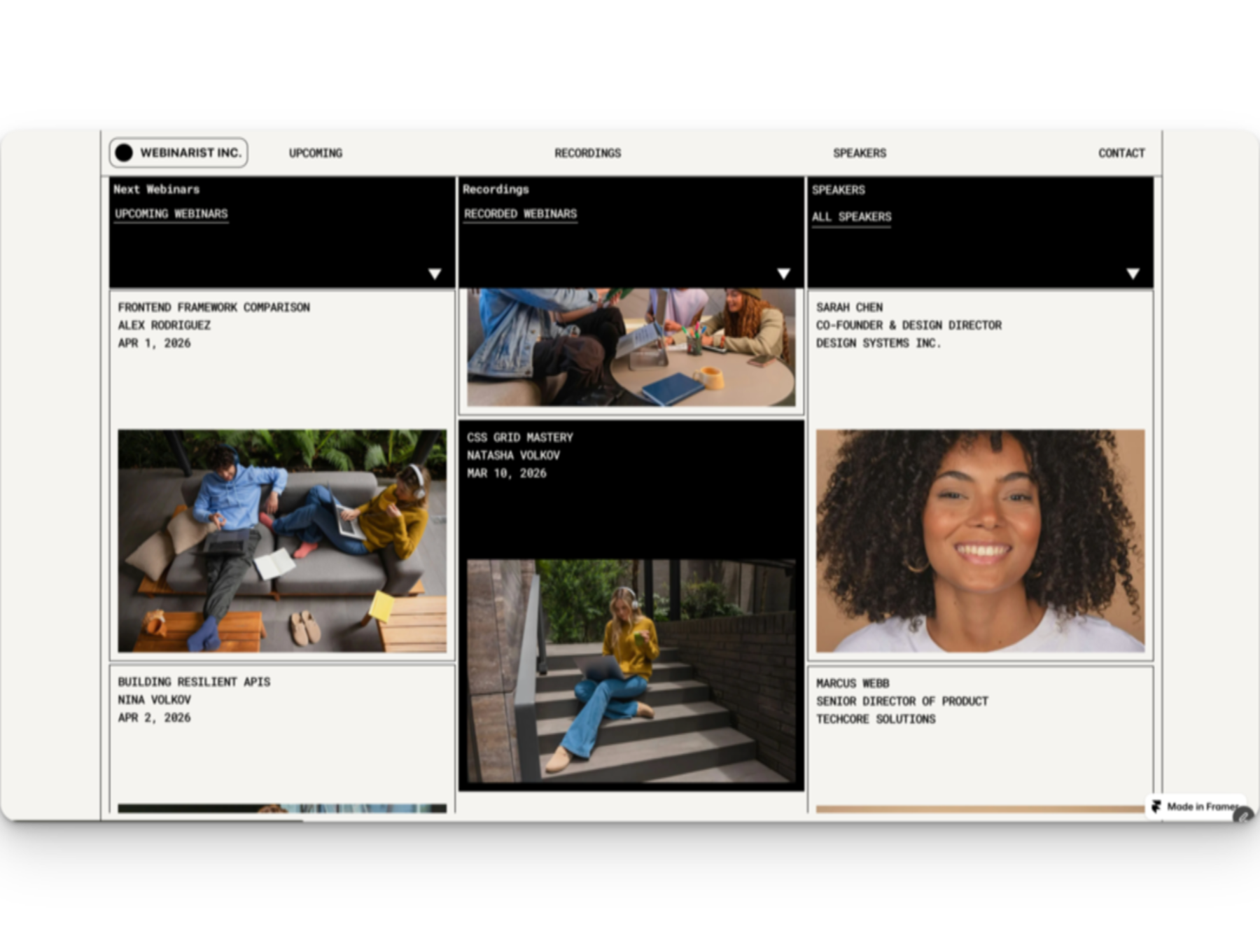
Instead of being limited to a single webinar landing page, Webinarist is structured around recurring event content. Its CMS-oriented architecture can help organize upcoming webinars, recorded webinars, speakers, categories, and reviews, making it a practical starting point for businesses that need to maintain an expanding library of online sessions.
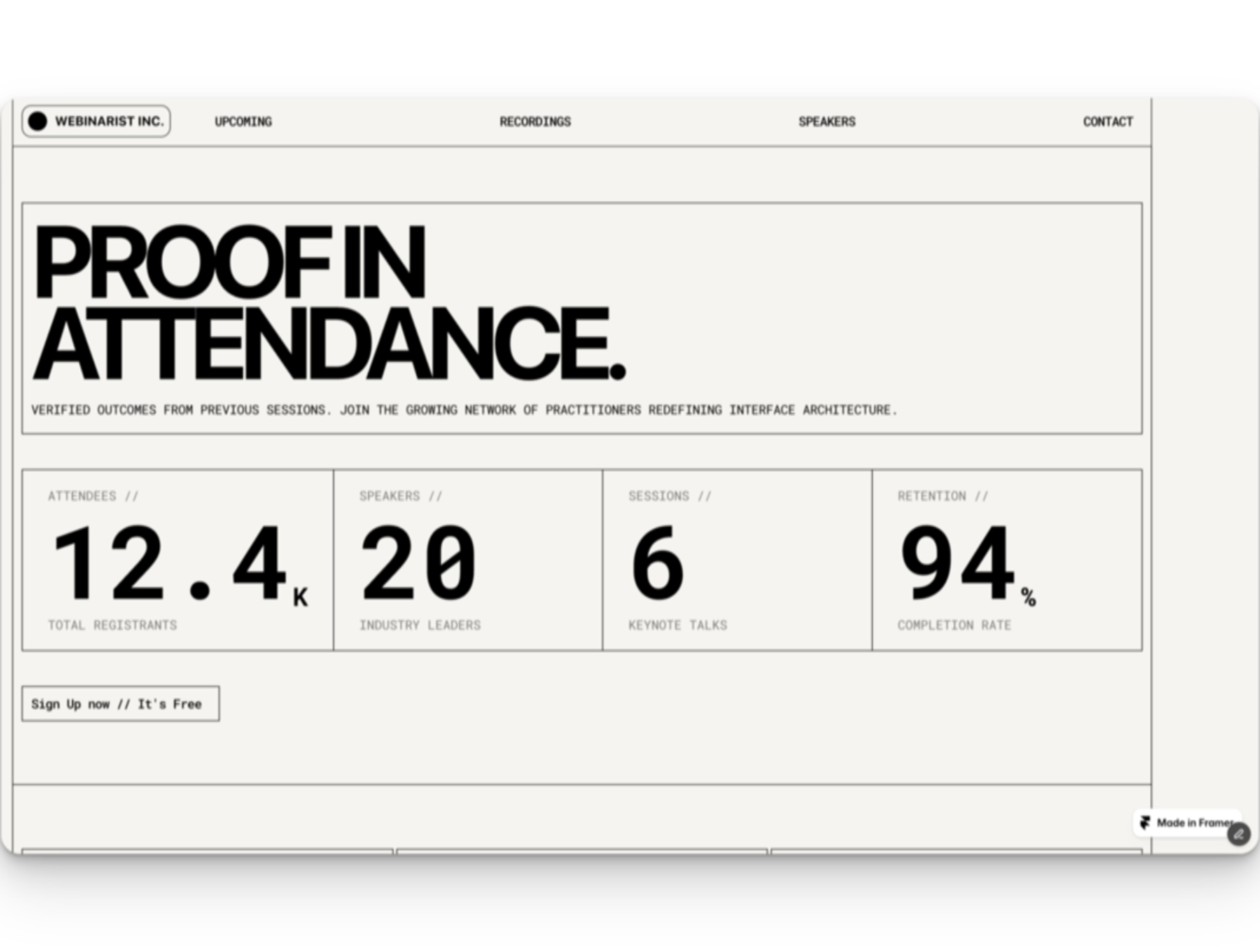
The template combines a distinctive brutalist-inspired visual style with structured event information, registration-focused sections, speaker presentation, social proof, FAQs, and dedicated content pages. This makes it suitable for businesses that want their webinar website to look distinctive while remaining focused on event discovery and registration.
Whether you are building a webinar series, online course website, virtual conference platform, workshop website, or masterclass hub, Webinarist provides a Framer-based foundation that can be adapted to your brand, content, speakers, sessions, and audience.
Why This Product Is Useful
Businesses that host recurring online events often need to manage much more than a single registration page. Visitors may need to discover upcoming sessions, learn about speakers, review event information, browse previous recordings, select sessions, and find answers to common questions.
Webinarist addresses this broader requirement through a CMS-powered webinar website structure. Instead of rebuilding every webinar page manually, structured content can be managed through CMS collections where supported by the supplied template version.
This makes the template particularly useful for organizations that publish multiple webinars, online courses, workshops, conferences, or educational sessions over time.
The combination of upcoming events, recorded sessions, speaker profiles, categories, reviews, registration functionality, FAQs, and individual content pages provides a stronger foundation than a basic one-event landing page.
Key Features
- Webinar-focused website structure: Designed specifically around webinars, virtual events, educational sessions, and recurring online content.
- Framer CMS integration: Uses structured CMS collections to organize recurring webinar and event content where supported by the supplied version.
- Upcoming Webinars collection: Present upcoming online sessions and help visitors discover future events.
- Recorded Webinars collection: Organize previous sessions into a dedicated recorded webinar library.
- Speakers collection: Create structured profiles for presenters, instructors, experts, hosts, and other event participants.
- Categories collection: Organize webinars and educational content into relevant topics or categories.
- Reviews collection: Present testimonials and attendee feedback as social proof.
- Generated detail pages: CMS content can generate dedicated webinar, recording, and speaker pages where supported.
- Registration form: Provide visitors with a focused pathway for registering interest in an online session.
- Form validation states: Includes structured interaction states such as loading, success, and error handling in the researched template.
- Session selector: Useful for event formats that provide multiple session or schedule choices.
- FAQ accordion: Help visitors find answers to common webinar and event questions.
- Animated statistics: Use dynamic numerical presentation to highlight selected business or event information.
- Responsive design: Designed to adapt event content across desktop, tablet, and mobile screens.
- Page transitions: Provides a more engaging navigation experience for a modern event website.
- Accessibility-oriented footer: Includes structural elements intended to support a more accessible website experience.
- Legal page structure: Starter legal pages are included in the researched template structure.
- Documentation: The marketplace listing indicates setup and editing documentation is provided.
- CMS demo content: Example content can help demonstrate how the template structure works before replacing it with your own material.
Main Benefits
- Manage recurring events more efficiently: Build a structured website for businesses that publish webinars and online sessions regularly.
- Create a scalable webinar library: Separate upcoming webinars from recorded sessions to make content easier for visitors to explore.
- Showcase speakers professionally: Give instructors, presenters, experts, and hosts dedicated profile content.
- Reduce repetitive page creation: CMS-driven content can simplify the process of publishing additional events and related pages.
- Improve event discovery: Categories, cards, speaker profiles, and structured event pages help visitors find relevant sessions.
- Support registration-focused journeys: Combine event information, session details, social proof, FAQs, and registration opportunities.
- Build credibility: Reviews, speaker information, structured event details, and recorded content can help establish trust.
- Present educational content professionally: Suitable for courses, workshops, masterclasses, conferences, and knowledge-sharing programs.
- Maintain a distinctive brand experience: The brutalist-inspired visual language provides a recognizable alternative to generic corporate webinar designs.
- Support mobile audiences: Responsive layouts help event information remain accessible across different screen sizes.
Best Use Cases
- Recurring webinar series
- Online webinar businesses
- Virtual conferences
- Online course platforms
- Live online courses
- Educational webinar programs
- Professional workshops
- Online masterclasses
- Training businesses
- Coaching programs
- Membership communities
- Speaker-led events
- Virtual summits
- Knowledge-sharing platforms
- Recorded webinar libraries
- Online education businesses
- Community-driven events
Who Should Use This Product?
Webinar businesses can use Webinarist to present upcoming sessions, organize recorded webinars, showcase speakers, and provide registration-focused event pages.
Course creators and educators can adapt the structure for online classes, educational sessions, masterclasses, workshops, and recurring training programs.
Conference organizers can use the event-oriented architecture to present speakers, sessions, categories, schedules, and registration information for virtual conferences.
Coaches and consultants can create a professional online presence for workshops, educational webinars, group sessions, and knowledge-sharing events.
Membership communities can use the content structure as a foundation for presenting recurring member events, educational sessions, and recorded content.
Training organizations can adapt Webinarist for structured educational programs where visitors need to browse sessions, instructors, topics, and event information.
WP Plug Shop Access Benefits
- Digital access: Access the purchased digital resource through the WP Plug Shop delivery process.
- Budget-conscious website foundation: Start from a purpose-built webinar and event website structure rather than designing every page from the beginning.
- Project-ready resource: Use the template as a starting point for appropriate webinar, education, conference, workshop, and online-event projects.
- Framer-focused resource: The product is positioned specifically for websites built with Framer.
- Marketplace convenience: Manage your digital product purchase through the WP Plug Shop marketplace experience.
Product Details
| Detail | Information |
|---|---|
| Product Name | Webinarist |
| Product Type | Webinar & Online Events Website Template |
| Platform | Framer |
| Primary Category | Webinar, Education & Online Events |
| Ideal For | Webinar businesses, educators, course creators, conference organizers, coaches, trainers, and event-driven brands |
| Design Style | Brutalist, bold, structured, minimal, typographic, and high-contrast |
| CMS | CMS-powered structure for recurring event content |
| Webinar Content | Upcoming and recorded webinar collections |
| Speaker Profiles | Dedicated speaker collection and profile pages where supported |
| Categories | Dedicated categories collection |
| Reviews | Dedicated reviews/testimonials collection |
| Registration | Registration form with interaction states |
| Session Selection | Session selector functionality |
| FAQ | FAQ accordion |
| Responsive Design | Yes |
| Page Transitions | Included in the researched template structure |
| Documentation | Setup and editing documentation indicated by the marketplace listing |
| WordPress Compatibility | Not confirmed; product is positioned as a Framer template |
| Elementor Compatibility | Not confirmed |
| WooCommerce Compatibility | Not confirmed |
Feature Comparison
| Capability | Webinarist | Basic Webinar Landing Page |
|---|---|---|
| Framer-based website | Yes | Depends on template |
| Recurring webinar structure | Yes | Usually limited |
| Upcoming webinars | Yes | Depends on template |
| Recorded webinars | Yes | Usually requires additional setup |
| Speaker profiles | Yes | Depends on template |
| Content categories | Yes | Usually limited |
| Reviews / testimonials | Yes | Depends on template |
| Generated detail pages | Yes, through CMS structure where supported | Usually limited |
| Registration form | Yes | Depends on template |
| Session selector | Yes | Depends on template |
| FAQ | Yes | Depends on template |
| Online course use case | Strong fit | Varies |
| Conference use case | Strong fit | Varies |
Pros and Considerations
| Pros | Considerations |
|---|---|
| Purpose-built for webinars and online events | Designed for Framer rather than native WordPress |
| CMS-oriented recurring content structure | Elementor compatibility is not confirmed |
| Upcoming and recorded webinar organization | WooCommerce compatibility is not confirmed |
| Dedicated speaker profiles | Exact functionality can vary by supplied template version |
| Categories and reviews collections | Branding and event content need to be customized |
| Registration-focused website structure | External webinar, payment, email, or event-management integrations should be verified separately |
| Suitable for courses, workshops, conferences, and masterclasses | Specific third-party integrations should not be assumed without confirmation |
| Distinctive brutalist visual direction | The bold visual style may require customization for brands with a more traditional corporate identity |
Final Verdict
Webinarist is a strong Framer template for businesses that need a scalable website for recurring webinars and online events. Its biggest advantage is the combination of a purpose-built event structure with CMS-driven content for upcoming webinars, recorded sessions, speakers, categories, and reviews.
Rather than functioning only as a single webinar landing page template, Webinarist provides a broader foundation for webinar businesses, online course creators, conference organizers, workshop providers, masterclass brands, educators, and membership communities.
The registration-focused structure, speaker profiles, event content, testimonials, FAQs, responsive design, and dedicated CMS-driven pages make it particularly useful for businesses that expect their online event library to grow over time.
If you need a distinctive Framer webinar template for recurring events, online education, conferences, workshops, or masterclasses, Webinarist offers a focused starting point that can be adapted to your brand, event content, speakers, sessions, and audience.
Before deployment, verify the exact template version, included files, CMS configuration, licensing terms, integrations, and supported features supplied with your purchase so the resource matches your intended Framer workflow.
Frequently Asked Questions
What is Webinarist Framer Template?
Webinarist is a Framer website template designed for webinars, online events, courses, conferences, workshops, masterclasses, and other recurring educational or virtual events.
Who should use Webinarist?
Webinarist is suitable for webinar businesses, online course creators, educators, coaches, conference organizers, workshop providers, training companies, membership communities, and event-focused brands.
Is Webinarist a good Framer template for webinars?
Yes. Webinarist is specifically structured around webinar content, with support for upcoming webinars, recorded sessions, speakers, categories, reviews, registration, and dedicated event content pages where supported by the template version.
Does Webinarist use Framer CMS?
Yes. The template uses a CMS-oriented structure for recurring content such as webinars, recorded sessions, speakers, categories, and reviews. Adding CMS content can generate corresponding detail pages where supported.
Can I use Webinarist for recurring webinars?
Yes. Recurring webinars are one of the strongest use cases for the template. Its structured CMS approach makes it suitable for websites that regularly publish new upcoming sessions and maintain an archive of previous webinars.
Can Webinarist display recorded webinars?
Yes. Webinarist includes a recorded webinar content structure, making it suitable for creating a library of previous online sessions and educational events.
Does Webinarist include speaker profiles?
Yes. The template includes a speaker-focused CMS structure that can be used to present instructors, presenters, experts, hosts, and other event participants through dedicated profile content.
Can Webinarist be used for online courses?
Yes. Webinarist can be adapted for online courses, live classes, educational sessions, workshops, and masterclasses where a structured event and speaker presentation is useful.
Is Webinarist suitable for online conferences?
Yes. Its event-focused structure can be adapted for virtual conferences, speaker-led events, online summits, and other multi-session experiences that require organized event and speaker information.
Does Webinarist include a webinar registration form?
Yes. The researched template includes a registration form with interaction states such as loading, success, and error handling. The exact registration workflow and external integrations should be verified for the supplied version.
Is Webinarist responsive?
Yes. Webinarist is designed as a responsive Framer template so webinar information, speaker profiles, event content, and registration-focused sections can adapt across desktop, tablet, and mobile screens.
Can I organize webinars into categories?
Yes. Webinarist includes a categories collection that can help organize webinars and educational content by subject, topic, industry, format, or another classification system.
Is Webinarist a WordPress theme?
No WordPress compatibility should be assumed. Webinarist is positioned as a Framer template. If you specifically need a WordPress theme, verify that the product package includes a WordPress version before purchasing.
Does Webinarist work with Elementor?
Elementor compatibility is not confirmed. Elementor is a WordPress page builder, while Webinarist is designed for the Framer platform.
Can Webinarist be used for workshops and masterclasses?
Yes. Workshops, masterclasses, training sessions, and educational events are suitable use cases because the template is structured around event information, speakers, sessions, registration, FAQs, and related content.
Please note: This is a digital product. Due to its digital nature, all sales are final — no refund will be provided after purchase and delivery. Please see our Refund Policy before purchasing.