
WooCommerce Add to Cart Redirect – Redirect Customers to Checkout
Verified from VirusTotal 100% Original Product and Virus Free. Free New Version Lifetime On Single Purchase. Unlimited Website Usage Price is in US dollars and included tax
Buy confidently with secure digital checkout, account-based downloads, and a cleaner WPPlugShop product experience.
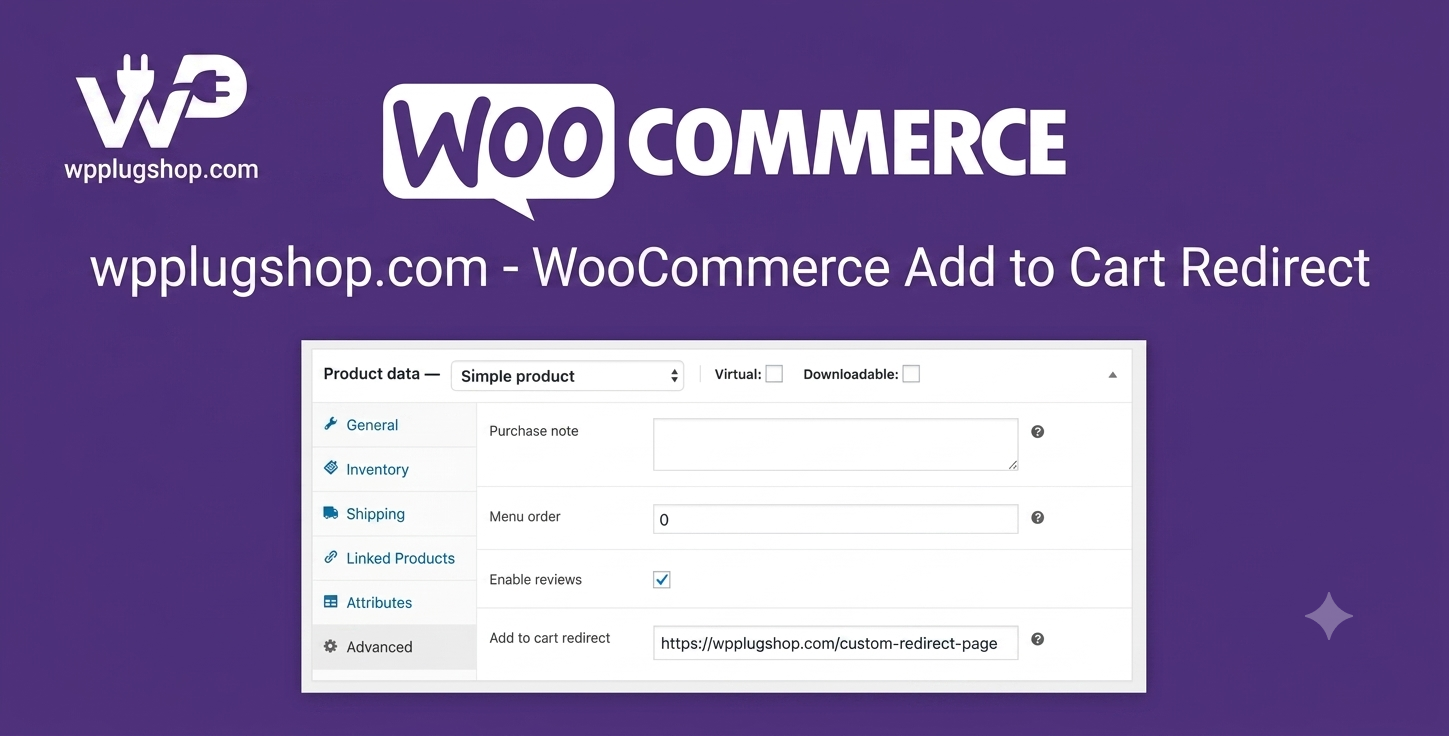
Preview WooCommerce Add to Cart Redirect – Redirect Customers to Checkout
View the product artwork, switch gallery images, and open a larger preview before checkout.
Get secure digital access for real WordPress projects
This section summarizes the buying experience and what customers can expect after checkout.
Product overview, benefits, and digital access details
Review the key product details, practical use cases, and digital access information before checkout.
Product Overview
WooCommerce Add to Cart Redirect 1.3.1 is a powerful WooCommerce extension that automatically redirects customers to a specific page immediately after they add a product to their cart. Instead of keeping shoppers on the current page, you can send them directly to the cart, checkout, or any custom URL to create a faster, smoother, and more conversion-focused shopping experience.
Whether you run a digital download store, subscription business, single-product shop, or large WooCommerce marketplace, this plugin helps simplify the customer journey by reducing unnecessary clicks and encouraging quicker purchases.
Available through WP Plug Shop with GPL-friendly digital access, WooCommerce Add to Cart Redirect is an excellent solution for store owners looking to optimize checkout flow, improve conversions, and build more effective sales funnels.
Why This Product Is Useful
Every extra click between product selection and checkout can increase the chance of cart abandonment. The default WooCommerce behavior may require customers to manually navigate to the cart or checkout before completing their purchase.
WooCommerce Add to Cart Redirect eliminates this friction by automatically guiding shoppers to the next step in the buying process, helping improve user experience and increasing the likelihood of completed orders.
Key Features
- Automatic add-to-cart redirects.
- Redirect customers directly to the cart.
- Redirect customers directly to checkout.
- Redirect to custom URLs.
- Store-wide redirect settings.
- Product-specific redirect support.
- Simple WooCommerce integration.
- Lightweight and fast performance.
- Easy configuration interface.
- Supports conversion optimization.
- Flexible customer purchase flow.
- Compatible with modern WooCommerce versions.
Main Benefits
- Reduce checkout friction.
- Increase conversion rates.
- Speed up the buying process.
- Reduce cart abandonment.
- Create custom sales funnels.
- Improve customer experience.
- Guide shoppers through faster checkouts.
- Promote targeted landing pages.
- Increase completed purchases.
- Simplify WooCommerce navigation.
Best Use Cases
- Digital product stores.
- Single-product WooCommerce shops.
- Subscription businesses.
- Membership websites.
- Flash sale campaigns.
- Limited-time promotions.
- Course and eLearning websites.
- Event ticket sales.
- Upsell and sales funnels.
- General WooCommerce stores.
Who Should Use This Product?
- WooCommerce store owners.
- Online retailers.
- Digital product sellers.
- Marketing agencies.
- WordPress developers.
- Membership website owners.
- Subscription businesses.
- Course creators.
- eCommerce consultants.
- Anyone looking to optimize WooCommerce conversions.
WP Plug Shop Access Benefits
- GPL-friendly digital access.
- Instant digital download.
- Secure checkout.
- Scanned digital files.
- WordPress-ready resources.
- Suitable for production websites.
- Affordable for freelancers, agencies, and businesses.
- Quick installation on compatible WooCommerce websites.
Product Details
| Specification | Details |
|---|---|
| Product Name | WooCommerce Add to Cart Redirect |
| Version | 1.3.1 |
| Product Type | WooCommerce Conversion Optimization Plugin |
| Platform | WordPress |
| Requires | WooCommerce |
| Main Function | Automatically redirect customers after adding products to the cart. |
| Redirect to Cart | Yes |
| Redirect to Checkout | Yes |
| Custom URL Redirects | Yes |
| Product-Specific Redirects | Yes |
| Store-Wide Redirect Rules | Yes |
Feature Comparison
| Feature | WooCommerce Add to Cart Redirect | Default WooCommerce |
|---|---|---|
| Automatic Redirect After Add to Cart | Yes | No |
| Redirect to Checkout | Yes | Limited |
| Redirect to Cart | Yes | Limited |
| Custom URL Redirects | Yes | No |
| Product-Specific Redirect Rules | Yes | No |
| Conversion Optimization | High | Basic |
| Sales Funnel Support | Yes | Limited |
Pros and Considerations
| Pros | Considerations |
|---|---|
| Speeds up the checkout process. | Requires WooCommerce. |
| Reduces unnecessary navigation. | Redirect strategy should match your sales funnel. |
| Supports custom landing pages. | Always test redirect rules before using them on a live store. |
| Improves customer experience. | Some advanced funnel workflows may require additional WooCommerce extensions. |
| Easy to configure and lightweight. | Custom redirects should be reviewed after major WooCommerce updates. |
Final Verdict
WooCommerce Add to Cart Redirect 1.3.1 is an excellent plugin for WooCommerce store owners who want to reduce checkout friction and create a more efficient buying experience. With support for cart, checkout, and custom URL redirects, it gives you greater control over the customer journey while helping increase conversions.
Whether you sell digital products, memberships, subscriptions, online courses, or physical goods, this extension makes it easier to guide customers through a streamlined purchase process. Available from WP Plug Shop with GPL-friendly digital access, it is a practical addition for stores focused on improving sales performance and user experience.
Frequently Asked Questions
What is WooCommerce Add to Cart Redirect?
WooCommerce Add to Cart Redirect is a plugin that automatically redirects customers to a chosen page, such as the cart, checkout, or a custom URL, immediately after they add a product to their cart.
Can I redirect customers directly to the checkout page?
Yes. You can configure the plugin to send customers directly to the checkout page after they add a product, helping to shorten the purchasing process.
Can I redirect customers to the cart page instead?
Yes. The plugin supports redirects to the WooCommerce cart page, allowing customers to review their selected items before proceeding to checkout.
Does the plugin support custom redirect URLs?
Yes. You can redirect shoppers to custom landing pages, promotional pages, thank-you pages, or any internal URL on your WooCommerce website.
Can I create different redirects for different products?
Yes. The plugin supports product-specific redirect rules, allowing different products to send customers to different destinations based on your sales strategy.
Will WooCommerce Add to Cart Redirect help improve conversions?
It can help reduce friction in the buying process by minimizing unnecessary navigation, which may improve checkout completion rates and overall customer experience.
Is the plugin compatible with all WooCommerce stores?
The plugin is designed for WordPress websites running WooCommerce. As with any extension, it's recommended to test compatibility with your theme, plugins, and WooCommerce version before deploying it on a live store.
Can I use this plugin for digital products and subscriptions?
Yes. It works well for digital downloads, memberships, subscriptions, online courses, event registrations, and physical product stores where a faster checkout flow is beneficial.
Is WooCommerce Add to Cart Redirect easy to configure?
Yes. The plugin is designed with a straightforward configuration process, allowing store owners to set up redirect behavior without complex coding.
Why download WooCommerce Add to Cart Redirect from WP Plug Shop?
WP Plug Shop provides GPL-friendly digital access, instant downloads, secure checkout, and scanned digital files for WordPress-ready resources. Unless explicitly stated on the product page, official developer support, licenses, and automatic developer updates are not included.
Quick product answers for buyers and AI search
Clear product answers help buyers, search engines, and AI answer engines understand this product faster.
Best ways to use this WordPress digital product
These use cases help buyers quickly decide if this product fits their workflow.
How digital access works
No physical shipping is required. This is a digital product access purchase designed for account-based downloads.
Secure payment options for digital checkout
WPPlugShop supports trusted checkout options so buyers can complete digital purchases with more confidence.
Frequently asked questions
Buyer-focused answers about digital access, secure payments, downloads, support, and product usage.
Related WordPress tools you may also like
Explore related WordPress tools that may support the same workflow, website type, or project goal.




Choose the right WordPress tool with confidence
Request a product, explore membership access, or contact support if you want help choosing the right WordPress digital product before checkout.