Product Overview
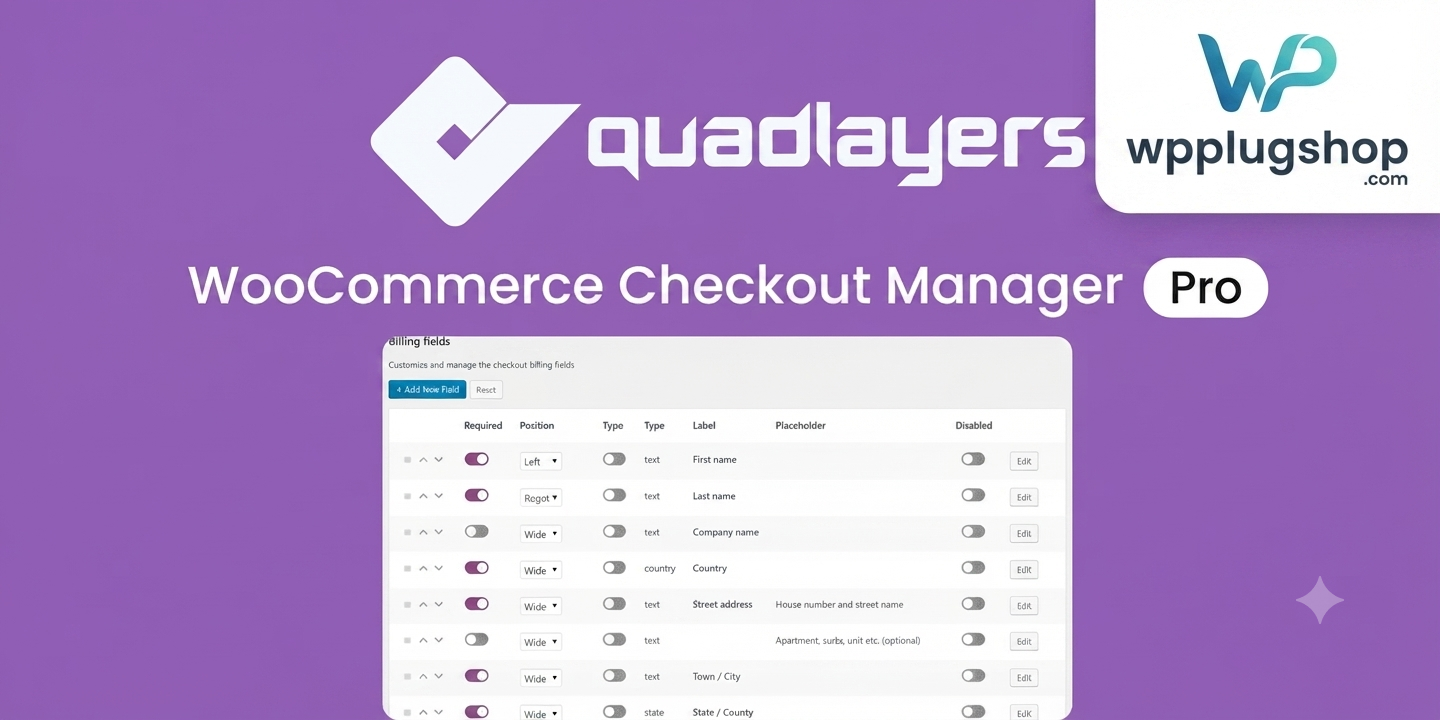
WooCommerce Checkout Manager PRO 7.6.2 is a powerful WooCommerce checkout customization plugin that gives you complete control over your checkout page. Whether you need to add custom checkout fields, remove unnecessary billing or shipping fields, apply conditional logic, or collect additional customer information, this plugin helps you create a smoother and more personalized checkout experience.
Designed for WooCommerce store owners, developers, agencies, and eCommerce businesses, WooCommerce Checkout Manager PRO extends the default checkout process without requiring complex coding. From simple field customization to advanced conditional checkout workflows, it provides the flexibility needed for modern online stores.
If you’re looking to optimize your WooCommerce checkout page, improve customer experience, and collect business-specific order information, this plugin offers a practical solution for stores of all sizes.
Why This Product Is Useful
The default WooCommerce checkout works well for many stores, but every business has different requirements. Some stores need additional customer details, others need to simplify checkout by removing unnecessary fields, while B2B businesses often require custom order information.
WooCommerce Checkout Manager PRO allows you to customize the checkout process to better match your workflow while helping customers complete purchases more efficiently.
- Customize Checkout Forms: Add, edit, remove, or reorder checkout fields.
- Improve Customer Experience: Create cleaner and more intuitive checkout pages.
- Collect Additional Information: Gather business-specific customer data during checkout.
- Support Advanced Store Workflows: Build personalized checkout experiences using conditional logic.
Key Features
- Add Custom Checkout Fields for billing, shipping, and additional information.
- Edit Default WooCommerce Fields without modifying core files.
- Remove Unnecessary Checkout Fields to simplify the purchase process.
- Reorder Checkout Fields using an intuitive management interface.
- Conditional Field Logic to display fields based on customer selections.
- Multiple Field Types including text, textarea, select, checkbox, radio buttons, date picker, time picker, file upload, and more.
- File Upload Support for personalized orders and customer documents.
- Custom Fees based on selected options when applicable.
- Display Custom Fields in WooCommerce orders, emails, and invoices where supported.
- Import & Export Settings for easier store management.
- Billing & Shipping Field Management for complete checkout customization.
- WooCommerce Compatible with modern store workflows.
Main Benefits
- Customize WooCommerce checkout without extensive coding.
- Create faster and cleaner checkout experiences.
- Improve order data collection.
- Support wholesale and B2B checkout requirements.
- Reduce unnecessary checkout fields.
- Build personalized customer journeys.
- Support business-specific checkout processes.
- Improve overall WooCommerce store flexibility.
Best Use Cases
- WooCommerce retail stores
- B2B WooCommerce businesses
- Wholesale stores
- Print-on-demand websites
- Custom product businesses
- Digital download stores
- Service-based WooCommerce websites
- Event registrations
- Local delivery businesses
- Agencies managing multiple WooCommerce stores
Who Should Use This Product?
- WooCommerce store owners
- WordPress developers
- WooCommerce agencies
- Freelancers
- eCommerce consultants
- Digital product sellers
- Subscription businesses
- Wholesale businesses
- Small and medium online stores
WP Plug Shop Access Benefits
- GPL-friendly digital access for real WordPress projects.
- Secure digital delivery through your WP Plug Shop account.
- Budget-conscious solution for agencies, freelancers, and store owners.
- Useful for development, testing, and production workflows.
- Explore additional WooCommerce plugins, WordPress themes, Elementor addons, SEO tools, and website resources available through WP Plug Shop.
Product Details
| Specification | Details |
|---|---|
| Product Name | WooCommerce Checkout Manager PRO |
| Version | 7.6.2 |
| Developer | QuadLayers |
| Product Type | WooCommerce Checkout Customization Plugin |
| Platform | WordPress |
| Compatibility | WooCommerce |
| Main Purpose | Customize WooCommerce checkout fields and workflows |
| Ideal Users | Store owners, developers, agencies, and online businesses |
Feature Comparison
| Feature | Default WooCommerce | Checkout Manager PRO |
|---|---|---|
| Custom Checkout Fields | Limited | Yes |
| Edit Billing Fields | Basic | Advanced |
| Conditional Logic | No | Yes |
| File Upload Fields | No | Supported |
| Field Reordering | Limited | Yes |
| Import & Export | No | Supported |
| Custom Fees | No | Supported |
Pros and Considerations
| Pros | Considerations |
|---|---|
| Highly flexible checkout customization. | Requires WooCommerce to function. |
| Supports conditional checkout fields. | Some advanced workflows may require proper configuration. |
| Improves checkout data collection. | Review field settings after major WooCommerce updates. |
| Suitable for many business models. | Always test checkout after configuration changes. |
Final Verdict
WooCommerce Checkout Manager PRO 7.6.2 is an excellent solution for businesses that want complete control over the WooCommerce checkout experience. Its advanced checkout field editor, conditional logic, custom field support, and flexible configuration options make it suitable for online retailers, agencies, wholesalers, and developers looking to optimize WooCommerce checkout pages.
If your goal is to improve checkout usability, collect better customer information, and create a more tailored purchasing experience, WooCommerce Checkout Manager PRO is a valuable addition to your WooCommerce toolkit.
Frequently Asked Questions
What is WooCommerce Checkout Manager PRO?
WooCommerce Checkout Manager PRO is a WooCommerce checkout customization plugin that lets you add, edit, remove, reorder, and manage checkout fields. It helps store owners create a more personalized and efficient checkout experience while collecting the information their business requires.
Can I add custom checkout fields in WooCommerce?
Yes. The plugin supports creating custom billing, shipping, and additional checkout fields using multiple field types, making it suitable for a wide variety of WooCommerce stores and business workflows.
Does WooCommerce Checkout Manager PRO support conditional checkout fields?
Yes. The plugin includes conditional logic capabilities, allowing selected checkout fields to appear or remain hidden based on customer choices, helping keep the checkout page clean and relevant.
Can I remove unnecessary WooCommerce checkout fields?
Yes. You can remove or disable unnecessary checkout fields and reorganize the checkout layout to create a faster, more user-friendly purchasing experience.
Does this plugin work with billing and shipping fields?
Yes. WooCommerce Checkout Manager PRO allows you to customize existing billing and shipping fields, create new ones, and reorganize the checkout form to match your business requirements.
Can customers upload files during checkout?
Yes. Supported configurations allow customers to upload files during checkout, making the plugin useful for personalized products, print services, artwork submissions, and other custom order workflows.
Is WooCommerce Checkout Manager PRO suitable for B2B and wholesale stores?
Yes. Businesses that require additional customer information, company details, tax information, or customized order forms can benefit from the plugin’s flexible checkout field management features.
Will custom checkout information appear in WooCommerce orders?
The plugin is designed to make custom checkout information available within WooCommerce orders and, where configured, can also include custom field data in related emails and documents.
Is WooCommerce Checkout Manager PRO compatible with Elementor?
The plugin focuses on WooCommerce checkout functionality rather than page building, but it can generally be used alongside Elementor-powered WooCommerce websites because it extends the checkout process itself.
Why should I use WooCommerce Checkout Manager PRO instead of the default WooCommerce checkout?
The default WooCommerce checkout offers limited customization. WooCommerce Checkout Manager PRO provides advanced checkout field editing, conditional logic, custom data collection, and checkout optimization features that help create a more tailored shopping experience for customers.
Please note: This is a digital product. Due to its digital nature, all sales are final — no refund will be provided after purchase and delivery. Please see our Refund Policy before purchasing.