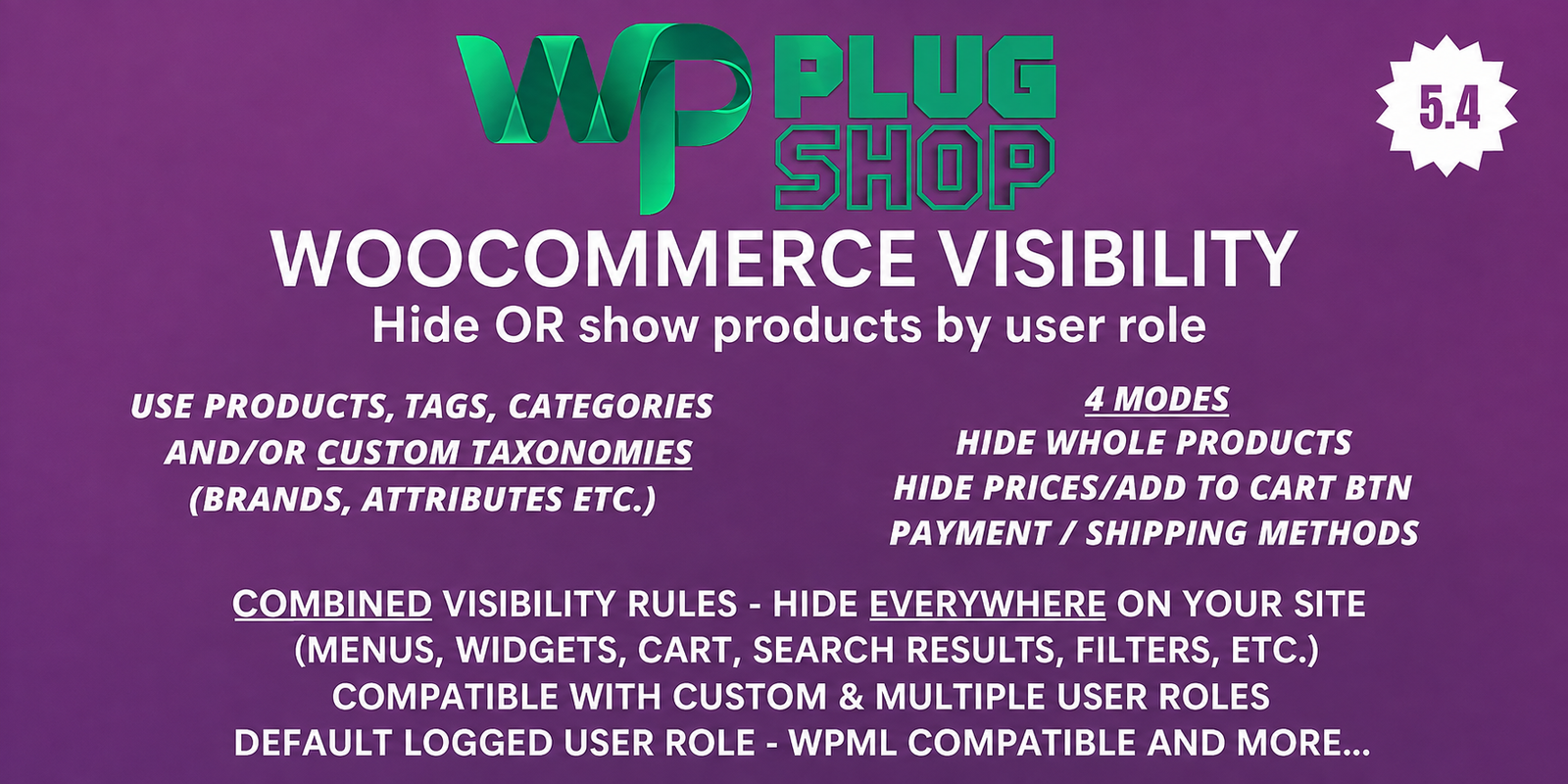

WooCommerce Hide Products, Categories, Prices, Payment and Shipping by User Role
Take greater control over your WooCommerce storefront with role-based visibility settings for products, categories, prices, payment methods, and shipping methods. This WooCommerce-focused solution is designed for store owners who need different customer groups or WordPress user roles to see different parts of their online store.
Whether you are managing a wholesale catalog, membership-based store, private product collection, or a WooCommerce shop serving multiple customer groups, role-based visibility can help you create a more controlled shopping experience.
What Is WooCommerce Role-Based Product Visibility?
WooCommerce role-based product visibility allows store owners to control which products and store elements are available to particular user roles. Instead of presenting the same catalog and purchasing options to every visitor, you can configure visibility according to the customer’s assigned WordPress user role.
This approach is useful when a WooCommerce store has different audiences with different purchasing requirements. For example, wholesale customers may need access to a different product catalog than retail customers, while members may need access to products that are not intended for general visitors.
Control WooCommerce Products by User Role
With role-based product visibility, store owners can create a more targeted catalog experience by controlling which products are visible to specific user roles.
This can be particularly useful for B2B stores, wholesale businesses, membership websites, private catalogs, and WooCommerce stores serving several customer groups.
Hide Products for Specific Roles
Restrict selected products from particular user roles when those products are intended for another customer group.
Control Product Categories
Use role-based visibility to manage access to selected product categories and organize different catalogs for different customer groups.
Manage Price Visibility
Where supported by the product configuration, store owners can control whether pricing information and purchasing controls such as Add to Cart are visible to selected user roles.
Control Payment Methods
Different customer groups may require different payment options. Role-based payment visibility can help store owners control which configured payment methods are available to specific user roles.
Control Shipping Methods
Shipping requirements can vary between customer groups. Role-based shipping visibility can help store owners manage which configured shipping methods are presented to particular users.
Key Features
- Role-Based Product Visibility: Control product visibility according to WordPress user roles.
- Category Visibility Control: Manage the visibility of selected WooCommerce product categories.
- Price Visibility Control: Control the display of product prices for selected user roles where supported.
- Add to Cart Visibility: Manage purchasing controls for different customer groups where supported by the product configuration.
- Payment Method Visibility: Control configured WooCommerce payment options according to user roles.
- Shipping Method Visibility: Control configured WooCommerce shipping options for different customer groups.
- Multi-Role Store Management: Build different storefront experiences for multiple WordPress user roles.
- Flexible Catalog Control: Useful for wholesale, B2B, membership, private catalog, and multi-audience WooCommerce stores.
Product Details
| Detail | Information |
|---|---|
| Product Name | WooCommerce Hide Products, Categories, Prices, Payment and Shipping by User Role |
| Product Type | WooCommerce User Role & Visibility Tool |
| Platform | WordPress + WooCommerce |
| Primary Function | Control WooCommerce visibility and purchasing options by user role |
| Visibility Areas | Products, categories, prices, payment methods, and shipping methods |
| Best For | B2B, wholesale, membership, private catalog, and multi-role WooCommerce stores |
| Primary Audience | WooCommerce store owners, developers, agencies, and e-commerce businesses |
Why Use WooCommerce User Role Restrictions?
A standard WooCommerce catalog may not be suitable when one store serves several different types of customers. A wholesale customer, retail shopper, member, and other specialized user may require different products, pricing visibility, payment options, or shipping methods.
Role-based WooCommerce visibility provides a way to structure these experiences around user roles instead of presenting exactly the same storefront to everyone.
WooCommerce Wholesale Product Visibility
Wholesale businesses often need to separate products or purchasing information from their regular retail catalog. A role-based visibility solution can help create a more focused wholesale experience for customers assigned to an appropriate role.
For example, a store may use a wholesale customer role for selected buyers while keeping other products or purchasing options available to retail customers.
WooCommerce Membership Product Visibility
Membership-oriented stores can also benefit from role-based catalog control. Selected products or categories can be associated with appropriate user roles so that different membership groups can receive different storefront experiences.
The exact membership workflow depends on how user roles are created and assigned within the WordPress and WooCommerce environment.
Private WooCommerce Product Catalogs
Some businesses do not want every product displayed to every customer. Private or restricted catalogs may be useful for specialized product collections, customer groups, wholesale buyers, or other controlled shopping environments.
Role-based product visibility can help store owners organize these catalogs around the user roles configured on their website.
Control WooCommerce Prices and Add to Cart
Price visibility can be an important part of a role-based WooCommerce storefront. Some businesses may want selected customer groups to view prices while other visitors receive a different product-page experience.
Where supported by the product configuration, controlling price and Add to Cart visibility can help store owners create a more tailored product experience for different audiences.
Control WooCommerce Payment Methods by User Role
Different customer groups may use different payment arrangements. For example, a business customer may have a payment method that is not appropriate for a standard retail shopper.
Role-based payment visibility can help store owners manage which configured WooCommerce payment options are presented to particular user roles.
The final available payment methods depend on the payment gateways installed and configured in the WooCommerce store.
Control WooCommerce Shipping Methods by User Role
Shipping requirements can also vary between customer groups. Wholesale customers, retail customers, local buyers, and other groups may have different delivery arrangements.
Role-based shipping visibility can help store owners control which configured WooCommerce shipping methods are presented to particular user roles.
Actual shipping availability and rates remain dependent on the store’s WooCommerce shipping configuration, zones, methods, and destination rules.
How Role-Based WooCommerce Visibility Works
- Create or use the appropriate WordPress user roles.
- Identify the products, categories, prices, payment methods, or shipping methods that need different visibility.
- Configure the relevant visibility rules for the selected user roles.
- Test the storefront using the appropriate customer roles.
- Verify product visibility and purchasing options before making the configuration live.
Role-Based WooCommerce Store Examples
| Customer Role | Possible Storefront Requirement |
|---|---|
| Retail Customer | Access to the standard retail catalog and payment options |
| Wholesale Customer | Access to selected wholesale products and relevant purchasing methods |
| Member | Access to selected member-focused products or categories |
| Business Customer | Role-specific catalog and configured purchasing options |
| Other Custom Role | A specialized product and purchasing experience based on the store’s requirements |
Feature Comparison
| Control Area | Role-Based Control | Potential Customer Benefit |
|---|---|---|
| Products | Yes | Show relevant products to selected customer groups |
| Categories | Yes | Organize role-specific catalogs |
| Prices | Supported where configured | Control price visibility for selected audiences |
| Add to Cart | Supported where configured | Manage purchasing visibility for different roles |
| Payment Methods | Yes | Present relevant payment options to customer groups |
| Shipping Methods | Yes | Present relevant delivery options to customer groups |
WooCommerce User Role Visibility vs Standard Catalog
| Storefront Approach | Catalog Experience | Best Suited For |
|---|---|---|
| Standard WooCommerce Catalog | Most customers receive the same general product experience | Traditional retail stores |
| Role-Based Visibility | Different roles can receive different visibility settings | B2B, wholesale, membership, and multi-audience stores |
| Private Catalog | Selected products or categories can be restricted | Controlled or specialized product collections |
Benefits for WooCommerce Store Owners
- Build more targeted storefront experiences.
- Separate retail and wholesale product visibility.
- Control selected product categories by user role.
- Manage price and purchasing visibility where supported.
- Control payment methods for different customer groups.
- Control shipping methods according to role-based requirements.
- Support private and membership-oriented product catalogs.
- Reduce irrelevant products and purchasing options for specific audiences.
Pros and Considerations
| Pros | Considerations |
|---|---|
| Provides role-based WooCommerce visibility control | Requires correctly configured WordPress user roles |
| Can manage multiple storefront elements | Exact behavior depends on the product’s supported settings |
| Useful for wholesale and B2B stores | Role assignments should be tested carefully before launch |
| Useful for membership and private catalogs | Other membership or role-management plugins may affect the overall workflow |
| Can help organize multi-audience WooCommerce stores | Payment and shipping results still depend on configured WooCommerce methods |
Who Should Use This WooCommerce User Role Plugin?
This solution is well suited to WooCommerce businesses that need different customer groups to see different products or purchasing options. It can be particularly useful for wholesale stores, B2B businesses, membership websites, private catalogs, agencies, freelancers, and online retailers serving multiple customer segments.
WooCommerce Product Visibility for B2B Stores
B2B stores often have more complex catalog requirements than traditional retail stores. Different business customers may require different products, purchasing methods, shipping arrangements, or price visibility.
Role-based WooCommerce visibility provides a practical framework for organizing these requirements around the customer roles already used by the store.
WooCommerce Catalog Control for Multiple Customer Groups
When one WooCommerce website serves several audiences, showing every product and purchasing option to every customer may create an unnecessarily complicated storefront.
Role-based controls allow store owners to create a more focused experience by determining which products, categories, prices, payment methods, and shipping methods should be available to each role.
Important Configuration Considerations
Before deploying role-based visibility rules on a live WooCommerce store, test each customer role carefully. Confirm that the intended products, categories, prices, payment methods, and shipping methods behave correctly for both logged-in and other relevant users.
Store owners should also review interactions with other WooCommerce extensions, payment gateways, shipping tools, membership systems, caching systems, and user-role management plugins used on the website.
WP Plug Shop Digital Access
Get access to WooCommerce Hide Products, Categories, Prices, Payment and Shipping by User Role through WP Plug Shop and add a practical role-based visibility tool to your WooCommerce toolkit.
This resource is intended for WordPress and WooCommerce users who want greater control over which store content and purchasing options are presented to different customer roles.
Before installation, review your WordPress version, WooCommerce setup, user roles, payment gateways, shipping methods, and other active extensions to ensure the product fits your project requirements.
Key Takeaway
WooCommerce Hide Products, Categories, Prices, Payment and Shipping by User Role helps store owners create more controlled WooCommerce storefront experiences. By organizing product visibility and purchasing options around user roles, businesses can better support wholesale, B2B, membership, private catalog, and multi-audience store models.
Frequently Asked Questions
What does WooCommerce Hide Products by User Role do?
This WooCommerce role-based visibility solution helps store owners control the visibility of products, categories, prices, payment methods, and shipping methods according to configured WordPress user roles.
Can I hide WooCommerce products by user role?
Yes. Selected WooCommerce products can be controlled according to user roles, making it possible to create different product visibility experiences for different customer groups.
Can I hide WooCommerce product categories by user role?
Yes. Role-based category visibility can help stores present selected product categories only to the customer roles for which those categories are intended.
Can I hide WooCommerce prices from specific user roles?
Yes, price visibility can be controlled for selected roles where supported by the product configuration. This can be useful for wholesale, B2B, membership, or private catalog workflows.
Can I hide the Add to Cart button by user role?
The product supports control over price and Add to Cart visibility where configured, allowing store owners to create different purchasing experiences for selected user roles.
Can WooCommerce payment methods be hidden by user role?
Yes. Role-based payment-method visibility can help store owners control which configured WooCommerce payment options are presented to different customer groups.
Can I hide WooCommerce shipping methods by user role?
Yes. The product can be used to control shipping-method visibility according to user roles, subject to the shipping methods configured in the WooCommerce store.
Is this WooCommerce plugin useful for wholesale stores?
Yes. Wholesale and B2B stores can use role-based product visibility to create more focused catalogs for wholesale customers while maintaining a different storefront experience for retail users.
Can I use role-based product visibility for a membership store?
Yes. Membership-oriented WooCommerce stores can benefit from role-based visibility when different membership groups are assigned appropriate WordPress user roles.
Can different customer roles see different WooCommerce products?
Yes. Role-based visibility allows store owners to configure different product experiences for different user roles, helping support multi-audience WooCommerce catalogs.
Can I hide both products and categories by user role?
Yes. Product and category visibility can be managed as part of a role-based WooCommerce catalog strategy.
Does hiding payment or shipping methods change WooCommerce prices?
No. Hiding a payment or shipping method controls its visibility. Actual product prices, shipping rates, and payment processing depend on the store’s WooCommerce configuration and active methods.
Is this a WooCommerce user-role restriction plugin?
It can be used for role-based WooCommerce visibility and purchasing controls. The exact behavior depends on the WordPress user roles and the visibility settings configured for the store.
Who should use a WooCommerce product visibility plugin?
It is particularly useful for B2B stores, wholesale businesses, membership websites, private catalogs, agencies, freelancers, and WooCommerce stores serving multiple customer groups.
Should I test role-based visibility before using it on a live store?
Yes. Store owners should test each relevant user role and verify products, categories, prices, Add to Cart controls, payment methods, and shipping methods before applying the configuration to a live WooCommerce store.
Please note: This is a digital product. Due to its digital nature, all sales are final — no refund will be provided after purchase and delivery. Please see our Refund Policy before purchasing.