
WooCommerce Multi Locations Inventory Management – Smart Multi Warehouse Stock Control System
Verified from VirusTotal 100% Original Product and Virus Free. Free New Version Lifetime On Single Purchase. Unlimited Website Usage Price is in US dollars and included tax
Buy confidently with secure digital checkout, account-based downloads, and a cleaner WPPlugShop product experience.
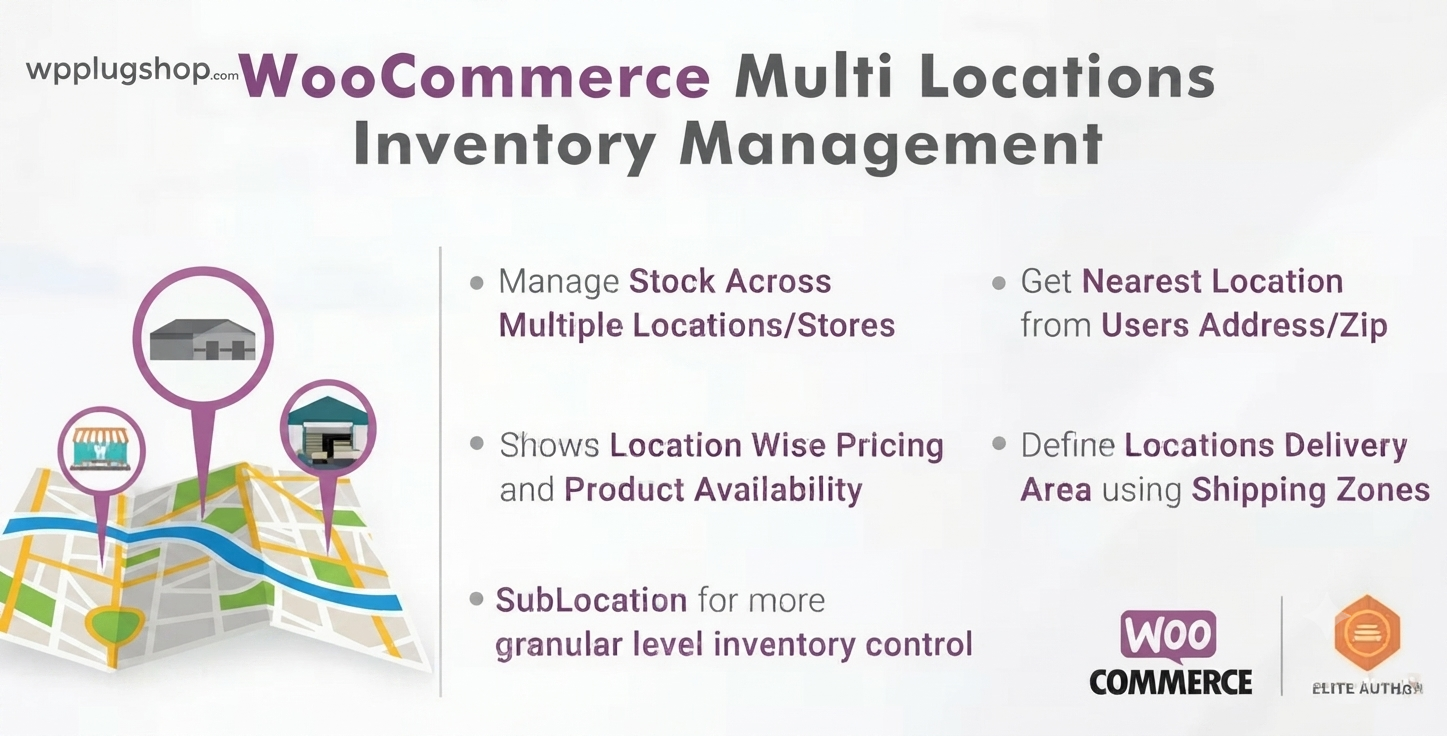
Preview WooCommerce Multi Locations Inventory Management – Smart Multi Warehouse Stock Control System
View the product artwork, switch gallery images, and open a larger preview before checkout.
Get secure digital access for real WordPress projects
This section summarizes the buying experience and what customers can expect after checkout.
Product overview, benefits, and digital access details
Review the key product details, practical use cases, and digital access information before checkout.
Product Overview
WooCommerce Multi Locations Inventory Management 4.2.15 is an advanced logistics and stock control solution designed to help WooCommerce store owners manage inventory across multiple warehouses, retail branches, or fulfillment centers from a single centralized dashboard.
Instead of relying on a single stock system, this plugin enables location-based inventory tracking, smart stock allocation, and order fulfillment routing, making it ideal for growing eCommerce businesses that operate in multiple regions or warehouse locations.
Why This Product Is Useful
Standard WooCommerce inventory management is limited to a single stock value per product. This becomes a serious problem for businesses operating across multiple warehouses or physical stores. WooCommerce Multi Locations Inventory Management solves this limitation by introducing a scalable, location-based stock system.
- Prevents overselling across multiple stores
- Improves inventory accuracy across locations
- Automates stock distribution and tracking
- Enhances fulfillment efficiency and delivery speed
Key Features
- Multi-location stock management per product
- Centralized dashboard for all warehouse inventory
- Location-based stock availability tracking
- Smart order routing to nearest warehouse
- Stock transfer between multiple locations
- Role-based access for warehouse managers
- Geolocation-based inventory assignment
- Support for multiple warehouses and retail branches
- Bulk inventory update tools
Main Benefits
- Accurate Inventory Tracking: Real-time stock visibility across all locations
- Faster Order Fulfillment: Orders routed to nearest available warehouse
- Reduced Stock Errors: Eliminates overselling and mismatched inventory
- Scalable Operations: Supports growing multi-store businesses
- Better Customer Experience: Faster and more reliable deliveries
- Operational Efficiency: Centralized control over distributed stock
Best Use Cases
- Multi-branch retail businesses
- Warehousing and logistics companies
- Regional WooCommerce stores
- Franchise-based eCommerce systems
- Large product catalogs with distributed stock
- Same-day or location-based delivery businesses
Who Should Use This Product?
- WooCommerce store owners managing multiple warehouses
- eCommerce logistics and operations managers
- Agencies building enterprise-level WooCommerce stores
- Developers working on scalable eCommerce systems
- Retail businesses with physical + online presence
- Supply chain and inventory management teams
WP Plug Shop Access Benefits
When accessed through WP Plug Shop, WooCommerce Multi Locations Inventory Management 4.2.15 is delivered as a ready-to-use digital resource optimized for professional WooCommerce environments. It is designed to help store owners and agencies implement advanced inventory systems quickly and efficiently.
- Instant digital download access
- WooCommerce-ready plugin package
- Optimized for enterprise-level inventory systems
- Ideal for agencies and large stores
Product Details
| Attribute | Details |
|---|---|
| Product Name | WooCommerce Multi Locations Inventory Management 4.2.15 |
| Type | Inventory Management Plugin |
| Function | Multi-warehouse stock control system |
| Compatibility | WordPress + WooCommerce |
| Best For | Multi-store and warehouse businesses |
| Delivery | Digital download |
Feature Comparison
| Feature | Standard WooCommerce | Multi Locations Inventory |
|---|---|---|
| Stock Management | Single location stock | Multi-warehouse stock control |
| Order Routing | Manual fulfillment | Automated nearest warehouse routing |
| Scalability | Limited | High scalability for enterprise stores |
| Inventory Accuracy | Basic tracking | Real-time multi-location accuracy |
| Operational Efficiency | Manual management | Centralized automation system |
Pros and Considerations
| Pros | Considerations |
|---|---|
| Prevents overselling across locations | Requires proper setup of warehouse structure |
| Improves fulfillment speed | More complex than basic inventory plugins |
| Scales with business growth | Best suited for medium to large stores |
| Centralized control dashboard | May require training for staff usage |
Final Verdict
WooCommerce Multi Locations Inventory Management 4.2.15 is a powerful solution for businesses that need to manage stock across multiple warehouses or retail locations. It transforms WooCommerce into a scalable logistics system with smart inventory distribution and automated order routing.
If your business operates beyond a single stock location, this plugin is essential for maintaining accuracy, improving fulfillment speed, and scaling operations efficiently.
Frequently Asked Questions
What is WooCommerce Multi Locations Inventory Management used for?
It is used to manage product stock across multiple warehouses, branches, or store locations directly inside WooCommerce, ensuring accurate inventory tracking and fulfillment.
Can WooCommerce manage multiple warehouses by default?
No, WooCommerce only supports single-location inventory by default. This plugin extends it to support multiple warehouses and location-based stock control.
Does it help prevent overselling?
Yes, by tracking stock separately for each location and syncing availability, it helps prevent overselling and stock mismatches.
Can orders be automatically assigned to a warehouse?
Yes, the plugin can route orders to the nearest or most suitable warehouse based on stock availability and location rules.
Is it suitable for large WooCommerce stores?
Yes, it is designed for medium to large stores that operate multiple warehouses, branches, or regional fulfillment centers.
Does it support stock transfers between locations?
Yes, you can transfer inventory between warehouses or store locations to balance stock levels.
Can I use it for physical stores and online store together?
Yes, it is ideal for hybrid businesses that combine physical retail stores with online WooCommerce sales.
Is it compatible with all WooCommerce products?
It generally works with simple and variable products, allowing stock tracking per location for most product types.
Does it improve delivery speed?
Yes, by routing orders to the nearest warehouse with available stock, it can significantly improve fulfillment and delivery times.
Who should use this plugin?
It is best suited for WooCommerce store owners, logistics managers, and agencies managing multi-location or enterprise-level eCommerce systems.
Quick product answers for buyers and AI search
Clear product answers help buyers, search engines, and AI answer engines understand this product faster.
Best ways to use this WordPress digital product
These use cases help buyers quickly decide if this product fits their workflow.
How digital access works
No physical shipping is required. This is a digital product access purchase designed for account-based downloads.
Secure payment options for digital checkout
WPPlugShop supports trusted checkout options so buyers can complete digital purchases with more confidence.
Frequently asked questions
Buyer-focused answers about digital access, secure payments, downloads, support, and product usage.
Related WordPress tools you may also like
Explore related WordPress tools that may support the same workflow, website type, or project goal.




Choose the right WordPress tool with confidence
Request a product, explore membership access, or contact support if you want help choosing the right WordPress digital product before checkout.