
WooCommerce Waitlist – Back in Stock Notification Plugin
Verified from VirusTotal 100% Original Product and Virus Free. Free New Version Lifetime On Single Purchase. Unlimited Website Usage Price is in US dollars and included tax
Buy confidently with secure digital checkout, account-based downloads, and a cleaner WPPlugShop product experience.
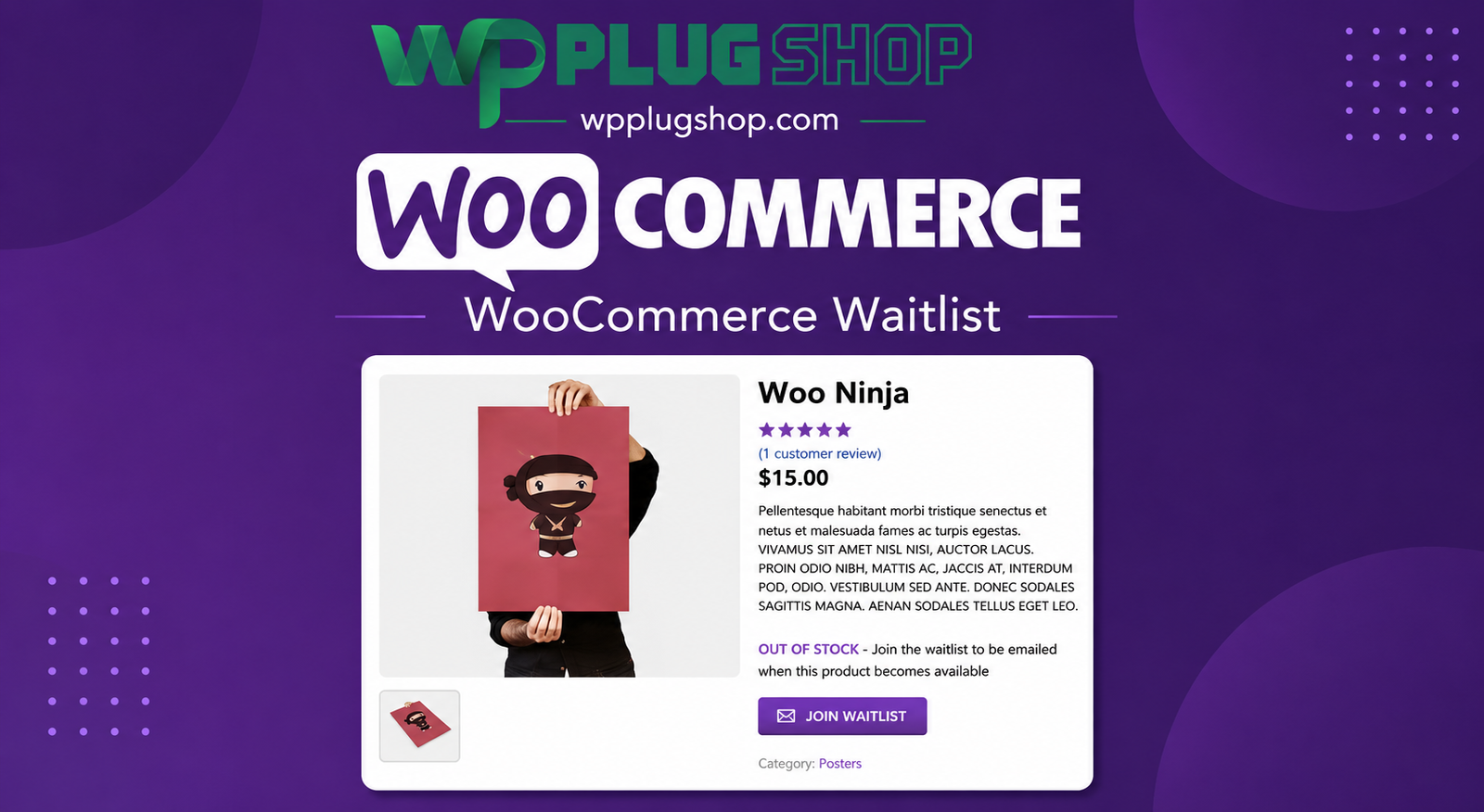
Preview WooCommerce Waitlist – Back in Stock Notification Plugin
View the product artwork, switch gallery images, and open a larger preview before checkout.
Get secure digital access for real WordPress projects
This section summarizes the buying experience and what customers can expect after checkout.
Product overview, benefits, and digital access details
Review the key product details, practical use cases, and digital access information before checkout.
Frequently Asked Questions
1. What is WooCommerce Waitlist?
WooCommerce Waitlist is a plugin that allows customers to join a waiting list for out-of-stock products. When products become available again, customers on the waitlist can automatically receive email notifications, helping recover lost sales and improve customer satisfaction.
2. How does the WooCommerce Waitlist plugin work?
When a product is out of stock, customers can subscribe to its waitlist. After the product is restocked, the plugin sends notification emails to subscribed customers, encouraging them to return and complete their purchase.
3. Can customers receive automatic back-in-stock notifications?
Yes. The plugin automatically sends back-in-stock email alerts to customers who have joined the waitlist once inventory is replenished.
4. Does WooCommerce Waitlist support variable products?
Yes. The extension supports simple products and product variations, allowing customers to subscribe to specific out-of-stock variations where supported.
5. Can store owners manage product waitlists?
Yes. Administrators can view and manage waitlists from the WooCommerce dashboard, making it easier to monitor product demand and customer interest.
6. Does the plugin help recover lost sales?
Yes. By notifying interested customers when products are back available for digital access, WooCommerce Waitlist helps bring shoppers back to your store and increases opportunities for completed purchases.
7. Is WooCommerce Waitlist suitable for all types of online stores?
Absolutely. It is ideal for fashion stores, electronics retailers, beauty brands, grocery shops, furniture stores, digital product businesses, and any WooCommerce store that experiences inventory shortages.
8. Can customers unsubscribe from a waitlist?
Yes. Customers can typically manage or remove themselves from waitlists through the notification emails or available account options, depending on your website configuration.
9. Is WooCommerce Waitlist compatible with the latest WooCommerce versions?
The extension is designed for WooCommerce and supported WordPress versions. Always verify compatibility with your installed versions before deployment.
10. Why should I use WooCommerce Waitlist?
WooCommerce Waitlist helps improve customer retention, reduce missed sales opportunities, measure product demand, automate inventory notifications, and enhance the overall shopping experience for your customers.
Additional Frequently Asked Questions
11. Can customers join a waitlist without purchasing a product?
Yes. Customers can subscribe to an out-of-stock product's waitlist without placing an order. They will receive an email notification when the product becomes available again.
12. Does WooCommerce Waitlist support product variations?
Yes. Customers can subscribe to individual product variations when supported, making it easier to receive notifications for the exact size, color, or option they want.
13. Can I customize back-in-stock email notifications?
Yes. The plugin provides options to customize notification emails so they align with your store's branding and communication style.
14. Does the plugin help measure product demand?
Yes. Waitlists provide valuable insights into customer interest, helping store owners identify high-demand products and make more informed inventory decisions.
15. Is WooCommerce Waitlist suitable for high-volume online stores?
Absolutely. The plugin is designed to support stores with large product catalogs and frequent stock changes, making it suitable for growing and enterprise-level WooCommerce businesses.
16. Can administrators view the customers waiting for a product?
Yes. Store administrators can access waitlist information through the WooCommerce dashboard to monitor subscriptions and better plan inventory replenishment.
17. Does WooCommerce Waitlist improve customer retention?
Yes. By notifying interested shoppers as soon as products are restocked, the plugin encourages customers to return, helping improve retention and repeat purchases.
18. Can I use WooCommerce Waitlist for limited-edition products?
Yes. The plugin is well suited for limited releases, seasonal collections, exclusive products, and popular items that frequently sell out.
19. Is coding knowledge required to configure WooCommerce Waitlist?
No. The extension integrates with WooCommerce settings, allowing most store owners to configure and manage waitlists without any programming experience.
20. Who should use WooCommerce Waitlist?
WooCommerce Waitlist is ideal for online retailers, fashion brands, electronics stores, beauty shops, wholesalers, subscription businesses, and any WooCommerce store that wants to notify customers when products return to stock.
Advanced Frequently Asked Questions
21. Can WooCommerce Waitlist help increase sales after products are restocked?
Yes. By automatically notifying interested customers when products become available again, the plugin encourages returning visitors and helps convert missed opportunities into completed sales.
22. Does WooCommerce Waitlist support automatic email notifications?
Yes. Once inventory is replenished, the plugin can automatically send back-in-stock emails to customers who subscribed to the waitlist, reducing the need for manual communication.
23. Can customers manage their waitlist subscriptions?
Yes. Depending on your website configuration, customers can manage or unsubscribe from waitlists through their account or via links included in notification emails.
24. Is WooCommerce Waitlist suitable for seasonal and limited-stock products?
Absolutely. The plugin is ideal for seasonal collections, limited-edition products, product launches, flash sales, and high-demand inventory that frequently goes out of stock.
25. Does the plugin help improve inventory planning?
Yes. Waitlist data provides valuable insights into customer demand, helping store owners make smarter purchasing, manufacturing, and restocking decisions.
26. Can I use WooCommerce Waitlist with large product catalogs?
Yes. The extension is suitable for stores with extensive inventories and multiple product categories, making it a practical solution for businesses of all sizes.
27. Does WooCommerce Waitlist improve the customer shopping experience?
Yes. Customers no longer need to repeatedly check product availability. Instead, they can join the waitlist and receive an automatic notification when the item is back available for digital access.
28. Can I monitor product popularity using waitlists?
Yes. Waitlist subscriptions can help identify your most requested products and variations, allowing you to prioritize inventory based on actual customer demand.
29. Is WooCommerce Waitlist compatible with mobile devices?
Yes. Customers can join waitlists and receive notification emails regardless of whether they browse your WooCommerce store on desktop, tablet, or mobile devices.
30. Why should I choose WooCommerce Waitlist for my online store?
WooCommerce Waitlist is an effective inventory recovery and customer engagement solution that automates back-in-stock notifications, helps recover lost sales, improves customer retention, measures product demand, and enhances the shopping experience for WooCommerce stores of all sizes.
Advanced Frequently Asked Questions
21. Can WooCommerce Waitlist help increase sales after products are restocked?
Yes. By automatically notifying interested customers when products become available again, the plugin encourages returning visitors and helps convert missed opportunities into completed sales.
22. Does WooCommerce Waitlist support automatic email notifications?
Yes. Once inventory is replenished, the plugin can automatically send back-in-stock emails to customers who subscribed to the waitlist, reducing the need for manual communication.
23. Can customers manage their waitlist subscriptions?
Yes. Depending on your website configuration, customers can manage or unsubscribe from waitlists through their account or via links included in notification emails.
24. Is WooCommerce Waitlist suitable for seasonal and limited-stock products?
Absolutely. The plugin is ideal for seasonal collections, limited-edition products, product launches, flash sales, and high-demand inventory that frequently goes out of stock.
25. Does the plugin help improve inventory planning?
Yes. Waitlist data provides valuable insights into customer demand, helping store owners make smarter purchasing, manufacturing, and restocking decisions.
26. Can I use WooCommerce Waitlist with large product catalogs?
Yes. The extension is suitable for stores with extensive inventories and multiple product categories, making it a practical solution for businesses of all sizes.
27. Does WooCommerce Waitlist improve the customer shopping experience?
Yes. Customers no longer need to repeatedly check product availability. Instead, they can join the waitlist and receive an automatic notification when the item is back available for digital access.
28. Can I monitor product popularity using waitlists?
Yes. Waitlist subscriptions can help identify your most requested products and variations, allowing you to prioritize inventory based on actual customer demand.
29. Is WooCommerce Waitlist compatible with mobile devices?
Yes. Customers can join waitlists and receive notification emails regardless of whether they browse your WooCommerce store on desktop, tablet, or mobile devices.
30. Why should I choose WooCommerce Waitlist for my online store?
WooCommerce Waitlist is an effective inventory recovery and customer engagement solution that automates back-in-stock notifications, helps recover lost sales, improves customer retention, measures product demand, and enhances the shopping experience for WooCommerce stores of all sizes.
Quick product answers for buyers and AI search
Clear product answers help buyers, search engines, and AI answer engines understand this product faster.
Best ways to use this WordPress digital product
These use cases help buyers quickly decide if this product fits their workflow.
How digital access works
No physical shipping is required. This is a digital product access purchase designed for account-based downloads.
Secure payment options for digital checkout
WPPlugShop supports trusted checkout options so buyers can complete digital purchases with more confidence.
Frequently asked questions
Buyer-focused answers about digital access, secure payments, downloads, support, and product usage.
Related WordPress tools you may also like
Explore related WordPress tools that may support the same workflow, website type, or project goal.




Choose the right WordPress tool with confidence
Request a product, explore membership access, or contact support if you want help choosing the right WordPress digital product before checkout.