
WooCommerce WorldPay Gateway – Secure WorldPay Payment Gateway Plugin
Verified from VirusTotal 100% Original Product and Virus Free. Free New Version Lifetime On Single Purchase. Unlimited Website Usage Price is in US dollars and included tax
Buy confidently with secure digital checkout, account-based downloads, and a cleaner WPPlugShop product experience.
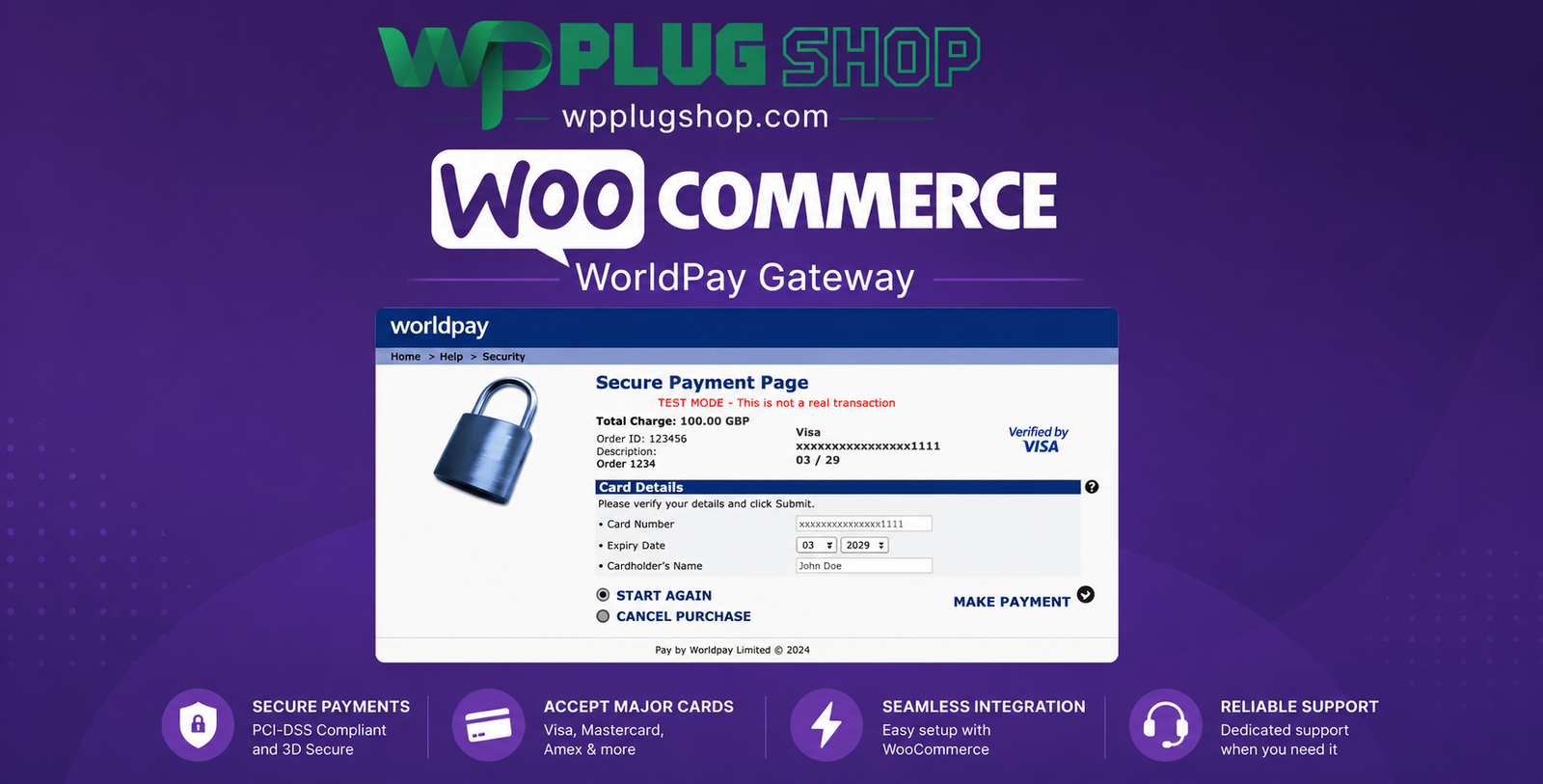
Preview WooCommerce WorldPay Gateway – Secure WorldPay Payment Gateway Plugin
View the product artwork, switch gallery images, and open a larger preview before checkout.
Get secure digital access for real WordPress projects
This section summarizes the buying experience and what customers can expect after checkout.
Product overview, benefits, and digital access details
Review the key product details, practical use cases, and digital access information before checkout.
Frequently Asked Questions
1. What is the WooCommerce WorldPay Gateway?
The WooCommerce WorldPay Gateway is a payment gateway plugin that integrates your WooCommerce store with WorldPay, allowing customers to make secure online payments using supported credit cards, debit cards, and other payment methods available through your WorldPay account.
2. Who should use the WooCommerce WorldPay Gateway?
This plugin is ideal for WooCommerce store owners, eCommerce businesses, retailers, subscription services, wholesalers, and online merchants who want to accept secure payments through WorldPay.
3. Do I need a WorldPay merchant account?
Yes. You must have an active WorldPay merchant account to process transactions. The plugin connects your WooCommerce store to your WorldPay account for secure payment processing.
4. Does the plugin support secure online payments?
Yes. Payments are processed through WorldPay's secure payment infrastructure, helping protect customer payment information during the checkout process.
5. What payment methods can customers use with WorldPay?
The available payment methods depend on your WorldPay account and region but typically include major credit and debit cards. Additional payment options may be available based on your merchant configuration.
6. Does the WooCommerce WorldPay Gateway work with WooCommerce subscriptions?
Support for recurring payments depends on your WorldPay account features and compatible WooCommerce extensions. Always verify compatibility with your subscription setup before deployment.
7. Is the plugin compatible with the latest version of WooCommerce?
The gateway is designed for WooCommerce and supported WordPress versions. Always confirm compatibility with your installed versions before using it on a production website.
8. Can customers complete payments on a secure hosted checkout page?
Yes. Depending on your WorldPay configuration, customers may be redirected to a secure hosted payment page to complete their transactions before returning to your WooCommerce store.
9. Is coding knowledge required to configure the gateway?
No. The plugin integrates with WooCommerce settings, allowing most store owners to configure WorldPay payment options through the WordPress admin dashboard without coding.
10. Why should I choose the WooCommerce WorldPay Gateway?
The WooCommerce WorldPay Gateway offers secure payment processing, trusted global payment infrastructure, WooCommerce integration, and a reliable checkout experience, making it an excellent payment solution for online stores.
Additional Frequently Asked Questions
11. How does the WooCommerce WorldPay Gateway process customer payments?
The plugin connects your WooCommerce store to your WorldPay merchant account, allowing customers to securely complete payments during checkout. Transaction processing follows your WorldPay account configuration and payment settings.
12. Can I accept business and consumer payments using WorldPay?
Yes. The gateway is suitable for both B2B and B2C WooCommerce stores, making it a flexible payment solution for wholesalers, retailers, service providers, and online businesses.
13. Does the plugin support secure checkout for mobile users?
Yes. Customers can complete payments using smartphones, tablets, laptops, and desktop devices, ensuring a responsive and user-friendly checkout experience.
14. Is the WooCommerce WorldPay Gateway suitable for global eCommerce businesses?
Yes. Businesses serving international customers can use WorldPay to process online payments, subject to supported countries, currencies, and merchant account capabilities.
15. Can I customize the payment gateway settings?
Yes. WooCommerce administrators can configure available WorldPay settings, including merchant credentials, payment options, checkout behavior, and other supported gateway preferences.
16. Does the gateway help reduce abandoned carts?
Providing customers with a trusted payment provider such as WorldPay can improve checkout confidence and contribute to a smoother purchasing experience, which may help reduce cart abandonment.
17. Is the WooCommerce WorldPay Gateway suitable for subscription-based services?
Yes. If your WorldPay account and WooCommerce subscription setup support recurring billing, the gateway can be used for membership websites, subscription products, and recurring service payments.
18. Can I use this gateway to sell digital products?
Absolutely. The plugin works for WooCommerce stores selling digital downloads, software, memberships, online courses, physical products, professional services, and more.
19. Does the WooCommerce WorldPay Gateway integrate with WooCommerce order management?
Yes. Payment results are linked to WooCommerce orders, allowing store owners to monitor order statuses while managing payment details through their WorldPay merchant account.
20. What are the main benefits of using the WooCommerce WorldPay Gateway?
Key benefits include secure payment processing, trusted global payment infrastructure, WooCommerce integration, responsive checkout, support for major payment cards, and a reliable payment experience for both merchants and customers.
Advanced Frequently Asked Questions
21. Can I use the WooCommerce WorldPay Gateway for international eCommerce stores?
Yes. The WooCommerce WorldPay Gateway is suitable for businesses serving domestic and international customers. Available countries, currencies, and payment methods depend on your WorldPay merchant account and local regulations.
22. Does the gateway support recurring payments?
Recurring payment support depends on your WorldPay account capabilities and compatible WooCommerce extensions, such as subscription functionality. Always verify compatibility with your specific setup before enabling recurring billing.
23. Can customers complete payments without leaving my WooCommerce store?
The checkout experience depends on your WorldPay integration settings. Some configurations use a secure hosted payment page, while supported implementations may offer different checkout workflows.
24. Is the WooCommerce WorldPay Gateway suitable for high-volume online stores?
Yes. The gateway is designed to work with WooCommerce stores of various sizes, making it suitable for businesses processing a large number of online transactions.
25. Does the plugin help improve customer trust during checkout?
Yes. Offering a globally recognized payment provider like WorldPay can help increase customer confidence by providing a familiar and secure payment experience.
26. Can I use the WooCommerce WorldPay Gateway alongside other payment gateways?
Yes. WooCommerce allows multiple payment gateways to be enabled simultaneously, giving customers the flexibility to choose their preferred payment method during checkout.
27. Is the gateway compatible with mobile devices?
Yes. The payment process is designed to work on desktops, tablets, and smartphones, helping customers complete purchases from virtually any device.
28. Can administrators monitor payment transactions?
Yes. Order information is available in WooCommerce, while transaction details and payment management are handled through your WorldPay merchant account.
29. Is the WooCommerce WorldPay Gateway suitable for subscription and membership websites?
Yes. When used with compatible WorldPay account features and supported WooCommerce subscription tools, it can be an effective payment solution for recurring billing business models.
30. Why should I choose the WooCommerce WorldPay Gateway?
The WooCommerce WorldPay Gateway provides secure payment processing, reliable WooCommerce integration, support for major payment cards, scalable checkout functionality, and trusted payment infrastructure. It is an excellent choice for businesses seeking a dependable online payment solution for WooCommerce stores.
Quick product answers for buyers and AI search
Clear product answers help buyers, search engines, and AI answer engines understand this product faster.
Best ways to use this WordPress digital product
These use cases help buyers quickly decide if this product fits their workflow.
How digital access works
No physical shipping is required. This is a digital product access purchase designed for account-based downloads.
Secure payment options for digital checkout
WPPlugShop supports trusted checkout options so buyers can complete digital purchases with more confidence.
Frequently asked questions
Buyer-focused answers about digital access, secure payments, downloads, support, and product usage.
Related WordPress tools you may also like
Explore related WordPress tools that may support the same workflow, website type, or project goal.




Choose the right WordPress tool with confidence
Request a product, explore membership access, or contact support if you want help choosing the right WordPress digital product before checkout.