
WP Clever FAQ Builder – Smart WordPress FAQ & Support Plugin
Verified from VirusTotal 100% Original Product and Virus Free. Free New Version Lifetime On Single Purchase. Unlimited Website Usage Price is in US dollars and included tax
Buy confidently with secure digital checkout, account-based downloads, and a cleaner WPPlugShop product experience.
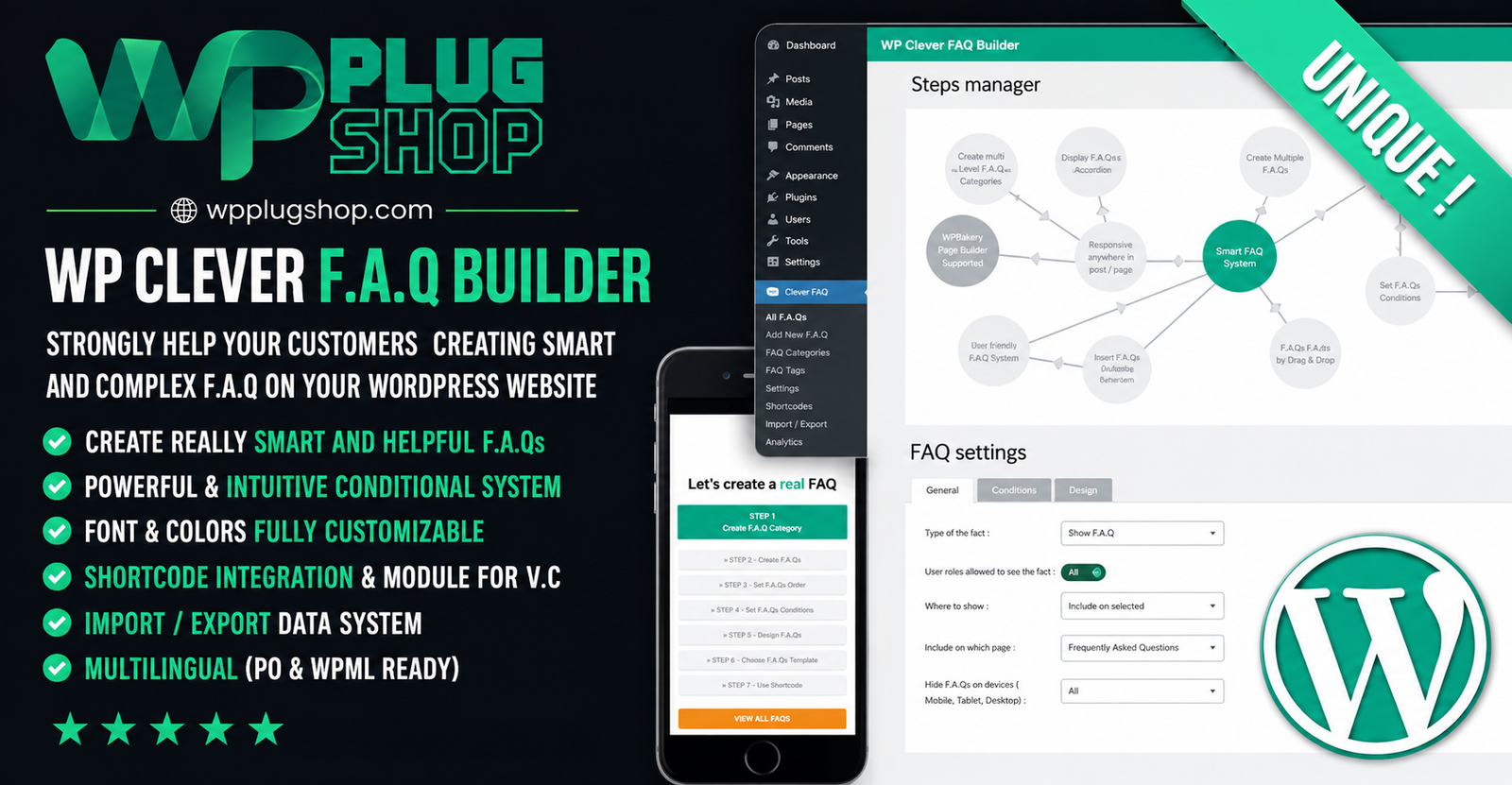
Preview WP Clever FAQ Builder – Smart WordPress FAQ & Support Plugin
View the product artwork, switch gallery images, and open a larger preview before checkout.
Get secure digital access for real WordPress projects
This section summarizes the buying experience and what customers can expect after checkout.
Product overview, benefits, and digital access details
Review the key product details, practical use cases, and digital access information before checkout.
Frequently Asked Questions About WP Clever FAQ Builder
What is WP Clever FAQ Builder?
WP Clever FAQ Builder is a WordPress FAQ and customer support plugin designed to help website owners create structured, interactive, and multi-level frequently asked questions. It can be used to guide visitors through related questions and predefined answers instead of relying only on a traditional static FAQ list.
Can I create an FAQ section in WordPress with WP Clever FAQ Builder?
Yes. WP Clever FAQ Builder provides tools for creating and organizing FAQ content within WordPress. You can create questions, answers, multiple FAQ steps, and structured question paths to make support information easier for visitors to navigate.
What makes WP Clever FAQ Builder different from a standard FAQ plugin?
WP Clever FAQ Builder focuses on interactive and conditional FAQ structures. Instead of displaying only a simple list of questions and answers, you can create multiple levels of questions and guide visitors toward predefined answers based on their selections.
Can WP Clever FAQ Builder create conditional FAQs?
Yes. Conditional FAQ functionality allows related questions and answers to be connected into guided paths. This can be useful when visitors need to answer one question before being shown a more specific question or solution.
Can I create multi-level FAQs with this WordPress plugin?
Yes. The documented functionality supports multiple levels of questions, making WP Clever FAQ Builder suitable for creating guided FAQ experiences where visitors can move through different question-and-answer stages.
Can FAQ answers contain rich content?
Yes. WP Clever FAQ Builder supports rich-content answers, allowing website owners to provide more detailed information than plain text alone. Depending on the content requirements, answers can be structured to provide useful support information and guidance.
Can I use predefined answers in WP Clever FAQ Builder?
Yes. Predefined answers are part of the plugin's documented functionality. This makes it possible to create consistent responses for common customer questions and organize support information into structured FAQ flows.
Does WP Clever FAQ Builder support shortcodes?
Yes. Shortcode functionality is included, allowing FAQ content to be placed in suitable areas of a WordPress website where shortcode-based content insertion is supported.
Does WP Clever FAQ Builder work with WPBakery?
Yes. The documented feature set includes WPBakery integration. This can make the plugin useful for WordPress websites that use WPBakery as part of their page-building workflow.
Can I customize the appearance of my FAQs?
Yes. WP Clever FAQ Builder includes customization options for elements such as colors and fonts. These settings can help website owners adapt FAQ presentations to their site's existing visual design.
Is WP Clever FAQ Builder responsive?
Yes. The product includes responsive layout functionality designed to help FAQ content adapt to different screen sizes. This is useful for websites where visitors access support information from desktops, tablets, and mobile devices.
Can I reorder FAQ answers using drag and drop?
Yes. The documented functionality includes drag-and-drop ordering for answers, giving administrators a more convenient way to organize the sequence and presentation of FAQ content.
Can users submit their own questions?
Yes. User-submitted questions are included among the documented features. This can help website owners collect questions from visitors and identify topics that may need additional FAQ or support content.
Can I import and export FAQ content?
Yes. WP Clever FAQ Builder includes import and export functionality. This can be useful when transferring FAQ information, maintaining content backups, or managing FAQ data across compatible WordPress environments.
Can WP Clever FAQ Builder be used as a customer support tool?
Yes. The plugin can support customer-service workflows by providing structured answers to frequently asked questions. Its conditional and multi-level approach can help visitors navigate toward more specific information before contacting a support team.
Can I use WP Clever FAQ Builder for a knowledge base?
WP Clever FAQ Builder can be used to organize frequently requested information and support content in a structured format. It can complement a broader WordPress knowledge-base strategy by helping visitors navigate common questions and predefined answers.
Is WP Clever FAQ Builder suitable for WooCommerce websites?
It can be useful on WooCommerce websites that need structured answers for common customer questions about products, orders, digital access, returns, payments, or store policies. Its suitability for a particular WooCommerce workflow depends on how the FAQ content is configured.
Is WP Clever FAQ Builder an Elementor plugin?
WP Clever FAQ Builder should primarily be positioned as a WordPress FAQ and support plugin. The documented integrations specifically include shortcode functionality and WPBakery support. Elementor-specific functionality should not be assumed unless separately confirmed.
Who should use WP Clever FAQ Builder?
WP Clever FAQ Builder can be useful for WordPress website owners, businesses, support teams, agencies, freelancers, WooCommerce stores, service providers, publishers, and organizations that need structured FAQ content and guided customer-support information.
Frequently Asked Questions About WP Clever FAQ Builder – WordPress FAQ & Support Plugin
What is WP Clever FAQ Builder for WordPress?
WP Clever FAQ Builder is a WordPress FAQ and support plugin that helps website owners create structured, interactive, and multi-level frequently asked questions. It can organize related questions and predefined answers into guided FAQ experiences.
Can I create a WordPress FAQ section with WP Clever FAQ Builder?
Yes. The plugin provides tools for creating and organizing FAQ questions and answers within WordPress. You can build structured FAQ content and publish it throughout your website using the available display options.
What is a conditional FAQ in WordPress?
A conditional FAQ guides visitors through different questions based on their previous selections. WP Clever FAQ Builder supports this type of multi-step structure, allowing related questions and predefined answers to be connected into a guided support flow.
Can WP Clever FAQ Builder create multi-level FAQs?
Yes. The plugin supports multi-level FAQ structures, making it possible to organize questions into different stages. This can be useful when a visitor needs to answer an initial question before reaching a more specific question or solution.
Can I use WP Clever FAQ Builder for customer support?
Yes. WP Clever FAQ Builder can be used as a self-service customer support tool by organizing common questions and answers into an accessible FAQ experience. Structured answers can help visitors find relevant information before contacting a support team.
Can FAQ answers contain rich content?
Yes. The plugin supports rich-content answers, allowing administrators to provide more useful information within FAQ responses rather than limiting answers to simple short text.
Does WP Clever FAQ Builder support predefined answers?
Yes. Predefined answers are part of the plugin's functionality. They can help website owners create consistent responses for frequently asked questions and organize them into structured FAQ paths.
Can I add WP Clever FAQ Builder to WordPress pages using shortcodes?
Yes. Shortcode support allows FAQ content to be inserted into compatible areas of a WordPress website. This provides flexibility when placing interactive FAQ sections on pages, posts, or other supported content areas.
Does WP Clever FAQ Builder work with WPBakery?
Yes. WPBakery integration is included in the documented functionality. This makes the plugin suitable for WordPress websites that use WPBakery for page-building and content layout.
Can I customize the FAQ design?
Yes. WP Clever FAQ Builder provides customization options for aspects such as colors and fonts. These settings can help administrators create an FAQ presentation that better matches their WordPress website's visual identity.
Is WP Clever FAQ Builder mobile responsive?
Yes. The plugin includes responsive layout functionality, helping FAQ content adapt to different screen sizes. This is important for websites where visitors access support information from smartphones, tablets, and desktop computers.
Can I reorder FAQ answers with drag and drop?
Yes. Drag-and-drop answer ordering is included in the documented feature set. This allows administrators to arrange FAQ responses and create a more logical sequence for visitors.
Can website visitors submit questions?
Yes. User-submitted questions are supported. This can help businesses collect questions directly from visitors and identify recurring topics that may be useful additions to their FAQ or support content.
Can I import and export FAQ data?
Yes. Import and export functionality is included, providing a convenient way to manage FAQ information and transfer compatible FAQ data when required.
Can WP Clever FAQ Builder be used for a WordPress knowledge base?
Yes. The plugin can help organize frequently requested information into structured questions and answers. It can complement a broader WordPress knowledge-base or help-center strategy by providing guided access to common support information.
Is WP Clever FAQ Builder useful for WooCommerce stores?
Yes. WooCommerce stores can use a structured FAQ system to answer common questions about products, orders, payments, digital access, returns, account management, and store policies. WP Clever FAQ Builder can provide the FAQ layer for these customer-support topics.
Can I use WP Clever FAQ Builder with Elementor?
The documented product information specifically identifies shortcode functionality and WPBakery integration. Elementor-specific compatibility should therefore be verified for the particular version and configuration before relying on Elementor-specific functionality.
Is WP Clever FAQ Builder an AI-powered FAQ plugin?
It should not be presented as an AI-powered FAQ generator unless that functionality is specifically confirmed for the product version being used. Its core value is structured, interactive, conditional FAQ creation and customer-support content management.
Who can benefit from WP Clever FAQ Builder?
WordPress businesses, WooCommerce store owners, agencies, freelancers, support teams, service providers, publishers, and website administrators can use WP Clever FAQ Builder when they need structured FAQs, guided questions, predefined answers, and self-service support content.
Why use an interactive FAQ instead of a traditional FAQ list?
An interactive FAQ can organize related questions into guided paths, helping visitors move from broad questions toward more specific answers. This approach can be useful for complex products, services, troubleshooting topics, customer support workflows, and websites with multiple possible answers.
Frequently Asked Questions About WP Clever FAQ Builder
What is WP Clever FAQ Builder for WordPress?
WP Clever FAQ Builder is a WordPress FAQ and support plugin for creating structured, interactive, and multi-level frequently asked questions. It helps organize related questions and predefined answers into guided support experiences.
Can I create an interactive FAQ with WP Clever FAQ Builder?
Yes. WP Clever FAQ Builder is designed for interactive FAQ structures where visitors can move through related questions and reach more specific predefined answers based on their selections.
What is a conditional FAQ?
A conditional FAQ presents different questions or answers according to a visitor's previous selection. This approach can make complex support information easier to navigate by creating guided question-and-answer paths.
Can I create multi-level FAQs in WordPress?
Yes. WP Clever FAQ Builder supports multi-level FAQ structures, allowing website administrators to organize questions into different stages. This can be useful for troubleshooting guides, product support, service questions, and other detailed FAQ workflows.
Can WP Clever FAQ Builder be used as a customer support tool?
Yes. The plugin can help create a self-service support experience by organizing frequently asked questions and predefined answers. Visitors can use the structured FAQ content to find relevant information before contacting a support team.
Can FAQ answers include rich content?
Yes. WP Clever FAQ Builder supports rich-content answers, allowing administrators to provide more detailed information within responses instead of relying only on short text-based answers.
Can I create predefined answers for common questions?
Yes. Predefined answers are part of the documented functionality. They can help businesses provide consistent responses to recurring questions and organize those responses within structured FAQ paths.
Does WP Clever FAQ Builder support shortcodes?
Yes. Shortcode functionality is available, allowing compatible FAQ content to be placed in suitable areas of WordPress pages and posts without requiring a separate custom development workflow.
Does WP Clever FAQ Builder support WPBakery?
Yes. WPBakery integration is included in the documented product functionality, making the plugin suitable for websites that use WPBakery as their WordPress page-building solution.
Can I customize the FAQ appearance?
Yes. The plugin provides customization options for elements such as colors and fonts. These controls can help administrators create FAQ sections that better match their website's branding and design.
Is WP Clever FAQ Builder responsive?
Yes. The plugin includes responsive layout functionality designed to help FAQ content display across different screen sizes, including desktop computers, tablets, and mobile devices.
Can I reorder FAQ answers using drag and drop?
Yes. Drag-and-drop answer ordering is included in the documented feature set. This makes it easier to arrange responses and create a logical sequence for an interactive FAQ experience.
Can visitors submit their own questions?
Yes. User-submitted questions are supported. This feature can help website owners collect questions from visitors and discover topics that may need additional FAQ or support content.
Can I import and export FAQ content?
Yes. WP Clever FAQ Builder includes import and export functionality, providing a convenient way to manage and transfer compatible FAQ information when needed.
Can I use WP Clever FAQ Builder for a WordPress knowledge base?
Yes. The plugin can be used to organize frequently requested information into structured questions and answers. It can complement a broader WordPress knowledge-base or help-center strategy.
Is WP Clever FAQ Builder useful for WooCommerce stores?
Yes. WooCommerce stores can use interactive FAQs to address common questions about products, orders, digital access, payments, returns, accounts, and store policies. WP Clever FAQ Builder can provide a structured FAQ layer for these customer-support topics.
Can I use WP Clever FAQ Builder with Elementor?
The documented product information specifically identifies shortcode functionality and WPBakery integration. Elementor-specific functionality should be confirmed for the particular product version before relying on direct Elementor integration.
Is WP Clever FAQ Builder an AI-powered FAQ plugin?
It should not be described as an AI-powered FAQ generator unless that capability is specifically confirmed for the version being offered. Its documented core functionality focuses on interactive, conditional, multi-level FAQ creation and structured support content.
Who should use WP Clever FAQ Builder?
WP Clever FAQ Builder can be useful for WordPress website owners, WooCommerce businesses, agencies, freelancers, customer support teams, service providers, publishers, and organizations that need structured FAQs and guided self-service support content.
Why use an interactive FAQ instead of a traditional FAQ page?
An interactive FAQ can guide visitors through related questions instead of presenting every answer in a single long list. This can be especially useful for complex products, services, troubleshooting workflows, customer support topics, and situations where different questions require different answers.
Quick product answers for buyers and AI search
Clear product answers help buyers, search engines, and AI answer engines understand this product faster.
Best ways to use this WordPress digital product
These use cases help buyers quickly decide if this product fits their workflow.
How digital access works
No physical shipping is required. This is a digital product access purchase designed for account-based downloads.
Secure payment options for digital checkout
WPPlugShop supports trusted checkout options so buyers can complete digital purchases with more confidence.
Frequently asked questions
Buyer-focused answers about digital access, secure payments, downloads, support, and product usage.
Related WordPress tools you may also like
Explore related WordPress tools that may support the same workflow, website type, or project goal.




Choose the right WordPress tool with confidence
Request a product, explore membership access, or contact support if you want help choosing the right WordPress digital product before checkout.