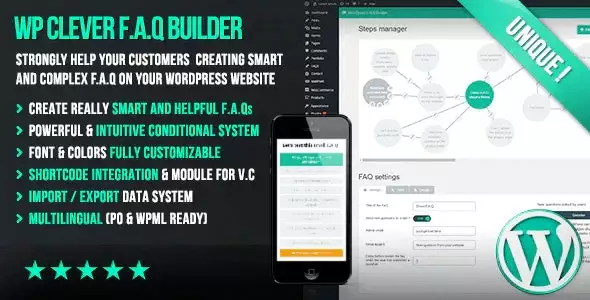
Product Overview
WP Clever FAQ Builder – Smart Support Tool for WordPress 1.43 is a powerful FAQ management plugin that helps you create organized, searchable, and mobile-friendly Frequently Asked Questions for your WordPress website. Whether you run a WooCommerce store, business website, SaaS platform, or educational portal, this plugin makes it easy to build professional FAQ sections that improve user experience and reduce repetitive support requests.
With an intuitive FAQ builder, customizable layouts, category organization, responsive design, and compatibility with popular WordPress editors, WP Clever FAQ Builder allows visitors to quickly find answers without contacting your support team.
Why Choose WP Clever FAQ Builder?
Customers often have similar questions before making a purchase or using a service. WP Clever FAQ Builder helps you organize those answers into a clean and searchable FAQ section, improving customer satisfaction while reducing the workload for your support team.
- Create professional FAQ pages without coding
- Improve customer self-service support
- Reduce repetitive support tickets
- Display FAQs using responsive layouts
- Simple setup and easy management
Key Features
- Visual FAQ builder
- Unlimited FAQ items
- FAQ categories and organization
- Accordion FAQ layouts
- Searchable FAQ system
- Responsive mobile-friendly design
- Drag-and-drop FAQ management
- Multiple display layouts
- Expand and collapse functionality
- Custom styling options
- Shortcode support
- Gutenberg compatibility
- Elementor compatibility
- WooCommerce compatibility
- SEO-friendly FAQ pages
- No coding required
Main Benefits
- Reduce Support Requests: Help visitors find answers instantly without contacting your support team.
- Improve User Experience: Organize information into clean, searchable FAQ sections that are easy to navigate.
- Increase Customer Confidence: Answer common pre-sales and post-sales questions in one place.
- Mobile-Friendly Design: Ensure FAQ pages display properly on desktops, tablets, and smartphones.
- Easy Management: Add, edit, and organize FAQs through a beginner-friendly interface.
Perfect For
- WooCommerce stores
- Business websites
- SaaS platforms
- Online course websites
- Knowledge base portals
- Product documentation websites
- Membership platforms
- Agency websites
- Service providers
Who Should Use This Plugin?
- WordPress website owners
- WooCommerce store owners
- Customer support teams
- Digital agencies
- Freelancers
- Online businesses
- Educators and trainers
- Content creators
WP Plug Shop Benefits
WP Plug Shop offers WP Clever FAQ Builder – Smart Support Tool for WordPress 1.43 to help website owners create organized FAQ sections, improve customer support, and deliver a better browsing experience with minimal setup.
- Instant digital download
- Easy installation
- Regularly updated files
- Compatible with modern WordPress websites
Product Details
| Feature | Details |
|---|---|
| Plugin Name | WP Clever FAQ Builder – Smart Support Tool for WordPress |
| Version | 1.43 |
| Platform | WordPress |
| Category | FAQ & Knowledge Base Plugin |
| Main Purpose | Create searchable FAQ pages and improve customer self-service support |
| Compatibility | WooCommerce, Elementor, Gutenberg |
Feature Comparison
| Feature | Default WordPress | WP Clever FAQ Builder |
|---|---|---|
| Dedicated FAQ Management | ❌ No | ✔ Yes |
| FAQ Categories | ❌ No | ✔ Yes |
| Accordion Layout | ❌ No | ✔ Yes |
| Searchable FAQs | ❌ No | ✔ Yes |
| WooCommerce FAQ Support | Limited | ✔ Included |
| Responsive FAQ Design | Theme Dependent | ✔ Built In |
Pros & Considerations
| Pros | Considerations |
|---|---|
| Easy-to-use FAQ builder | Requires a WordPress website. |
| Responsive and SEO-friendly layouts | Advanced styling may require theme customization. |
| Compatible with WooCommerce, Elementor, and Gutenberg | Some design options depend on your active theme. |
| Helps reduce customer support workload | Best results come from keeping FAQ content up to date. |
Final Verdict
WP Clever FAQ Builder – Smart Support Tool for WordPress 1.43 is an excellent solution for creating professional FAQ pages and knowledge base sections. With searchable FAQs, accordion layouts, category organization, responsive design, and compatibility with WooCommerce, Elementor, and Gutenberg, it helps businesses improve customer support, enhance user experience, and reduce repetitive inquiries.
Frequently Asked Questions
What is WP Clever FAQ Builder?
WP Clever FAQ Builder is a WordPress FAQ management plugin that helps you create organized, searchable, and responsive Frequently Asked Questions sections. It improves customer support by allowing visitors to quickly find answers without contacting your support team.
Does WP Clever FAQ Builder work with WooCommerce?
Yes. The plugin is compatible with WooCommerce and can be used to display product FAQs, shipping information, payment details, return policies, and other customer support content on your online store.
Can I organize FAQs into categories?
Yes. You can group FAQ items into categories, making it easier for visitors to browse related questions and quickly locate the information they need.
Does the plugin include a searchable FAQ feature?
Yes. WP Clever FAQ Builder provides searchable FAQ functionality, allowing users to search for specific questions and answers instead of manually browsing through long FAQ pages.
Can I display FAQs in an accordion layout?
Yes. The plugin supports responsive accordion layouts with expand and collapse functionality, helping keep FAQ pages clean, organized, and easy to navigate.
Is WP Clever FAQ Builder compatible with Elementor and Gutenberg?
Yes. The plugin works with both Elementor and the WordPress Gutenberg Block Editor, making it easy to add FAQ sections anywhere on your website.
Do I need coding knowledge to use this plugin?
No. WP Clever FAQ Builder includes an intuitive interface that allows you to create, organize, and customize FAQs without writing any code.
Can I customize the appearance of my FAQ section?
Yes. The plugin offers multiple display layouts and styling options so you can match your FAQ section to your website’s design and branding.
Is WP Clever FAQ Builder mobile responsive?
Yes. All FAQ layouts are designed to be fully responsive, ensuring a smooth browsing experience across desktops, tablets, and smartphones.
Who should use WP Clever FAQ Builder?
This plugin is ideal for WooCommerce store owners, business websites, SaaS companies, customer support teams, online course creators, agencies, freelancers, and anyone who wants to build a professional FAQ or knowledge base section on a WordPress website.
Please note: This is a digital product. Due to its digital nature, all sales are final — no refund will be provided after purchase and delivery. Please see our Refund Policy before purchasing.