
WP Maps Pro — Premium WordPress Google Maps & OpenStreetMap Toolkit
Verified from VirusTotal 100% Original Product and Virus Free. Free New Version Lifetime On Single Purchase. Unlimited Website Usage Price is in US dollars and included tax
Buy confidently with secure digital checkout, account-based downloads, and a cleaner WPPlugShop product experience.
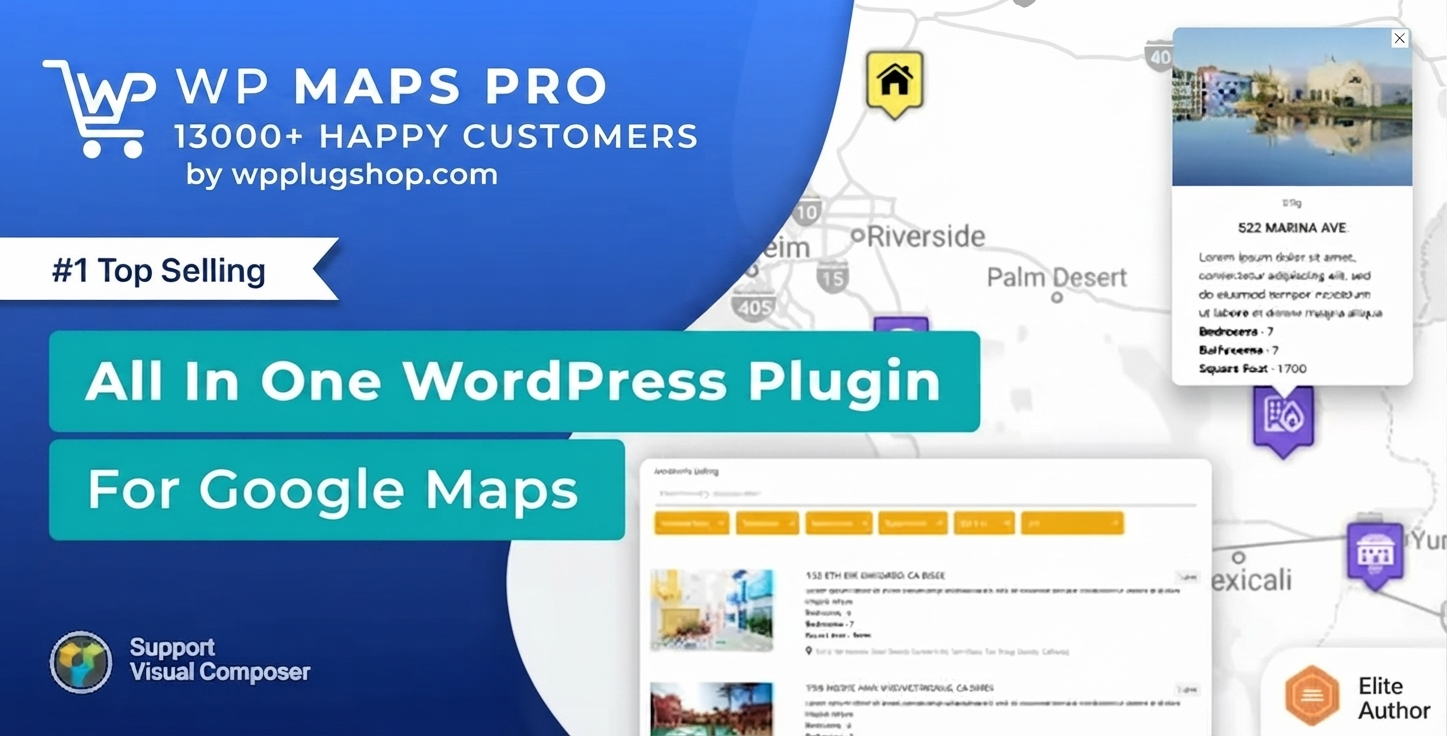
Preview WP Maps Pro — Premium WordPress Google Maps & OpenStreetMap Toolkit
View the product artwork, switch gallery images, and open a larger preview before checkout.
Get secure digital access for real WordPress projects
This section summarizes the buying experience and what customers can expect after checkout.
Product overview, benefits, and digital access details
Review the key product details, practical use cases, and digital access information before checkout.
Product Overview
Transform how your website processes localized geographic data with WP Maps Pro (Advanced Google Maps Plugin for WordPress). Developed by the elite development team at Flipper Code, this premium mapping engine allows you to build highly interactive, responsive visual search directories and complex store locators without writing a single line of JavaScript code. Instead of settling for simple iframe map inserts or restrictive default location widgets, WP Maps Pro provides an enterprise-grade framework that bridges the gap between raw database entries and dynamic frontend maps. It is the ultimate tool for turning flat lists of addresses into feature-rich, filterable user experiences that look flawless across all devices.
At its core, WP Maps Pro is built to handle heavy data operations effortlessly. Whether you need to plot a handful of regional office locations, manage extensive multi-author directory listings, or map custom post types natively, this plugin maps information directly onto a beautiful map interface using an intuitive visual control panel. By combining robust features like AJAX-powered proximity filters, customizable information windows, and custom map layouts, you can deliver fluid, high-converting location tools that keep users engaged on your site.
Why This Product Is Useful
Standard mapping plugins often force developers into a tight corner, requiring rigid location setups that fail to match a modern brand's layout. WP Maps Pro eliminates these limitations by offering a highly flexible, open dual-engine mapping architecture. You can choose between the classic Google Maps API platform or opt for high-performance, budget-conscious alternatives like OpenStreetMap (Leaflet) depending on your project budget and data tracking needs. This means you can design map systems completely free of recurring developer API keys when using open-source mapping libraries.
Beyond standard coordinate plotting, the true power of WP Maps Pro lies in its native WordPress database integration. Instead of manually typing every single latitude and longitude coordinate, the plugin reads data directly from your active posts, pages, and custom post types. It integrates seamlessly with popular metadata helpers like Advanced Custom Fields (ACF) and Meta Box. This dynamic sourcing saves hours of manual labor, allowing real estate finders, directory portals, and multi-location companies to scale their web maps automatically as new posts are published.
Key Features
- Dual Mapping Engine Architecture: Effortlessly switch between Google Maps and OpenStreetMap (Leaflet) frameworks with a single toggle switch.
- Dynamic Custom Post Type Mapping: Fetch location coordinates natively from pages, posts, or specialized custom post types simultaneously.
- AJAX-Powered Proximity & Category Filters: Allow front-end users to instantly filter down markers based on target distance radiuses, custom taxonomy fields, or zip codes.
- Advanced Bulk CSV Spreadsheet Importer: Upload thousands of location coordinates instantly using a smart geocoding wizard that automatically calculates missing latitude and longitude strings.
- Intelligent Marker Clustering Matrix: Consolidate dense location clusters automatically at high zoom levels into beautiful, organized cluster icons to prevent browser lag.
- Multi-Route & Custom Direction Generator: Create custom routes in the backend or let visitors fetch turn-by-turn driving, walking, or transit directions straight from the active map.
Main Benefits
- Zero Premium Addon Bloat: Packs professional features—including custom skins, listings grids, and filters—into a single installation file, preventing plugin conflicts.
- Drastic Cost Reduction: Allows full utilization of OpenStreetMap frameworks to eliminate costly, high-volume Google Maps API monthly usage invoices.
- Immediate UI Engagement Spikes: Combines interactive map markers with customizable rich HTML infowindows featuring video embeds, call buttons, and thumbnail images.
- Uncapped GPL License Deployment: Our fully activated file package allows you to install, update, and test this mapping toolkit across unlimited production or staging servers without domain blocks.
- Optimized Query Execution: Utilizes high-speed AJAX rendering mechanics to guarantee quick load speeds even when filtering through thousands of data nodes.
Best Use Cases
- E-commerce Store Finders: Designing comprehensive "Where to Buy" directories and retail dealer finders featuring precise interactive driving maps.
- Real Estate Property Maps: Pulling custom price ranges, property sizes, and listing locations dynamically from ACF or Meta Box fields onto a filterable map grid.
- Nationwide Multi-Branch Directories: Mapping diverse franchise locations with distinct marker category icons for banks, medical offices, or restaurant branches.
- Travel & Tourism Route Visualizers: Showcasing multi-destination vacation itineraries and historical walking paths using custom colored route maps.
Who Should Use This Product?
- WordPress Web Agencies: Developers looking for an advanced, highly customizable mapping framework to deploy quickly across varying client business niches.
- Directory Portal Operators: Site managers running massive local listings networks that require high-performance search-by-radius tools.
- WooCommerce Shop Managers: Marketing teams needing to direct online visitors cleanly to localized brick-and-mortar storefront outlets.
- Freelance Designers: Creators who want to implement custom-tailored map canvases (compatible with Snazzy Maps styling) without coding complex API functions.
WP Plug Shop Access Benefits
Acquiring your asset archives via the WP Plug Shop digital marketplace provides budget-conscious access to premium web development utilities. Every digital download we supply consists of original, untouched core code distributed legally under the GNU General Public License (GPL). We prioritize code integrity above all else, subjecting our entire repository to intensive daily multi-engine threat sweeps via platforms like Norton and McAfee to guarantee your files arrive entirely free of malware, trackers, or hidden backdoors.
Immediately following a safe, secure checkout, your installable zip file becomes instantly available via your profile dashboard. Because our system bypasses artificial developer registration locks, you can install and configure this mapping suite on unlimited personal staging setups and client web servers with zero domain validation checks. Enjoy pure digital access, a straightforward downloading workflow, and regular life-cycle update versions pulled straight from our master archive.
Product Details
| Technical Specification | Product Details & Requirements |
|---|---|
| Product Name | WP Maps Pro (Advanced WordPress Maps Plugin by Flipper Code) |
| Distribution License | GNU General Public License (GPL) Fully Compliant |
| Supported Engines | Google Maps API & OpenStreetMap (Leaflet Engine) |
| Data Sourcing Compatibility | Manual Coordinates, Posts, Pages, Custom Post Types, ACF, Meta Box |
| Import/Export Format | CSV Spreadsheet Bulk Wizard (Supports Automated Geocoding) |
| Domain Limitations | Completely Uncapped (Deploy freely across unlimited domains) |
| Security Cleared | 100% Original File Package, Scanned Daily via McAfee & Norton Suite |
Feature Comparison
| Mapping Capability | Standard Free Map Widgets | WP Maps Pro Toolkit Bundle |
|---|---|---|
| Engine Versatility | Locked to basic Google Maps iframes | Dual Google Maps & OpenStreetMap integration |
| Dynamic Content Sourcing | No (Requires manual pin entry) | Automated pulling from Custom Post Types & Taxonomies |
| Frontend Filter Controls | None or single search keyword options | Advanced multi-category checkboxes, tabs, & radius sorting |
| Bulk Data Importation | No (Pins must be placed one-by-one) | Full CSV upload with automated geocoding extraction |
| Density Management | Map visually breaks under heavy coordinate loads | High-speed AJAX marker clustering engine built-in |
Pros and Considerations
Frequently Asked QuestionsWhat is the difference between WP Maps Pro and basic mapping widgets?Unlike basic mapping widgets that are limited to simple iframe embeds, WP Maps Pro provides an enterprise-grade dual-engine framework. It allows you to create fully customized layouts featuring advanced marker clustering, proximity radius searches, multi-category frontend filters, and custom HTML information windows that fetch data directly from your WordPress database nodes without touching raw JavaScript APIs.Can I use WP Maps Pro without a Google Maps API Key?Yes. WP Maps Pro features a built-in OpenSource Map architecture powered by OpenStreetMap and Leaflet. By switching your active map provider layout away from Google Maps to OpenStreetMap, you can create fully operational, filterable geographic maps and directories entirely free of mandatory cloud billing keys or recurring developer API usage invoices.How does the bulk CSV spreadsheet location importer work?The plugin includes an advanced geocoding wizard built directly into its import engine. When you upload a massive list of business or branch coordinates via a standard CSV or Excel document, the plugin automatically evaluates the addresses in real-time. It calculates and populates any missing latitude and longitude parameters with high accuracy, saving hours of manual data plot entries.Can I display locations automatically from custom fields and custom post types?Yes, absolutely. WP Maps Pro features native data sourcing integration. You can configure the backend dashboard to dynamically fetch geo-location parameters directly from standard posts, pages, or specialized custom post types. It is fully compatible with metadata helper extensions like Advanced Custom Fields (ACF) and Meta Box, making it an ideal choice for scaling real estate maps or user-submitted directories automatically.What is the Spiderfier effect, and does this plugin support it?Yes, it supports the Spiderfier effect. When multiple map markers share identical or overlapping latitude and longitude coordinates, standard maps bury them beneath each other. When a user clicks a dense cluster layout using WP Maps Pro, the Spiderfier effect elegantly fans out the overlapping markers like a spiderweb, allowing visitors to click individual listings easily.Can I customize the visual style of the map canvas and information windows?Yes. The framework features full integration with Snazzy Maps styling strings, allowing you to copy and paste custom color schemas directly into your control panel. Additionally, site administrators can select from multiple responsive backend templates to style information popup windows with rich text, image placeholders, custom typography, custom HTML structures, or responsive video elements.Is this digital download completely safe and legal to use on my website?Yes, 100%. Every plugin archive distributed via WP Plug Shop is an untouched, authentic redistribution of original files operating in absolute compliance with the GNU General Public License (GPL). Our technical teams conduct rigorous daily security sweeps across our entire repository using McAfee and Norton systems to ensure your files arrive completely cleared of malware or backdoors.Can I install this advanced map plugin across multiple customer or staging domains?Yes. Because the digital files provided by WP Plug Shop are distributed under a GPL architecture, all artificial developer license checks, phone-home validation scripts, and registration limitations are bypassed. You are legally free to install, test, and utilize this premium mapping engine across unlimited personal sandboxes, staging setups, and live client production servers.Built-in AJAX mechanics keep listing searches fast and fluid.A large volume of markers requires proper cluster sizing to maintain mobile map control fluidity.
| Advantages & Strengths | Considerations & Best Practices |
|---|---|
| Supports OpenStreetMap natively to bypass expensive monthly Google API bills. | Google Maps options still require a valid, billing-enabled API key for cloud rendering. |
| The automated geocoding wizard makes bulk location entry exceptionally clean. | Ensure CSV files are encoded properly in UTF-8 format to avoid accent symbol bugs. |
| Fully compatible with Snazzy Maps for beautiful custom skinning combinations. | GPL access grants absolute functional usage but excludes official developer support tickets. |
Final Verdict
If you need to build dynamic, search-friendly directory setups or functional multi-branch store locators, you need a plugin that handles heavy geographic data beautifully. WP Maps Pro stands out as an incredibly complete, stable, and flexible geographic solution for modern WordPress environments. From its automated custom post type integrations to its cost-saving OpenStreetMap engine integrations, it gives you everything required to design gorgeous interactive maps without performance slowdowns or mandatory code modifications.
Claim your digital copy from WP Plug Shop today under an entirely secure checkout environment with daily security file scans and unrestricted multi-site development capabilities. Build advanced geolocation experiences, maximize layout engagement, and map your company data with absolute confidence.
Quick product answers for buyers and AI search
Clear product answers help buyers, search engines, and AI answer engines understand this product faster.
Best ways to use this WordPress digital product
These use cases help buyers quickly decide if this product fits their workflow.
How digital access works
No physical shipping is required. This is a digital product access purchase designed for account-based downloads.
Secure payment options for digital checkout
WPPlugShop supports trusted checkout options so buyers can complete digital purchases with more confidence.
Frequently asked questions
Buyer-focused answers about digital access, secure payments, downloads, support, and product usage.
Related WordPress tools you may also like
Explore related WordPress tools that may support the same workflow, website type, or project goal.




Choose the right WordPress tool with confidence
Request a product, explore membership access, or contact support if you want help choosing the right WordPress digital product before checkout.