
WP Media Folder – WordPress Media Library Core Plugin
Verified from VirusTotal 100% Original Product and Virus Free. Free New Version Lifetime On Single Purchase. Unlimited Website Usage Price is in US dollars and included tax
Buy confidently with secure digital checkout, account-based downloads, and a cleaner WPPlugShop product experience.
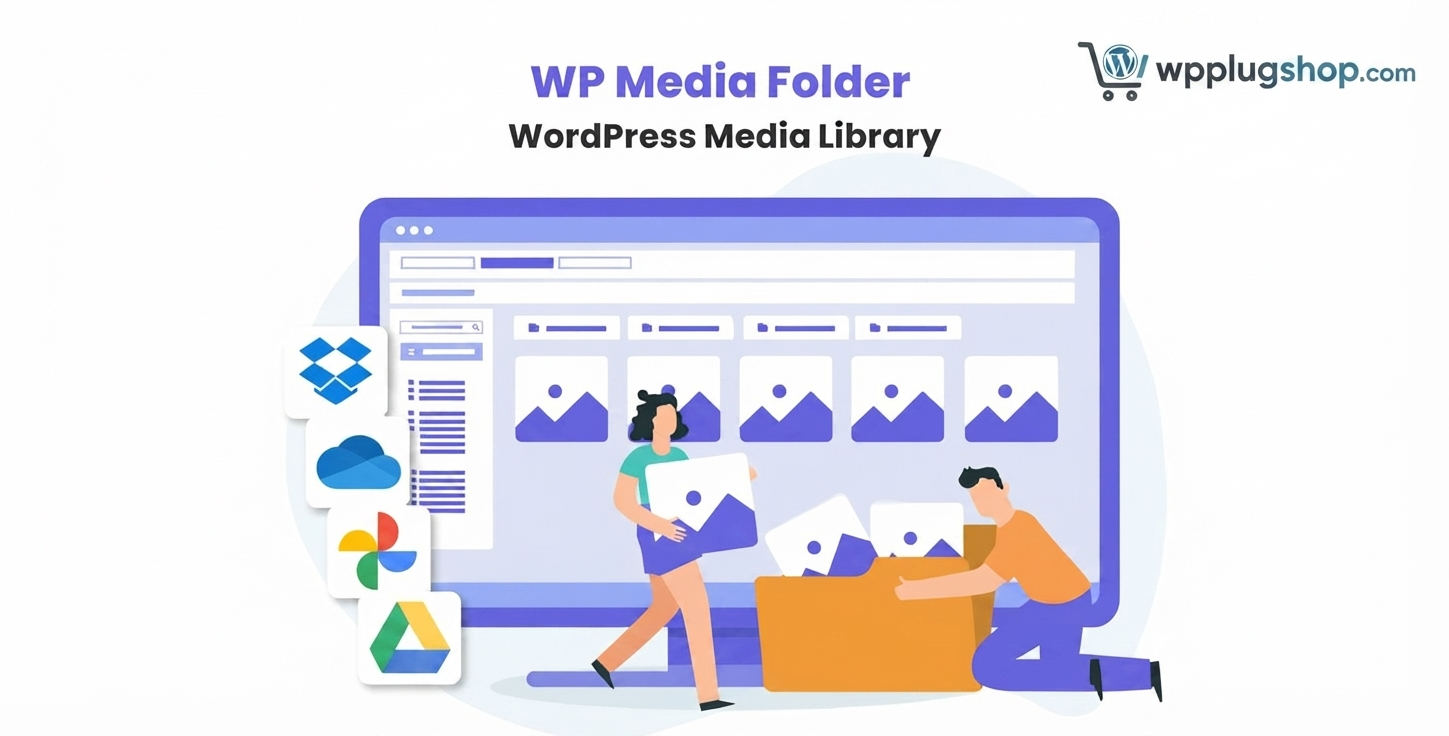
Preview WP Media Folder – WordPress Media Library Core Plugin
View the product artwork, switch gallery images, and open a larger preview before checkout.
Get secure digital access for real WordPress projects
This section summarizes the buying experience and what customers can expect after checkout.
Product overview, benefits, and digital access details
Review the key product details, practical use cases, and digital access information before checkout.
Product Overview
WP Media Folder – WordPress Media Library Core Plugin is a premium WordPress media management plugin designed to organize your Media Library with an intuitive folder-based system. Instead of scrolling through thousands of unorganized images, documents, videos, and PDFs, you can manage your digital assets using folders and subfolders while continuing to work inside the familiar WordPress Media Library.
Whether you manage a WooCommerce store with thousands of product images, operate a content-rich blog, build client websites, or maintain a large business portal, WP Media Folder helps keep your media files structured, searchable, and easy to maintain.
The plugin enhances the native WordPress experience without changing how media files are stored. It introduces drag-and-drop folder management, advanced filtering, media replacement, gallery management, and cloud storage integration, allowing teams to work more efficiently while improving overall productivity.
WP Plug Shop provides GPL-friendly digital access to this premium WordPress media management solution, making it a practical choice for agencies, developers, freelancers, WooCommerce store owners, and businesses looking to improve their workflow.
Why Choose WP Media Folder?
As WordPress websites grow, so does the number of uploaded media files. Product photos, blog images, PDFs, downloadable resources, videos, marketing banners, logos, and documents can quickly accumulate into thousands of files, making the default Media Library increasingly difficult to navigate.
WP Media Folder solves this challenge by introducing an intuitive folder structure that makes organizing digital assets simple and efficient. Users can quickly locate files, move media using drag-and-drop functionality, replace existing images without changing URLs, and synchronize media with supported cloud storage providers—all while continuing to use the familiar WordPress interface.
This plugin is particularly valuable for WooCommerce stores, agencies managing multiple client websites, publishers, educational platforms, photographers, and businesses that regularly upload and manage large amounts of media content.
Instead of wasting valuable time searching through hundreds or thousands of uploads, your team can organize media logically, improve collaboration, and streamline everyday content management tasks.
Key Features
- Unlimited media folders and subfolders.
- Drag-and-drop folder management.
- Native WordPress Media Library integration.
- Advanced media search and filtering.
- Bulk media organization tools.
- Replace media files without breaking existing URLs.
- Image, PDF, document, audio, and video organization.
- Folder tree navigation for faster browsing.
- Cloud storage integration support.
- Google Drive compatibility.
- Dropbox integration.
- Microsoft OneDrive support.
- Amazon S3 compatibility.
- WooCommerce media organization.
- Elementor compatibility.
- Gutenberg compatibility.
- WPBakery compatibility.
- Gallery management features.
- Media synchronization tools.
- Responsive administration interface.
- Supports large WordPress media libraries.
- SEO-friendly media management workflow.
- Improves editorial productivity.
- Optimized file organization for agencies and developers.
- Maintains the native WordPress media experience.
Main Benefits
- Organize Thousands of Media Files Efficiently
Create logical folder structures that make it easy to locate images, documents, videos, and downloadable files without endlessly scrolling through the default WordPress Media Library. - Save Time Managing Content
Drag-and-drop organization, folder navigation, and advanced filtering significantly reduce the time spent searching for assets during website management. - Improve WooCommerce Product Management
Organize product images, category banners, downloadable files, promotional graphics, and brand assets into dedicated folders for a cleaner workflow. - Replace Media Without Changing URLs
Update images or documents while preserving existing file references, helping maintain content consistency across pages, posts, and products. - Boost Team Productivity
Agencies, content teams, and multi-author websites benefit from structured media organization that simplifies collaboration and reduces duplicate uploads. - Cloud Storage Flexibility
Work with supported cloud storage services to help centralize file management and streamline media synchronization across projects. - Scale with Growing Websites
Whether your website contains hundreds or tens of thousands of files, WP Media Folder provides a structured system that grows alongside your content library. - Maintain a Familiar WordPress Experience
Enjoy powerful media management features without replacing or complicating the native WordPress Media Library interface.
Best Use Cases
WP Media Folder is an excellent solution for WordPress websites that handle large volumes of media files and require a more organized workflow than the default Media Library provides.
- WooCommerce Stores
Organize thousands of product images, downloadable files, category banners, brand assets, and promotional graphics into structured folders for easier management. - Content-Rich Blogs
Manage blog images, featured images, infographics, PDFs, and downloadable resources with an organized folder hierarchy. - Agency Websites
Separate client assets into dedicated folders, making it easier to manage multiple WordPress projects from a single dashboard. - Photography & Portfolio Websites
Sort photos into albums and categories for faster editing, publishing, and gallery creation. - Corporate Websites
Organize company logos, marketing materials, documents, presentations, brochures, and media resources efficiently. - Educational Platforms & LMS Websites
Manage course materials, worksheets, presentations, downloadable PDFs, videos, and learning resources with ease. - Membership & Community Websites
Keep exclusive downloads, media files, documents, and member resources neatly organized for administrators. - News & Magazine Websites
Handle thousands of uploaded images, article graphics, videos, and editorial resources without cluttering the Media Library. - Developer Projects
Improve media management across client websites while maintaining compatibility with popular WordPress tools and workflows.
Who Should Use This Plugin?
WP Media Folder is ideal for anyone who regularly uploads and manages media files in WordPress and wants a faster, more organized workflow.
- WordPress website owners
- WooCommerce store owners
- Freelance developers
- WordPress agencies
- Bloggers and publishers
- Content creators
- Marketing teams
- Photographers
- Graphic designers
- Educational organizations
- Corporate businesses
- Membership website owners
- News portals
- Digital product sellers
- Multi-author websites
- Elementor users
- Gutenberg users
- WPBakery users
If your website contains hundreds or thousands of media files, WP Media Folder can significantly simplify file organization, improve productivity, and reduce the time spent searching for assets.
WP Plug Shop Access Benefits
WP Plug Shop provides GPL-friendly digital access to premium WordPress themes and plugins, helping professionals, businesses, and agencies build high-quality websites while keeping development workflows efficient.
- Instant digital download after purchase.
- GPL-friendly WordPress resource.
- Secure file delivery.
- Files scanned before distribution.
- Suitable for developers, freelancers, agencies, and businesses.
- Ideal for development, testing, and production WordPress projects where appropriate.
- Affordable solution for expanding WordPress functionality.
- Designed to integrate with modern WordPress workflows.
Disclaimer: WP Plug Shop distributes GPL-friendly digital resources. Product names, trademarks, logos, and brands remain the property of their respective owners. Official developer support, subscription services, and proprietary cloud services are not included unless explicitly stated.
Product Details
| Attribute | Details |
|---|---|
| Product Name | WP Media Folder – WordPress Media Library Core Plugin |
| Product Type | Premium WordPress Plugin |
| Platform | WordPress |
| Category | Media Library Management Plugin |
| Primary Purpose | Organize WordPress media files using folders and advanced management tools. |
| Compatible With | WooCommerce, Elementor, Gutenberg, WPBakery, and many popular WordPress plugins. |
| Cloud Support | Compatible with supported cloud storage integrations such as Google Drive, Dropbox, Microsoft OneDrive, and Amazon S3. |
| Media Types | Images, PDFs, documents, videos, audio files, downloadable resources, and other supported WordPress media. |
| Management Features | Folders, subfolders, drag-and-drop organization, advanced search, filtering, media replacement, and gallery management. |
| Responsive | Yes |
| Best For | Large WordPress websites, WooCommerce stores, agencies, publishers, educational platforms, and businesses managing extensive media libraries. |
Feature Comparison
| Feature | Default WordPress Media Library | WP Media Folder |
|---|---|---|
| Folder Organization | No native folder support | ✔ Unlimited folders and subfolders |
| Drag & Drop File Organization | Not available | ✔ Supported |
| Advanced Media Search | Basic search only | ✔ Advanced filtering and organization |
| Media File Replacement | Requires manual upload and replacement | ✔ Replace files while preserving existing URLs |
| WooCommerce Media Management | Limited organization | ✔ Efficient organization for product images and downloads |
| Cloud Storage Integration | Not included | ✔ Supports compatible cloud storage integrations |
| Gallery Management | Basic functionality | ✔ Enhanced gallery organization |
| Bulk Media Organization | Limited | ✔ Designed for efficient bulk management |
| Large Media Library Handling | Can become difficult to manage | ✔ Optimized for extensive media collections |
| Elementor & WooCommerce Compatibility | Native compatibility only | ✔ Works seamlessly with popular WordPress tools |
Pros & Considerations
| Pros | Considerations |
|---|---|
| Organizes media files using folders and subfolders. | Requires a self-hosted WordPress website. |
| Maintains the familiar WordPress Media Library experience. | Cloud storage features may require proper configuration. |
| Supports drag-and-drop media organization. | Always verify compatibility with your WordPress environment before updating. |
| Improves productivity for websites with large media libraries. | Some advanced functionality may depend on optional integrations. |
| Compatible with WooCommerce, Elementor, Gutenberg, and other popular tools. | Back up your website before installing or upgrading plugins on production sites. |
| Reduces time spent locating images, PDFs, and other media assets. | Initial folder organization may take time for existing large libraries. |
| Suitable for agencies, developers, businesses, and content teams. | Best results are achieved when using a consistent folder structure. |
Final Verdict
WP Media Folder – WordPress Media Library Core Plugin is an excellent solution for anyone who needs a more organized and efficient way to manage media files in WordPress. By adding folders, drag-and-drop organization, advanced search, media replacement, and support for compatible cloud storage integrations, it significantly enhances the default Media Library while preserving the familiar WordPress workflow.
Whether you manage a WooCommerce store with thousands of product images, publish content daily, build websites for clients, or maintain a large corporate website, WP Media Folder helps simplify media management and improve productivity. Its compatibility with popular tools such as WooCommerce, Elementor, Gutenberg, and WPBakery makes it a versatile addition to a wide range of WordPress projects.
For agencies, freelancers, developers, bloggers, publishers, educators, and business owners, WP Media Folder offers a practical way to keep digital assets organized, reduce time spent searching for files, and maintain a cleaner, more scalable content management process.
Available through WP Plug Shop as a GPL-friendly digital resource, WP Media Folder is a valuable choice for WordPress users looking to optimize their media workflow, improve organization, and manage growing media libraries with greater efficiency.
Frequently Asked Questions
1. What is WP Media Folder?
WP Media Folder is a premium WordPress media management plugin that enhances the default Media Library by adding folders and subfolders. It helps organize images, videos, PDFs, documents, and other media files, making them easier to find and manage.
2. How does WP Media Folder improve the WordPress Media Library?
The plugin introduces drag-and-drop folder management, advanced search and filtering, bulk organization, media replacement, and improved navigation while keeping the familiar WordPress Media Library interface.
3. Can I organize existing media files into folders?
Yes. WP Media Folder allows you to organize your existing media files into folders and subfolders without changing the actual file locations on your server, helping you create a more structured and efficient workflow.
4. Is WP Media Folder compatible with WooCommerce?
Yes. WP Media Folder works well with WooCommerce, making it easier to organize product images, downloadable files, category banners, marketing graphics, and other store-related media assets.
5. Does WP Media Folder work with Elementor and Gutenberg?
Yes. The plugin is compatible with popular WordPress editors and page builders, including Elementor, Gutenberg, and WPBakery, allowing you to browse and select organized media while building pages and posts.
6. Can I replace media files without breaking existing links?
Yes. One of the plugin's key features is media replacement, allowing you to update images or other supported files while preserving their existing URLs and references throughout your website.
7. Does WP Media Folder support cloud storage integration?
Yes. The plugin supports integrations with compatible cloud storage services such as Google Drive, Dropbox, Microsoft OneDrive, and Amazon S3, helping streamline media management across different storage locations.
8. Who should use WP Media Folder?
WP Media Folder is ideal for WooCommerce store owners, bloggers, agencies, developers, photographers, educators, publishers, businesses, and anyone managing a large WordPress Media Library with hundreds or thousands of files.
9. Why choose WP Plug Shop for WP Media Folder?
WP Plug Shop provides GPL-friendly digital access to premium WordPress themes and plugins. Customers benefit from secure downloads, instant digital delivery, and resources suitable for developers, agencies, freelancers, and business websites.
10. Is WP Media Folder suitable for large WordPress websites?
Absolutely. WP Media Folder is designed to simplify media management for growing WordPress websites by providing organized folder structures, advanced search capabilities, bulk management tools, and compatibility with modern WordPress workflows.
Quick product answers for buyers and AI search
Clear product answers help buyers, search engines, and AI answer engines understand this product faster.
Best ways to use this WordPress digital product
These use cases help buyers quickly decide if this product fits their workflow.
How digital access works
No physical shipping is required. This is a digital product access purchase designed for account-based downloads.
Secure payment options for digital checkout
WPPlugShop supports trusted checkout options so buyers can complete digital purchases with more confidence.
Frequently asked questions
Buyer-focused answers about digital access, secure payments, downloads, support, and product usage.
Related WordPress tools you may also like
Explore related WordPress tools that may support the same workflow, website type, or project goal.




Choose the right WordPress tool with confidence
Request a product, explore membership access, or contact support if you want help choosing the right WordPress digital product before checkout.