
wpForo MemberPress Integration – Membership-Based Forum Access Addon
Verified from VirusTotal 100% Original Product and Virus Free. Free New Version Lifetime On Single Purchase. Unlimited Website Usage Price is in US dollars and included tax
Buy confidently with secure digital checkout, account-based downloads, and a cleaner WPPlugShop product experience.
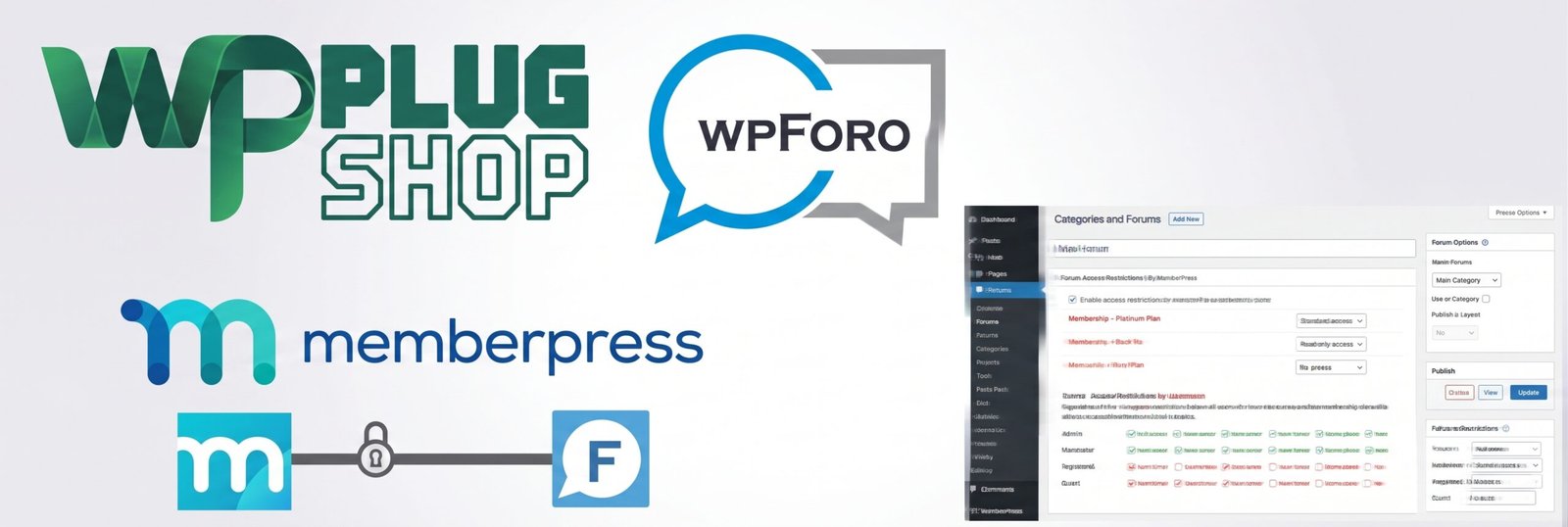
Preview wpForo MemberPress Integration – Membership-Based Forum Access Addon
View the product artwork, switch gallery images, and open a larger preview before checkout.
Get secure digital access for real WordPress projects
This section summarizes the buying experience and what customers can expect after checkout.
Product overview, benefits, and digital access details
Review the key product details, practical use cases, and digital access information before checkout.
Product Overview
wpForo MemberPress Integration – Membership-Based Forum Access Addon connects MemberPress membership rules with the wpForo WordPress forum plugin, giving website owners a practical way to create membership-controlled discussion areas.
If you are building a paid community, private support forum, members-only discussion board, or subscription-based WordPress community, this integration helps you use MemberPress membership plans to control access to selected wpForo forums, categories, and sub-forums.
Instead of managing membership access and forum permissions as completely separate systems, this addon provides a dedicated connection between MemberPress and wpForo. Membership plans can be assigned different forum access levels, allowing you to structure your community around the memberships you offer.
The integration is designed for WordPress websites that already use, or plan to use, MemberPress for membership management and wpForo for community discussions. The official product documentation identifies wpForo 2.2.2 or higher as a requirement for this addon. :contentReference[oaicite:1]{index=1}
Why This Product Is Useful
A membership website often needs more than simple content protection. Paid members may need access to private discussions, premium support areas, exclusive communities, or forums associated with specific membership plans.
wpForo MemberPress Integration is useful when your WordPress website needs membership-based forum access. MemberPress handles membership plans and restriction rules, while wpForo provides the discussion and community environment.
With the integration in place, you can configure selected wpForo forums according to MemberPress membership plans. For example, one membership level can receive read-only access to a forum while another membership level can receive standard access that allows members to read, create topics, and reply.
This makes the addon particularly useful for members-only forums, paid communities, premium support communities, course communities, and tiered membership websites.
Key Features
- MemberPress Integration: Connect MemberPress membership plans and restriction rules with wpForo forum access.
- Membership-Based Forum Access: Give different membership plans different levels of access to selected forum areas.
- Forum Restrictions: Restrict individual wpForo forums so non-members cannot access their topics.
- Category and Sub-Forum Control: Configure access for relevant wpForo categories, forums, and sub-forums.
- Read-Only Access: Provide selected membership plans with permission to read forum topics and posts without giving them full participation permissions.
- Standard Forum Access: Give eligible members permission to read topics, create new topics, and reply where configured.
- Custom Forum Access Options: Use wpForo forum access settings to create permission configurations appropriate for different membership plans.
- Membership Plan Targeting: Assign different forum access settings to different MemberPress membership plans.
- Members-Only Communities: Build private discussion areas for paying or registered members.
- WordPress Community Integration: Extend a MemberPress membership website with a dedicated wpForo discussion environment.
The official documentation confirms that forum access can be configured according to MemberPress membership plans and that custom forum access configurations can be used with those plans. :contentReference[oaicite:2]{index=2}
Main Benefits
- Create exclusive member forums: Build discussion areas that are available only to users with the appropriate membership.
- Organize communities by membership level: Give different plans access to different forum areas.
- Build paid communities: Combine MemberPress membership functionality with wpForo discussion features.
- Improve membership value: Offer private discussions and community participation as part of premium memberships.
- Control forum participation: Configure whether eligible members can simply read discussions or actively create and reply to topics.
- Keep forum permissions structured: Manage membership-based access through dedicated forum access settings.
- Support private support communities: Create discussion areas specifically for customers, subscribers, students, or premium members.
- Reduce the need for custom integration work: Use a dedicated wpForo and MemberPress integration rather than building the connection entirely from scratch.
Best Use Cases
Paid Membership Communities
Create a WordPress community where premium members receive access to private wpForo discussions. Different membership plans can be configured with different forum access levels.
Private Support Forums
Businesses can use MemberPress to manage membership access and wpForo to provide a dedicated support or discussion environment for eligible customers or members.
Tiered Membership Websites
If your website offers multiple membership plans, you can organize forums around those plans. For example, a higher-tier membership can receive access to additional discussion areas while a lower-tier plan receives access to a more limited forum selection.
Online Course Communities
Course and education websites can combine membership access with private discussion areas where enrolled or eligible members can interact, ask questions, and participate in community conversations.
Members-Only Discussion Boards
Create private forum sections for registered or paying members instead of exposing every discussion area to the public.
Premium Community Content
Use membership-controlled forum access as an additional benefit for premium subscribers who need access to exclusive conversations and community resources.
Who Should Use This Product?
- WordPress membership website owners
- MemberPress users who need forum integration
- wpForo website administrators
- Paid community owners
- Private forum administrators
- Online course creators
- Membership-based businesses
- Freelancers building membership websites for clients
- WordPress agencies managing community websites
- Businesses offering premium customer communities
- Organizations operating members-only discussion areas
This addon is especially relevant if your website already relies on MemberPress for membership management and wpForo for WordPress forums. wpForo officially lists MemberPress among the membership systems it integrates with. :contentReference[oaicite:3]{index=3}
WP Plug Shop Access Benefits
WP Plug Shop provides a convenient marketplace experience for WordPress users looking for practical plugins, integrations, addons, themes, and digital resources for real-world websites.
- WordPress-ready digital resource: Suitable for WordPress projects that require MemberPress and wpForo integration.
- Budget-conscious access: A practical option for users comparing digital resources for their WordPress projects.
- Easy product discovery: Find membership, forum, community, and WordPress integration resources in one marketplace.
- Secure checkout experience: Purchase through the WP Plug Shop marketplace checkout process.
- Project-focused resources: Designed for WordPress users, freelancers, agencies, developers, and website owners.
Important: WP Plug Shop is an independent marketplace and is not presented as the developer or official owner of wpForo, MemberPress, or their associated trademarks. Product availability, licensing, updates, compatibility, and support should be checked against the specific access terms provided with your purchase.
Product Details
| Product Detail | Information |
|---|---|
| Product Name | wpForo MemberPress Integration |
| Product Type | WordPress Forum & Membership Integration Addon |
| Primary Platform | WordPress |
| Forum Plugin | wpForo |
| Membership Plugin | MemberPress |
| Primary Function | Membership-based wpForo forum access control |
| Access Management | MemberPress membership plans and restriction rules |
| Forum Areas | Forums, categories, and sub-forums |
| Access Options | Configured forum access levels including read-only and standard access |
| Recommended For | Membership websites, paid communities, private forums, support communities, and online communities |
| wpForo Requirement | Official documentation currently specifies wpForo 2.2.2 or higher |
| MemberPress Requirement | MemberPress should be installed and membership plans created before configuring the integration |
Compatibility information is based on the current official gVectors product documentation and should be checked against the version supplied with your purchase before installation. :contentReference[oaicite:4]{index=4}
Feature Comparison
| Capability | Without Integration | With wpForo MemberPress Integration |
|---|---|---|
| MemberPress Membership Plans | Managed separately from wpForo | Can be used to determine forum access |
| Members-Only Forums | Requires separate access configuration | Supported through membership-based forum restrictions |
| Forum Access by Membership Plan | Not directly connected | Supported |
| Read-Only Member Access | Requires separate forum permission configuration | Can be assigned through forum access settings |
| Standard Member Forum Access | Requires independent wpForo permissions | Can be configured for eligible membership plans |
| Private Discussion Areas | Requires additional configuration | Designed for membership-controlled forums |
| Membership + Forum Workflow | Separate systems | Connected through the integration addon |
Pros and Considerations
| Pros | Considerations |
|---|---|
| Connects MemberPress with wpForo | Requires both MemberPress and wpForo |
| Supports membership-based forum access | Compatibility should be checked before installation |
| Useful for members-only communities | Forum restrictions need to be configured for the desired areas |
| Supports different access levels | Access configuration depends on your membership and forum structure |
| Suitable for paid communities and private forums | It is an integration addon rather than a standalone membership plugin |
| Works within the WordPress ecosystem | Requires familiarity with WordPress, wpForo, and MemberPress administration |
One important configuration detail is that the official documentation notes that restricting a parent category does not automatically restrict every child forum in the same way; individual forums that need restriction should be configured accordingly. :contentReference[oaicite:5]{index=5}
Final Verdict
wpForo MemberPress Integration is a specialized WordPress addon for website owners who want to combine MemberPress membership management with wpForo community forums.
Its strongest use case is a membership website where forum access needs to vary according to membership plans. Whether you are creating a paid community, private support forum, course discussion area, or tiered membership community, the integration provides a direct way to connect membership restrictions with wpForo forum access.
The product is particularly valuable when your WordPress project already uses MemberPress and wpForo and you need membership-based forum permissions instead of treating membership access and community access as separate systems.
If your goal is to create members-only forums, restrict wpForo discussions by membership plan, or build a paid WordPress community, this integration is a focused solution worth considering.
Before installation, verify your WordPress environment, MemberPress setup, wpForo version, and the specific product/access terms supplied with your purchase.
Frequently Asked Questions
What is wpForo MemberPress Integration?
wpForo MemberPress Integration is a WordPress addon that connects MemberPress membership restriction rules with wpForo forum access. It helps website owners create membership-controlled forums, categories, and sub-forums.
Does wpForo work with MemberPress?
Yes. The wpForo MemberPress Integration addon is designed to connect MemberPress with wpForo so membership plans can be used to control access to selected forum areas.
Can MemberPress restrict wpForo forum access?
Yes. With the integration configured, MemberPress membership plans can be associated with wpForo forum access settings, allowing eligible members to access specific discussions according to their membership.
Can I create members-only forums in WordPress?
Yes. Combining MemberPress with wpForo and the integration addon can help you create private, members-only discussion areas for a WordPress membership website.
Can I restrict wpForo categories and sub-forums by membership?
The integration supports membership-based access for wpForo forums, categories, and sub-forums. The individual forum areas should be configured according to the access structure you want to provide to each membership plan.
Can different MemberPress membership plans have different forum access?
Yes. The integration is designed to allow different MemberPress membership plans to use different wpForo access configurations. This makes it suitable for tiered membership communities where each plan provides different discussion access.
Can members have read-only access to a wpForo forum?
Yes. The official product documentation describes access configurations that can provide read-only access as well as standard forum participation for eligible membership plans.
Can I use this addon to build a paid WordPress community?
Yes. It is particularly useful for paid communities where MemberPress manages membership access and wpForo provides the discussion environment. You can use membership-based forum access to create exclusive areas for paying members.
What plugins are required for wpForo MemberPress Integration?
You need WordPress with wpForo and MemberPress installed. The current official product documentation specifies wpForo 2.2.2 or higher as a requirement. Always verify compatibility with the product version supplied with your purchase before installation.
Who should use wpForo MemberPress Integration?
This addon is suitable for WordPress membership website owners, paid community creators, course websites, private support communities, freelancers, agencies, and businesses that need to connect MemberPress membership plans with wpForo forum access.
Quick product answers for buyers and AI search
Clear product answers help buyers, search engines, and AI answer engines understand this product faster.
Best ways to use this WordPress digital product
These use cases help buyers quickly decide if this product fits their workflow.
How digital access works
No physical shipping is required. This is a digital product access purchase designed for account-based downloads.
Secure payment options for digital checkout
WPPlugShop supports trusted checkout options so buyers can complete digital purchases with more confidence.
Frequently asked questions
Buyer-focused answers about digital access, secure payments, downloads, support, and product usage.
Related WordPress tools you may also like
Explore related WordPress tools that may support the same workflow, website type, or project goal.


Choose the right WordPress tool with confidence
Request a product, explore membership access, or contact support if you want help choosing the right WordPress digital product before checkout.