⚡ Premium WordPress Plugins & Themes — Affordable prices, scanned tools, regular updates & fast support.

wpForo Private Messages – WordPress Forum Private Messaging Add-On
Verified from VirusTotal 100% Original Product and Virus Free. Free New Version Lifetime On Single Purchase. Unlimited Website Usage Price is in US dollars and included tax
Buy confidently with secure digital checkout, account-based downloads, and a cleaner WPPlugShop product experience.
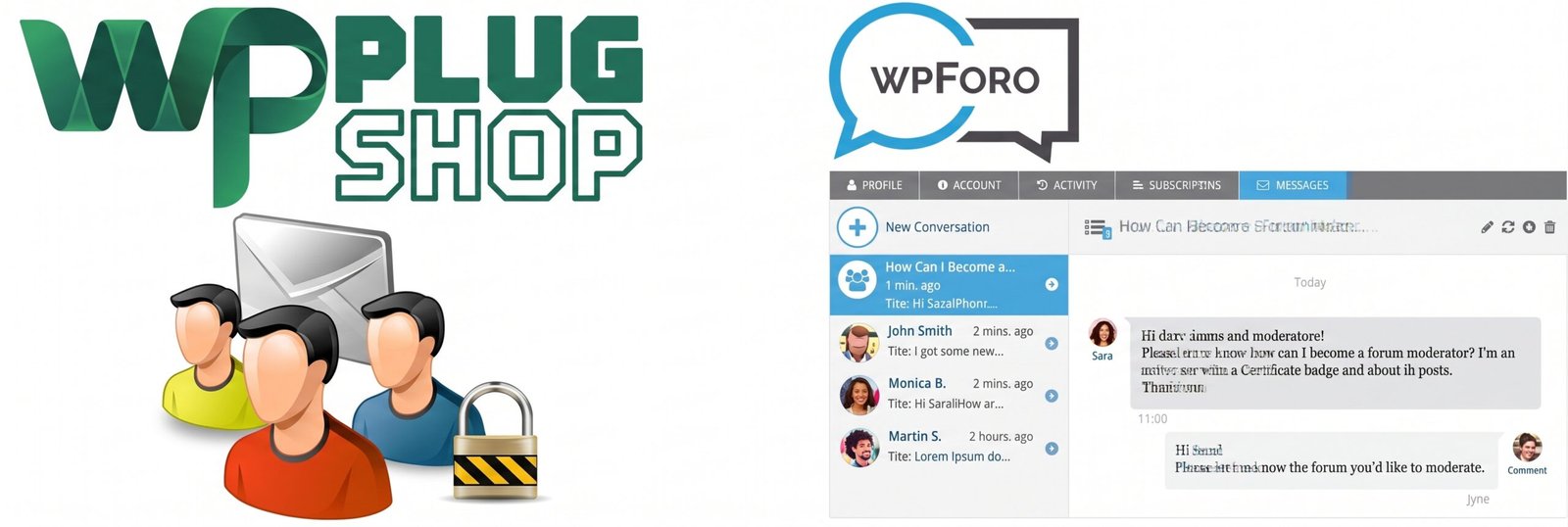
Preview wpForo Private Messages – WordPress Forum Private Messaging Add-On
View the product artwork, switch gallery images, and open a larger preview before checkout.
Get secure digital access for real WordPress projects
This section summarizes the buying experience and what customers can expect after checkout.
Product overview, benefits, and digital access details
Review the key product details, practical use cases, and digital access information before checkout.
Product Overview
wpForo Private Messages adds a dedicated private messaging system to WordPress websites powered by wpForo. It allows forum members to communicate directly through private conversations without turning every discussion into a public forum topic.
The add-on supports both one-to-one conversations and group conversations, giving community members a flexible way to communicate privately within the forum environment. Conversations are organized around forum usernames and are presented within the wpForo messaging area. :contentReference[oaicite:0]{index=0}
For community owners who want to complement public forum discussions with private member communication, wpForo Private Messages provides messaging, contact management, conversation controls, notifications, permissions, and configurable limits in one wpForo-focused extension.
Why This Product Is Useful
Public forum discussions are useful for community-wide questions and answers, but some conversations are better handled privately. Members may need to discuss personal matters, collaborations, support questions, networking opportunities, or other topics that are not appropriate for a public thread.
wpForo Private Messages creates a private communication layer directly inside the wpForo community. Members can access their conversations from the Messages area, communicate with individual users, and participate in group conversations when enabled.
- Private member communication: Allow forum users to communicate directly with other members.
- One-to-one conversations: Create private conversations between two forum members.
- Group conversations: Bring multiple forum members into the same private conversation.
- Conversation management: Add or remove participants and manage individual conversations.
- Member controls: Provide tools for blocking or reporting contacts.
- Notification support: Notify users when they receive a new private message.
- Permission controls: Control which usergroups are allowed to write private messages.
- Anti-spam settings: Configure posting and messaging limits to help control unwanted activity.
Key Features
- Private Messaging for wpForo: Add private member-to-member communication to an existing wpForo forum.
- One-to-One Conversations: Start a private conversation with another forum member.
- Group Conversations: Create conversations involving multiple community members.
- Contacts & Conversations: Manage contacts and access existing conversations from the Messages interface.
- Add Conversation Participants: Add additional members to an existing group conversation where permitted.
- Remove Participants: Manage participants within group conversations.
- Block Contacts: Block users when unwanted communication needs to be prevented.
- Report Contacts: Provide reporting functionality for inappropriate or unwanted communication.
- Hide Conversations: Hide conversations from the user's active conversation list.
- Delete Conversations: Remove conversations from the user's messaging area.
- AJAX Message Loading: Conversations can refresh and load messages dynamically within the messaging interface.
- Message Notifications: Users can receive notifications when a new private message arrives.
- Forum Member Message Access: Messaging access can be surfaced through member and post interfaces.
- Usergroup Permissions: Configure which usergroups can write private messages.
- Minimum Post Requirement: Require users to reach a specified number of forum posts before sending private messages.
- Daily Contact Limits: Limit how many new contacts a user can make per day.
- Daily Message Limits: Limit the number of personal messages a user can send within a day.
- Group Participant Limit: Set a maximum number of participants allowed in group conversations.
- External URL Controls: Control whether external URLs and links can be included in private messages.
- Image URL Controls: Control whether image URLs are allowed inside messages.
- Embedded Content Controls: Manage whether embedded content can be included in private conversations.
- Private Message Statistics: View PM-related statistics within the wpForo dashboard.
- RTL Ready: The addon supports right-to-left language layouts.
Main Benefits
- Keep private conversations private: Give community members a dedicated place for direct communication instead of requiring them to use public forum topics.
- Strengthen community interaction: Provide members with another communication channel that works alongside public discussions.
- Support individual and group communication: Handle simple one-to-one conversations as well as multi-member discussions.
- Improve community management: Give users practical tools for blocking, reporting, hiding, and managing conversations.
- Reduce unwanted messaging: Use usergroup permissions and configurable limits to help control private-message activity.
- Keep messaging inside wpForo: Members can access conversations from the forum's profile and messaging environment rather than moving to a completely separate platform.
- Provide better communication flexibility: Public forum topics remain available for community discussions while private messages handle member-specific conversations.
Best Use Cases
Online Communities
Give registered members a private way to communicate while keeping public forum discussions focused on topics intended for the wider community.
Niche Discussion Forums
Special-interest communities can use private messaging for member-to-member discussions that do not belong in public forum threads.
Membership Communities
Membership-focused websites can provide direct communication between community members through the existing wpForo environment.
Professional Communities
Professional forums can use private conversations for networking, collaboration, introductions, project discussions, and other member-specific communication.
Support Communities
Private messaging can provide an additional communication option when a discussion contains information that a member does not want to publish publicly.
Group Discussions
When a conversation involves more than two members, group conversations can keep those participants together in a dedicated private messaging thread.
Large Member Communities
Administrators can use usergroup permissions, minimum-post requirements, daily contact limits, daily message limits, and participant limits to create a more controlled messaging environment.
Who Should Use This Product?
- WordPress forum owners using wpForo
- Online community administrators
- Membership website owners
- Professional networking communities
- Niche discussion forums
- Customer communities
- Education and interest-based communities
- WordPress developers
- Freelancers managing community websites
- WordPress agencies building forum-based websites
This product is especially relevant for website owners who already use wpForo and want to add structured private messaging without replacing their existing forum system.
WP Plug Shop Access Benefits
- WordPress-Ready Resource: Add a focused private messaging capability to an existing wpForo-based WordPress project.
- Practical Digital Access: Find useful WordPress extensions through the WP Plug Shop marketplace.
- Project-Friendly Solution: Suitable for community websites, discussion forums, membership projects, and professional online communities.
- Easy Product Discovery: Explore related forum, community, membership, and WordPress communication resources.
- Budget-Conscious Access: Discover useful tools for real WordPress projects through a specialized digital marketplace.
Product Details
| Detail | Information |
|---|---|
| Product Name | wpForo Private Messages |
| Product Type | wpForo Private Messaging Add-On |
| Platform | WordPress |
| Required Forum Plugin | wpForo |
| Required wpForo Version | wpForo 2.0.0 or higher |
| Primary Function | Private messaging between forum members |
| One-to-One Messaging | Supported |
| Group Conversations | Supported |
| Conversation Management | Supported |
| Block & Report Controls | Supported |
| Usergroup Permissions | Supported |
| Message Notifications | Supported |
| Message Limits | Configurable |
| Group Participant Limits | Configurable |
| External Link Controls | Configurable |
| Embedded Content Controls | Configurable |
| RTL Support | Supported |
Compatibility note: The official product information states that wpForo Private Messages is an add-on for wpForo and requires at least wpForo 2.0.0. It should therefore be presented as an extension for an existing wpForo installation rather than as a standalone WordPress messaging plugin. :contentReference[oaicite:1]{index=1}
Feature Comparison
| Capability | wpForo Private Messages | Public Forum Topics | Typical Live Chat |
|---|---|---|---|
| Private Member Communication | Yes | No | Usually |
| One-to-One Conversations | Yes | No | Yes |
| Group Conversations | Yes | Public by default | Often |
| Forum-Native Integration | Yes | Yes | Usually requires separate integration |
| Usergroup Permissions | Yes | Yes | Varies |
| Message Limits | Yes | Different controls | Varies |
| Block & Report Controls | Yes | Moderation-focused | Varies |
| Private Conversation History | Yes | Public topic history | Usually |
| Real-Time Chat Focus | No | No | Yes |
| Best Use | Private forum messaging | Public community discussion | Real-time communication |
Pros and Considerations
| Pros | Considerations |
|---|---|
| Adds private messaging directly to wpForo | Requires wpForo |
| Supports one-to-one conversations | Not designed as a standalone messaging platform |
| Supports multi-member conversations | It is private messaging rather than a real-time chat system |
| Provides block and report tools | Administrators should configure permissions and limits according to their community requirements |
| Includes usergroup-based PM permissions | Private messaging access depends on configured usergroup permissions |
| Provides anti-spam-oriented limits | Limits should be adjusted to match the site's activity level |
| Supports notification functionality | Users may need to open the message to read its contents |
| Includes conversation management tools | Some messaging behavior depends on the underlying wpForo configuration |
| Works within the existing forum environment | WooCommerce and Elementor are not primary integrations |
Final Verdict
wpForo Private Messages is a focused solution for WordPress community websites that use wpForo and need private member communication. It extends the forum with one-to-one messaging, group conversations, contact management, notifications, permissions, and configurable limits.
The add-on is particularly valuable when a community needs a clear distinction between public forum discussions and private member conversations. Its group messaging and moderation-oriented controls also make it suitable for communities that need more structured private communication.
It should not be positioned as a replacement for a real-time chat platform. The official wpForo documentation describes the functionality as private messaging within the forum, with conversations working more like email-style message threads than live chat. :contentReference[oaicite:2]{index=2}
For a website already running wpForo, this add-on provides a practical way to introduce private member messaging while keeping the communication experience connected to the existing WordPress forum environment.
Frequently Asked Questions
What is wpForo Private Messages?
wpForo Private Messages is an add-on for wpForo that adds private messaging functionality to WordPress forums. It allows members to communicate through private one-to-one and group conversations within the wpForo environment.
Can I add private messaging to a wpForo forum?
Yes. The wpForo Private Messages add-on is designed specifically to add private member messaging to websites running wpForo.
Can wpForo members send private messages to each other?
Yes. Members can start private conversations with other forum users and communicate without publishing the conversation as a public forum topic.
Does wpForo Private Messages support group conversations?
Yes. The add-on supports group conversations where multiple forum members can participate in the same private conversation.
Is wpForo Private Messages a live chat plugin?
No. It is designed as a private messaging system for wpForo rather than a dedicated real-time chat application. It is better suited to structured private conversations between forum members.
Can administrators control who can send private messages?
Yes. The add-on provides usergroup-based permission controls that can be used to determine which forum usergroups are allowed to write private messages.
Can I limit private messages to reduce spam?
Yes. The messaging settings provide controls such as minimum forum-post requirements, daily contact limits, daily private-message limits, and maximum group-conversation participants.
Can users block or report private-message contacts?
Yes. The private messaging system includes controls for blocking contacts and reporting unwanted or inappropriate communication.
Can I add more people to an existing private conversation?
Yes. Group conversation management allows additional participants to be added where the configured permissions and conversation settings permit it.
What version of wpForo is required?
The official product information states that wpForo Private Messages requires wpForo version 2.0.0 or higher. Always check the current product documentation and compatibility information before installation.
Quick product answers for buyers and AI search
Clear product answers help buyers, search engines, and AI answer engines understand this product faster.
Best ways to use this WordPress digital product
These use cases help buyers quickly decide if this product fits their workflow.
How digital access works
No physical shipping is required. This is a digital product access purchase designed for account-based downloads.
Secure payment options for digital checkout
WPPlugShop supports trusted checkout options so buyers can complete digital purchases with more confidence.
Frequently asked questions
Buyer-focused answers about digital access, secure payments, downloads, support, and product usage.
Related WordPress tools you may also like
Explore related WordPress tools that may support the same workflow, website type, or project goal.

AAWP Amazon Affiliate WordPress Plugin

YITH WooCommerce Recover Abandoned Cart

Wordfence Premium – WordPress Malware Scanner

FluentBooking Pro – Ultimate WordPress
Choose the right WordPress tool with confidence
Request a product, explore membership access, or contact support if you want help choosing the right WordPress digital product before checkout.