
WordPress Speed & Plugin Architecture in 2026
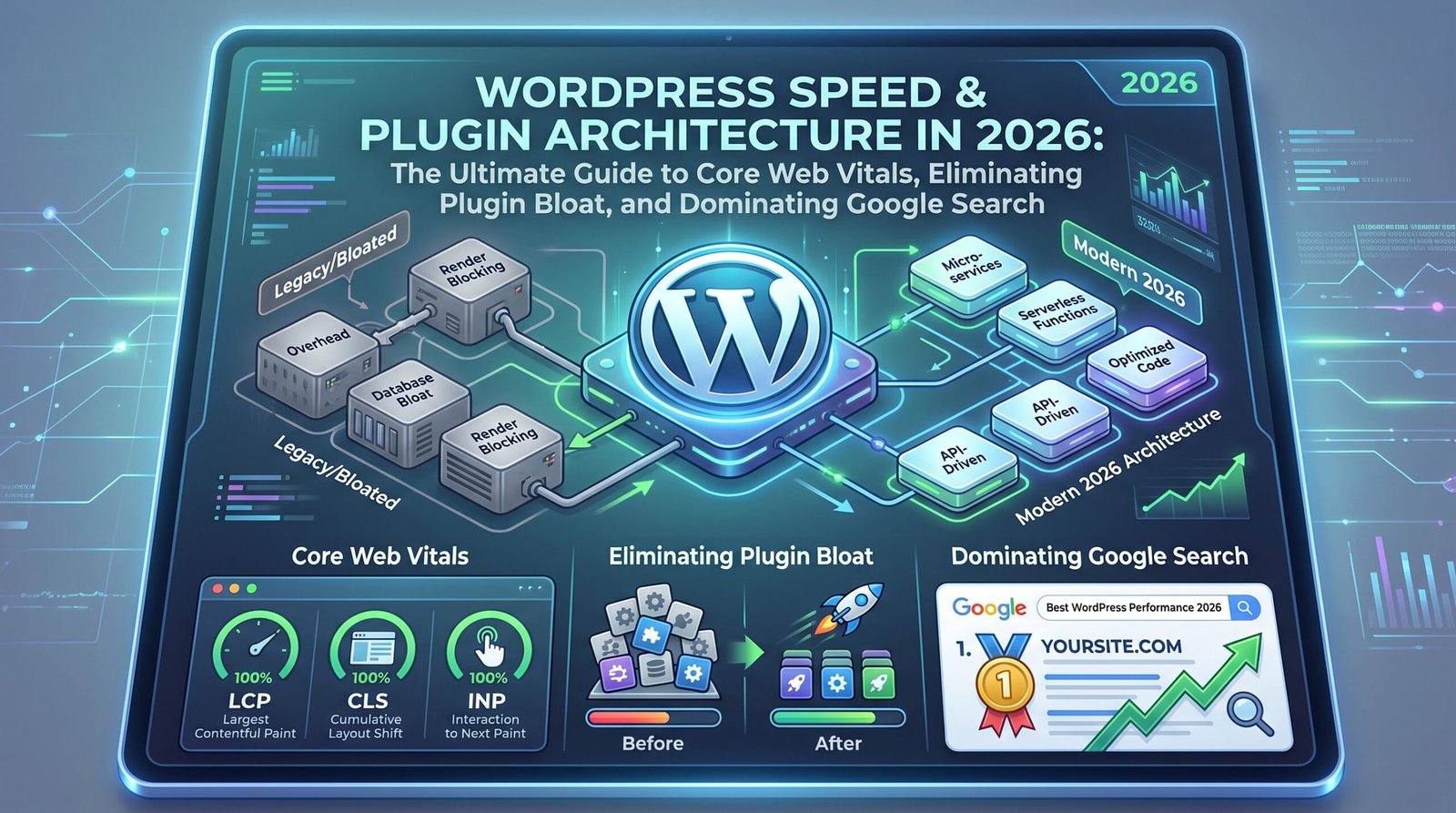
WordPress Speed & Plugin Architecture in 2026: The Ultimate Guide to Core Web Vitals, Eliminating Plugin Bloat, and Dominating Google Search Published by WPPlugShop Technical Research Team | Category: WordPress...

WPPlugShop focuses on GPL-distributed WordPress resources. Products may not include official developer support, official vendor license keys, automatic vendor updates, or vendor account access unless clearly stated. Avoid nulled files because they can create security, malware, and SEO risks.
This guide gives you the practical WordPress answer without unnecessary complexity.
Use this article to understand the key benefits, limitations, best use cases, and smarter next steps for your WordPress website.
Published by WPPlugShop Technical Research Team | Category: WordPress Optimization, Plugin Architecture & Technical SEO | Updated for 2026
Executive Summary: Why WordPress Speed Dictates Organic Visibility in 2026
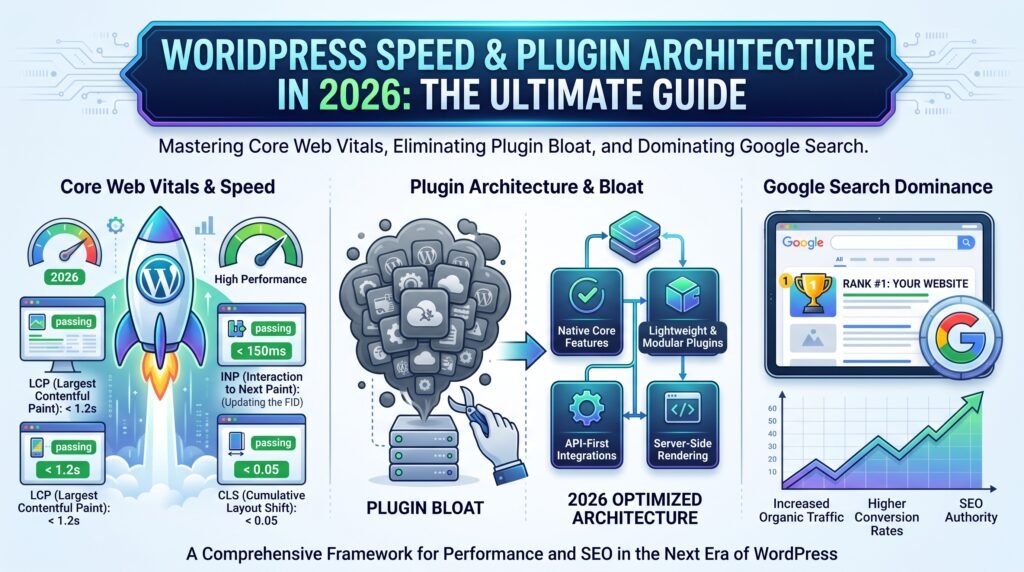
In 2026, the search engine optimization landscape underwent a fundamental paradigm shift. Search engines, led by Google’s sophisticated machine learning ranking algorithms and user experience indexing frameworks, have made page experience, interaction latency, and rendering stability uncompromising ranking factors. Modern studies from leading performance analytics providers demonstrate that over 61% of mobile WordPress websites struggle to reliably pass the complete suite of Core Web Vitals, specifically Largest Contentful Paint (LCP) and Interaction to Next Paint (INP). The primary bottleneck is rarely the core WordPress software itself; rather, it stems from sub-optimal plugin architecture, script fragmentation, bloated database schemas, unoptimized custom post types, and inefficient asset delivery.
For store owners, agency founders, developers, and digital publishers leveraging WordPress platforms such as WPPlugShop.com, technical performance is directly correlated with commercial conversion rates, bounce reduction, and top-tier organic rankings. A latency increase of just 100 milliseconds can erode digital asset sales by 7% and increase exit rates on checkout funnels by over 14%. To achieve sustainable organic search domination, site architects must discard obsolete optimization tactics—such as stacking redundant optimization plugins—and adopt a clean, modular, server-aligned plugin and database architecture.
This comprehensive technical blueprint provides an end-to-end, master-level roadmap to diagnosing, re-architecting, and optimizing your WordPress environment for 2026 and beyond. We explore architectural principles, database indexing strategies, asset payload governance, modern caching layers, and actionable plugin selection frameworks designed to propel your site to 95+ Google PageSpeed scores and dominant organic search positions.
Table of Contents
- 1. The 2026 Core Web Vitals Framework: LCP, INP, and CLS Demystified
- 2. The WordPress Plugin Bloat Crisis: Anatomy of Performance Degradation
- 3. Plugins You No Longer Need in 2026 vs. Essential Architectural Tools
- 4. Deep-Dive Database Optimization: Taming wp_posts, wp_postmeta, and Custom Post Types
- 5. Modern Caching Hierarchy: Object Caching, Bytecode, Full-Page Cache, and Edge CDN
- 6. Advanced JavaScript and CSS Delivery Governance: Solving INP & LCP
- 7. High-Performance WooCommerce & Digital Store Scaling Strategy
- 8. On-Page SEO Architecture: Schema Markup, Semantic HTML, and Structured Entities
- 9. Step-by-Step 7-Day Implementation Action Plan
- 10. Conclusion and Next Steps for WPPlugShop Community
1. The 2026 Core Web Vitals Framework: LCP, INP, and CLS Demystified
Google’s Core Web Vitals represent user-centric, quantifiable metrics that measure real-world user experience (Field Data / CrUX) rather than purely simulated synthetic lab conditions. Understanding the technical mechanics of each metric is essential for developers seeking to achieve green scores across both desktop and mobile viewports.
1.1 Largest Contentful Paint (LCP) < 2.5 Seconds
Largest Contentful Paint measures the time required for the main visual element within the viewport—typically a hero banner image, featured video container, or primary H1 typography block—to become fully rendered and visible to the user. In WordPress ecosystems, LCP degradation is predominantly caused by:
- Slow Time to First Byte (TTFB): Inefficient server response times resulting from un-cached PHP database queries, lack of Redis/Memcached object caching, or geographical server latency.
- Render-Blocking Resources: Extraneous CSS stylesheets and third-party JavaScript files enqueued in the document
<head>that freeze the browser parser before the critical rendering path is established. - Unoptimized Image Delivery: Serving legacy PNG or JPEG formats without responsive
srcsetattributes, missing next-gen formats (AVIF, WebP), and failing to preload critical hero images using<link rel="preload" as="image">. - Client-Side Rendering Delays: Over-reliance on heavy page builder JavaScript engines that inject structural HTML via DOM manipulation after script parsing rather than delivering static server-rendered HTML.
1.2 Interaction to Next Paint (INP) < 200 Milliseconds
Replacing First Input Delay (FID), Interaction to Next Paint (INP) assesses overall page responsiveness throughout the entire lifecycle of a user session. INP captures the latency of every single click, tap, and keypress interaction on the page, reporting the worst-performing interaction duration.
In WordPress websites loaded with tracking scripts, mega-menu plugins, live chat widgets, and dynamic AJAX add-to-cart handlers, main-thread blocking is rampant. When a user clicks a button while long JavaScript tasks (tasks taking longer than 50ms) occupy the main execution thread, the browser cannot paint the updated visual frame, resulting in poor INP scores. Mitigating INP demands aggressive JavaScript execution splitting, removal of redundant polyfills, utilizing requestIdleCallback(), and debouncing interaction event listeners.
1.3 Cumulative Layout Shift (CLS) < 0.1
Cumulative Layout Shift quantifies unexpected visual instability during page loading and interaction. High CLS occurs when page elements dynamically move or shift their positions after initial display, frustrating users and causing unintended clicks.
Common culprits in WordPress configurations include missing explicit width and height attributes on images and video embeds, dynamic insertion of advertisement banners or cookie consent bars without reserved layout containers, and late-loading web fonts triggering Flash of Invisible Text (FOIT) or Flash of Unstyled Text (FOUT). Setting proper CSS aspect ratios and font-display properties (such as font-display: swap;) with matching fallback font metrics completely neutralizes layout shifts.
2. The WordPress Plugin Bloat Crisis: Anatomy of Performance Degradation
A prevalent misconception among novice website administrators is that high plugin count is inherently catastrophic. In reality, the issue is not purely the raw quantity of active plugins, but the architectural efficiency, query overhead, asset execution behavior, and code quality of each installed extension.
2.1 Global Asset Injection and Enqueue Overhead
One of the most destructive architectural flaws found in low-quality or poorly coded plugins is the practice of global script and stylesheet registration. Consider a contact form plugin, a specialized pricing table slider, or a reviews widget designed for a single dedicated page. Poorly authored code hooks into wp_enqueue_scripts indiscriminately, loading 150KB of CSS and 300KB of JavaScript across every single URL on your website, including the homepage, archive pages, and blog articles where the feature is never invoked.
When an enterprise website operates 30 unoptimized plugins with global asset injection, the total DOM payload inflates exponentially. The browser must download, parse, compile, and execute dozens of redundant HTTP requests, triggering severe render blocking, ballooning Time to Interactive (TTI), and driving INP into red thresholds.
2.2 The wp_options Autoload Epidemic
Every standard WordPress installation includes the core wp_options database table. By design, any option row flagged with autoload = 'yes' is loaded into server memory during every single page execution, regardless of whether that option is actually utilized on the requested template. Inexperienced plugin developers frequently store massive arrays, serialized configuration objects, cache transients, and even raw base64 data strings directly in autoloaded rows.
Over several months of testing and installing extensions, the total autoloaded data size can exceed 2MB to 5MB per request. This creates severe RAM consumption in PHP worker processes, increases MySQL query execution latency, and destroys TTFB. High-performance WordPress optimization mandates regular auditing and purging of orphaned autoload records.
2.3 Cascading Hook Execution and PHP CPU Saturation
WordPress utilizes an event-driven architecture based on Action and Filter hooks (do_action() and apply_filters()). When multiple plugins hook into core events such as init, wp_head, the_content, or template_redirect, each hook is executed sequentially in a single PHP thread. If five plugins perform heavy regex parsing, remote API calls, or unindexed database queries within the_content filter, page rendering time escalates dramatically, overloading web server CPUs during peak traffic spikes.
3. Plugins You No Longer Need in 2026 vs. Essential Architectural Tools
The modern WordPress core development cycle, combined with advanced cloud hosting infrastructure, has rendered dozens of standalone utility plugins obsolete. Removing redundant extensions reduces maintenance overhead, minimizes attack surfaces for security vulnerabilities, and unlocks instant performance gains.
3.1 Redundant Plugin Categories to Decommission Immediately
| Plugin Category | Legacy Role | 2026 Modern Alternative / Core Capability |
|---|---|---|
| Standalone 301 Redirect Plugins | Managing URL redirections and 404 monitoring. | Execute directly at the server level via Nginx rewrite rules, Cloudflare Page Rules/Redirect Rules, or native lightweight SEO suite modules (e.g., Rank Math, SEOPress). |
| SSL Mixed Content Fixers | Rewriting HTTP asset links to HTTPS. | Automatic HTTPS Rewrites via Cloudflare Edge, Let’s Encrypt automated certificates, and native database domain search-and-replace via WP-CLI. |
| Revision Control Plugins | Limiting saved post revisions. | Define native constants directly in wp-config.php: define('WP_POST_REVISIONS', 5); and define('AUTOSAVE_INTERVAL', 180);. |
| Header and Footer Code Injectors | Inserting Google Tag Manager and tracking pixels. | Utilize child theme functions.php hooks (wp_head, wp_body_open, wp_footer) or modern consolidated theme options. |
| Basic Image Lazy-Loading Plugins | Delaying off-screen image loading. | Native browser lazy-loading (loading="lazy") integrated into WordPress core for images and iframes. |
| Standalone Sitemap Generators | Creating XML sitemaps for Google Search Console. | Native WordPress Core XML Sitemaps or your primary SEO suite sitemap module. |
3.2 Essential Plugin Stack for High-Performance WordPress Deployments
Rather than accumulating dozens of single-purpose micro-plugins, high-performance web architects rely on a consolidated, highly optimized stack:
- All-In-One Enterprise Caching Engine: Solutions like LiteSpeed Cache (for OpenLiteSpeed/LiteSpeed web servers) or WP Rocket / FlyingPress (for Nginx/Apache stacks) combined with Redis Object Cache.
- Advanced Asset Unloader / Script Manager: Tools like Asset CleanUp Pro or Perfmatters to selectively disable unused CSS/JS files on a per-page, per-category, or per-post-type basis.
- Next-Gen Image Delivery & Compression: Solutions like ShortPixel or Imagify supporting automated AVIF/WebP conversion, lossy/glossy compression, and CDN offloading.
- Modern Technical SEO Suite: Comprehensive, lightweight SEO frameworks such as Rank Math Pro, SEOPress Pro, or The SEO Framework, which combine rich Schema markup generators, sitemaps, open graph metadata, and breadcrumb management without database bloat.
- Hardened Security & Firewall at the Edge: Pairing Cloudflare Web Application Firewall (WAF) with lightweight server-level authentication protection, avoiding heavy, PHP-intensive security scanner plugins that degrade live visitor performance.
4. Deep-Dive Database Optimization: Taming wp_posts, wp_postmeta, and Custom Post Types
The MySQL/MariaDB database is the operational engine of every dynamic WordPress site. As your digital store, blog, or custom application scales, unoptimized database growth degrades query execution times, causing slow TTFB and CPU bottlenecks.
4.1 The Inherent Bottleneck of the EAV (Entity-Attribute-Value) Model
WordPress utilizes an Entity-Attribute-Value (EAV) storage model for custom fields and metadata. The wp_posts table stores the primary post entity (including custom post types), while wp_postmeta stores associated metadata as key-value pairs linked via post_id. On enterprise websites with hundreds of thousands of custom fields, complex WP_Query operations with multiple meta_query filters require nested SQL JOIN operations across multi-million-row tables.
Without custom indexes on high-frequency meta keys, MySQL is forced to execute full table scans. For high-volume data architectures (e.g., product catalogs, directory listings, digital software repositories on WPPlugShop.com), senior developers should evaluate whether creating dedicated custom database tables for structured relational data is superior to dumping hundreds of fields into wp_postmeta.
4.2 Step-by-Step Database Maintenance and Optimization via SQL / WP-CLI
Automating routine database hygiene keeps table sizes lean and indexes efficient. Here are essential operational commands to incorporate into your scheduled maintenance workflows:
# 1. Purge all orphaned post meta records with no matching post ID
DELETE pm FROM wp_postmeta pm
LEFT JOIN wp_posts wp ON wp.ID = pm.post_id
WHERE wp.ID IS NULL;

# 2. Delete all expired transients from wp_options
DELETE FROM wp_options
WHERE option_name LIKE ('_transient_timeout_%')
AND option_value < UNIX_TIMESTAMP();

DELETE FROM wp_options
WHERE option_name LIKE ('_transient_%')
AND option_name NOT LIKE ('_transient_timeout_%')
AND option_name NOT IN (
    SELECT CONCAT('_transient_', SUBSTRING(option_name, 20))
    FROM (SELECT * FROM wp_options) AS temp
    WHERE option_name LIKE ('_transient_timeout_%')
);

# 3. Purge spam and trashed comments
DELETE FROM wp_comments WHERE comment_approved IN ('spam', 'trash');

# 4. Clean up old post revisions older than 30 days
DELETE FROM wp_posts
WHERE post_type = 'revision'
AND post_date < NOW() - INTERVAL 30 DAY;

# 5. Optimize table storage engines and rebuild indexes via WP-CLI
wp db optimize
wp db repair
4.3 Auditing wp_options Autoload Size
To audit total autoload memory consumption, execute the following SQL query in phpMyAdmin or MySQL CLI:
SELECT SUM(LENGTH(option_value))/1024 AS autoload_kb FROM wp_options WHERE autoload = 'yes';
If the result exceeds 800 KB, inspect the largest individual autoload rows:
SELECT option_name, LENGTH(option_value)/1024 AS size_kb
FROM wp_options
WHERE autoload = 'yes'
ORDER BY size_kb DESC
LIMIT 20;
Identify orphaned plugin options from previously uninstalled software and switch their autoload status to no or delete them completely using delete_option('option_name');.
5. Modern Caching Hierarchy: Object Caching, Bytecode, Full-Page Cache, and Edge CDN
An elite WordPress caching architecture is multi-tiered. Relying solely on basic HTML file caching is insufficient for dynamic e-commerce platforms, membership websites, or modern interactive portals.
5.1 Tier 1: PHP OPcache (Bytecode Caching)
PHP is an interpreted language. Each time a request arrives, the server parses and compiles PHP files into executable bytecode. PHP OPcache stores precompiled script bytecode in shared memory, completely eliminating redundant compilation on subsequent executions. Ensure your php.ini configuration allocates adequate memory:
opcache.enable=1
opcache.memory_consumption=256
opcache.interned_strings_buffer=16
opcache.max_accelerated_files=20000
opcache.validate_timestamps=1
opcache.revalidate_freq=2
opcache.fast_shutdown=1
5.2 Tier 2: Persistent Object Caching via Redis or Memcached
WordPress core performs dozens of database queries to assemble site settings, user roles, navigation menus, and post relationships. Without an object cache, these queries hit MySQL on every page request. A persistent object cache stores the results of complex database queries in fast in-memory key-value stores (Redis or Memcached).
When configured properly with a Redis drop-in (object-cache.php), repeated database query execution drops by 70% to 90%, slashing server response times and stabilizing high-concurrency traffic surges.
5.3 Tier 3: High-Performance Full-Page Caching (FPC)
Full-page caching captures the generated HTML output of a WordPress page and serves it directly to subsequent anonymous visitors without bootstrapping the full PHP execution stack or touching MySQL. Server-level caching integrations (such as Nginx FastCGI Cache, Varnish, or OpenLiteSpeed Cache Engine) deliver static HTML in under 30 milliseconds.
5.4 Tier 4: Edge Caching & Global CDN Delivery
Serving content from a single origin server introduces physical speed-of-light latency for international audiences. By deploying modern Edge Caching (such as Cloudflare Automatic Platform Optimization – APO, Cloudflare Super Page Cache, or Fastly), full HTML pages are cached across thousands of worldwide data center nodes. A visitor in London, Sydney, or New York receives cached HTML, images, and CSS from their nearest local edge server within 15 to 40 milliseconds.
6. Advanced JavaScript and CSS Delivery Governance: Solving INP & LCP
Modern web front-ends must balance dynamic functionality with minimal payload size. Achieving perfect Core Web Vitals requires strict governance over asset delivery schedules.
6.1 Critical CSS Extraction and Asynchronous Stylesheet Loading
Critical CSS represents the minimal set of CSS rules required to render above-the-fold content for a given viewport. Traditional WordPress themes load a monolithic 200KB stylesheet before rendering anything. By extracting Critical CSS and inlining it directly in the <head>, the browser paints the primary visual container instantly without waiting for external network requests. Non-critical stylesheets are deferred asynchronously using:
<link rel="preload" href="style.css" as="style" onload="this.onload=null;this.rel='stylesheet'">
<noscript><link rel="stylesheet" href="style.css"></noscript>
6.2 JavaScript Deferral, Async Execution, and Interaction Delaying
To eliminate main-thread congestion and master the INP metric, apply the following script loading strategies:
- Defer All Core Scripts: Ensure non-critical JavaScript files include the
deferattribute, allowing HTML parsing to complete uninterrupted while scripts download in parallel and execute in document order. - Async for Independent Analytics: Use the
asyncattribute for decoupled tracking scripts (e.g., Google Analytics, Tag Manager) so they execute independently without blocking DOM readiness. - Delay Execution of Non-Essential Third-Party Scripts: Delay heavy interactive scripts (live chat widgets, Facebook Pixel, reCAPTCHA, Google AdSense) until user interaction occurs (e.g., mouse movement, scroll, or touch event). This frees the main thread during initial page load, achieving a 100/100 Lighthouse performance score.
6.3 Granular Asset Unloading using Code Snippets
Instead of relying on heavy plugins to unload assets, developers can dequeue scripts and styles conditionally via functions.php:
function wpplugshop_conditionally_unload_assets() {
    // Unload Contact Form 7 scripts and styles on all pages except the contact page
    if ( ! is_page( 'contact' ) ) {
        wp_dequeue_script( 'contact-form-7' );
        wp_dequeue_style( 'contact-form-7' );
    }

    // Unload WooCommerce cart fragments and styles on non-shop pages
    if ( function_exists( 'is_woocommerce' ) ) {
        if ( ! is_woocommerce() && ! is_cart() && ! is_checkout() ) {
            wp_dequeue_style( 'woocommerce-general' );
            wp_dequeue_style( 'woocommerce-layout' );
            wp_dequeue_style( 'woocommerce-smallscreen' );
            wp_dequeue_script( 'wc-cart-fragments' );
            wp_dequeue_script( 'woocommerce' );
        }
    }
}
add_action( 'wp_enqueue_scripts', 'wpplugshop_conditionally_unload_assets', 99 );
7. High-Performance WooCommerce & Digital Store Scaling Strategy
For digital product marketplaces and e-commerce stores on WPPlugShop.com, dynamic shopping carts, user sessions, and checkout workflows present unique performance hurdles. Because cart, account, and checkout pages cannot be cached statically by full-page caches, dynamic server performance must be engineered for speed.
7.1 Deactivating or Optimizing AJAX Cart Fragments
By default, WooCommerce executes an AJAX call to /?wc-ajax=get_refreshed_fragments on every page load to update the mini-cart icon in the navigation bar. On busy websites, this generates millions of un-cached PHP requests that overload server resources. Mitigate this by disabling cart fragments on static content or transitioning to a modern, cookie-based local storage mini-cart script.
7.2 Enabling High-Performance Order Storage (HPOS)
WooCommerce historically stored order data inside wp_posts and wp_postmeta, creating massive table bloat. WooCommerce High-Performance Order Storage (HPOS) introduces dedicated custom tables for orders, order addresses, and metadata. Activating HPOS in WooCommerce settings improves order query speeds by up to 40x and prevents order data from cluttering standard content tables.
7.3 Optimizing Image Delivery for Digital Product Catalogs
Product archives with dozens of thumbnails can cause severe mobile latency. Implement the following standard:
- Serve all product thumbnails in next-gen WebP or AVIF formats.
- Explicitly define responsive image sizing using proper
sizesattributes to prevent mobile browsers from downloading desktop-resolution images. - Enforce lazy-loading on all catalog thumbnails below the initial mobile fold.
8. On-Page SEO Architecture: Schema Markup, Semantic HTML, and Structured Entities
Page speed establishes the foundation for technical crawlability and user satisfaction, but comprehensive On-Page SEO architecture translates performance gains into top-tier keyword rankings.
8.1 JSON-LD Structured Data Implementation
Search engines rely on structured JSON-LD schema markup to understand entity relationships, content context, and author authority (E-E-A-T). Every technical resource and plugin review published on WPPlugShop.com should include complete structured schema:
- Article / TechArticle Schema: Defines author credentials, publication timestamps, revision dates, and publisher branding.
- SoftwareApplication / Product Schema: For plugin download and digital asset pages, providing software versioning, operating systems, pricing, ratings, and licensing terms.
- FAQPage Schema: Capturing high-intent search result rich snippets with verified FAQ accordion answers.
- BreadcrumbList Schema: Enhancing search result URL display and clarifying website structural hierarchy.
8.2 Semantic Heading Hierarchy and Search Intent Alignment
Maintain strict semantic heading hierarchy: a single, high-intent <h1> per document containing your primary keyword, followed by structured <h2> sections for core concepts, and nested <h3> subsections for technical nuances. Avoid skipping heading levels or utilizing headings purely for visual styling.
8.3 Strategic Internal Linking Architecture
Distribute link equity across your domain by linking informational blog guides to high-converting product pages, plugin collections, and performance category hubs. Anchor text must be descriptive, natural, and contextually rich, reinforcing topical authority across target keyword clusters.
9. Step-by-Step 7-Day Implementation Action Plan
Follow this structured checklist to overhaul your WordPress technical stack and achieve top-tier performance:
- Day 1: Comprehensive Baseline Audit: Run Google PageSpeed Insights, WebPageTest (using mobile 4G throttling), and Query Monitor. Record baseline LCP, INP, CLS, TTFB, and database query counts.
- Day 2: Plugin Decommissioning & Stack Consolidation: Audit all active plugins. Remove redundant 301 redirect, header/footer, revision, and image lazy-loading plugins. Replace them with native core constants and server-level rules.
- Day 3: Database Deep Clean & Autoload Audit: Execute SQL maintenance scripts to purge orphaned metadata, spam comments, and expired transients. Audit
wp_optionsautoload size and reduce it below 800 KB. - Day 4: Server Optimization & Object Caching: Enable PHP 8.2/8.3 with optimized OPcache settings. Deploy Redis persistent object cache and activate full-page caching at the server level.
- Day 5: Asset Governance & INP Tuning: Extract Critical CSS, defer non-critical JavaScript, delay third-party tracking scripts, and dequeue unused plugin assets on irrelevant pages.
- Day 6: Image Optimization & Edge CDN Deployment: Convert all media assets to AVIF/WebP, configure responsive dimensions, preload hero LCP images, and enable Cloudflare Edge Caching / APO.
- Day 7: Verification, Indexing & Monitoring: Re-test Core Web Vitals across mobile and desktop. Verify Schema markup with Google Rich Results Test. Submit updated XML sitemaps to Google Search Console and monitor CrUX field data trends.
10. Conclusion and Next Steps for WPPlugShop Community
Achieving dominant Google search rankings and exceptional user retention in 2026 requires an uncompromising commitment to technical speed, lean plugin architecture, and structured content quality. By removing obsolete plugin bloat, mastering the multi-tiered caching hierarchy, optimizing relational database schemas, and governing JavaScript delivery, your WordPress website transforms into an ultra-fast, high-converting digital platform.
Explore the complete collection of high-performance WordPress plugins, developer-tested digital assets, and speed optimization tools available at WPPlugShop.com to elevate your web development workflows and dominate your niche today.
Explore GPL WordPress plugins, themes, templates, and WooCommerce tools.
Get affordable WordPress resources for design, SEO, performance, forms, automation, WooCommerce, and more.
Quick FAQs
Short answers for common WordPress GPL and safety questions.
Are WordPress GPL plugins legal?
WordPress GPL plugins can be legally redistributed when they are distributed under GPL license terms. The important part is to avoid misleading official license claims and unsafe nulled files.
What is the difference between GPL and nulled plugins?
GPL-distributed plugins are shared under open-source license terms. Nulled plugins are usually cracked, modified, or redistributed without transparency.
Do GPL products include official developer support?
GPL-distributed products usually do not include official vendor support, official account access, or vendor license keys unless clearly stated.

Qamar
WPPlugShop publishes practical WordPress guides focused on GPL awareness, site performance, affordable tools, WooCommerce, SEO, analytics, and safer website building.
Related WordPress Guides
More practical resources to help you build smarter, safer, and faster with WordPress.


